
Top internal developer portals in 2026
An internal developer portal gives developers a single place to discover services, access workflows, and interact with infrastructure. Most teams searching for a portal actually need a platform: the thing that provisions and runs workloads, not just a UI on top of them.
- Northflank – A full internal developer platform with a built-in portal. Deploys and runs services, databases, jobs, pipelines, and GPU workloads from the same control plane. Self-serve BYOC into AWS, GCP, Azure, Oracle, CoreWeave, Civo, on-premises, and bare-metal.
- Backstage – Open-source portal framework from Spotify. Service catalog, documentation, and software templates. Requires dedicated engineers to build and maintain. Portal only, no execution layer.
- Port – No-code commercial portal with customizable catalogs and self-service actions. Portal only, no execution layer.
- Cortex – Commercial portal focused on service ownership and scorecards. Portal only, no execution layer.
- Humanitec – Platform orchestrator that wraps existing Terraform and CI/CD tooling. Requires a separate portal and existing infrastructure toolchain.
Most portal tools give you visibility into workloads you already run elsewhere. Northflank gives you the portal and the platform together, so developers can discover, deploy, and operate their infrastructure without switching tools.
An internal developer portal is a centralized interface where developers discover services, documentation, APIs, and workflows inside their organization. Common features include a service catalog, software templates, self-service actions, and integrations with CI/CD and cloud providers.
The term is frequently confused with an internal developer platform. The portal is the UI. The platform is the engine that provisions infrastructure, runs deployments, manages secrets, and orchestrates the software delivery lifecycle. A portal without a platform underneath cannot provision, deploy, or operate anything on its own.
Most teams searching for a portal discover they need more than visibility. They need self-service: a developer should be able to spin up a new environment, deploy a service, or connect a database without filing a ticket or waiting on an ops team. A portal alone cannot do that. The platform underneath is what makes self-service possible.
The two are not mutually exclusive. Many organizations run a portal like Backstage or Port as the interface to a separate platform layer. That architecture works, but requires integrating and maintaining multiple tools. Platforms like Northflank include both layers in one: the portal surfaces what is running, and the platform actually runs it.
These are the dimensions that matter when evaluating tools for developer self-service.
- Execution layer: Does the tool actually run workloads, or does it only display them? A portal-only tool requires a separate platform for provisioning and deployment.
- Self-service scope: Can a developer provision a new environment, deploy a service, connect a database, and configure secrets without involving an ops team? The best platforms provide this end-to-end.
- Time to production: How long does it take to go from signup to a running workload? Setup time ranges from minutes for full platforms to months for Backstage.
- Maintenance burden: Open-source portals like Backstage require dedicated engineering time to deploy, customize, and maintain. Commercial tools reduce that overhead but add licensing costs.
- BYOC and deployment model: Can the platform run inside your own cloud account? This matters for compliance, data residency, and teams with existing cloud commitments.
- Developer experience: Do developers adopt the tool voluntarily, or is it enforced? The best platforms reduce friction to the point where the paved path is the path of least resistance.
- Workload coverage: Does the platform handle all workload types your team needs: services, databases, background jobs, scheduled tasks, GPU workloads, and CI/CD pipelines?
Northflank is a full internal developer platform with a built-in portal interface. Developers interact with a UI, API, CLI, or GitOps workflow to deploy services, spin up databases, configure pipelines, run background jobs, and access GPU workloads without managing Kubernetes YAML or writing infrastructure code. The platform handles the operational complexity underneath: scheduling, autoscaling, networking, secrets management, TLS, and observability. Platform teams configure guardrails, access controls, and deployment templates once. Developers self-serve from those templates without needing to understand the infrastructure layer.
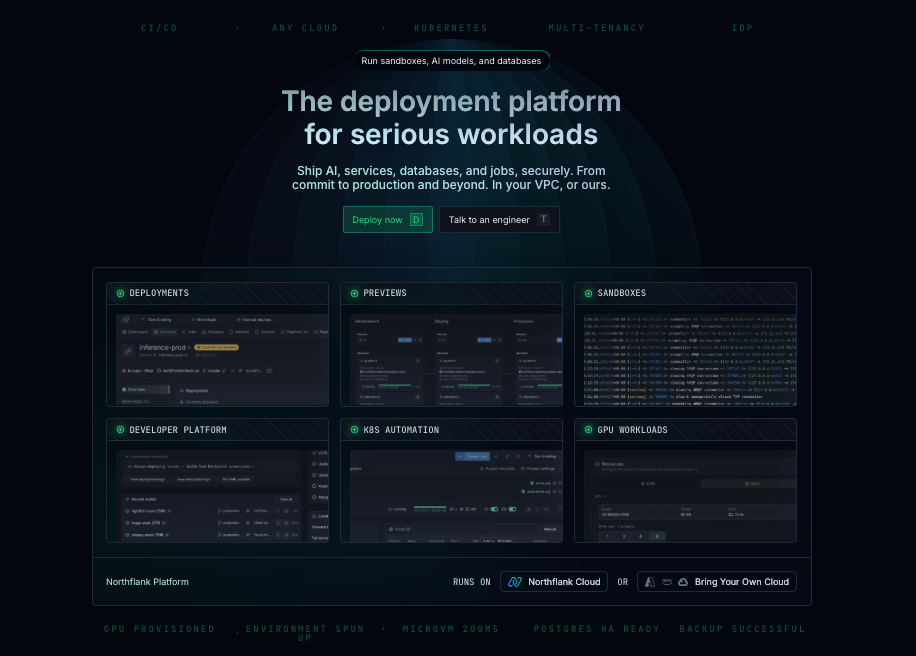
What separates Northflank from portal-only tools is that it runs workloads rather than just cataloging them. A developer does not need a separate CI/CD system, a separate secrets manager, a separate database provider, or a separate orchestrator to make Northflank useful. Everything is in the same control plane, including preview environments that spin up per pull request and tear down on merge. BYOC is available self-serve into AWS, GCP, Azure, Oracle, CoreWeave, Civo, on-premises, and bare-metal, meaning the platform runs inside your own infrastructure without requiring a lengthy enterprise sales process.
Key features:
- Full execution layer: Deploys and runs services, databases, workers, scheduled jobs, and GPU workloads. No separate platform required.
- Built-in portal: UI, API, CLI, and GitOps access. Developers interact with infrastructure through a clean interface without managing Kubernetes directly.
- Preview environments: Isolated environments per pull request with databases, secrets, and networking. Torn down automatically on merge.
- Pipeline and CI/CD: Build pipelines, release flows, and GitOps sync built in. No external CI/CD integration required to deploy.
- Managed databases: PostgreSQL, MySQL, MongoDB, Redis, MinIO, and RabbitMQ as managed addons in the same control plane.
- Secrets management: Secret groups inject environment variables and connection strings directly into services and jobs.
- BYOC: Self-serve deployment into AWS, GCP, Azure, Oracle, CoreWeave, Civo, on-premises, or bare-metal.
- SOC 2 Type 2 certified: Covers managed cloud and BYOC deployments.
- Access: UI, API, CLI, and GitOps.
Best for: Engineering teams that need a full internal developer platform with a built-in portal, self-serve infrastructure provisioning, and BYOC deployment without building or maintaining the toolchain themselves.
Pricing: Free tier includes two services, one database, and two cron jobs. Paid compute from $0.01667/vCPU-hour and $0.00833/GB-hour. See full pricing.
Get started on Northflank (self-serve, no demo required). Or book a demo with an engineer to walk through your platform requirements.
Backstage is an open-source portal framework from Spotify, now a CNCF project. It provides a service catalog, TechDocs documentation system, and software templates for scaffolding new services. A plugin architecture covers Kubernetes status, CI/CD, cloud cost dashboards, and more. It is a portal, not a platform. It catalogs workloads that run elsewhere but cannot provision or deploy them. Most organizations dedicate one to three engineers to building and maintaining it. External adoption rates average around 10%, largely due to the complexity of customization and ongoing maintenance.
Best for: Large organizations with a dedicated platform engineering team that wants maximum customization and is prepared to invest in building and maintaining the portal long-term.
Pricing: Open-source and free. Engineering time to deploy and maintain is the primary cost.
Port is a commercial no-code portal with a customizable blueprint-based data model. Teams define entity types, relationships, and self-service actions through a UI without writing code. It integrates with GitHub, GitLab, Jira, PagerDuty, and Kubernetes. Most teams reach a working portal in days rather than months. It is a portal layer, not a platform. Self-service actions trigger webhooks in external systems, so actual execution depends on your underlying toolchain.
Best for: Teams with an existing infrastructure stack that need a customizable portal layer faster than Backstage allows, without writing code to do it.
Pricing: Free tier available. Basic plan from $30/user/month. Enterprise custom.
Cortex is a commercial portal focused on service ownership and standards enforcement. It provides a service catalog with ownership tracking, scorecards that benchmark services against maturity criteria, and automated workflows that surface gaps. It integrates with GitHub, PagerDuty, and Datadog. It is a governance layer, not a platform. It does not provision infrastructure or run deployments. It is purpose-built for organizations with 50 or more engineers where service ownership has become ambiguous and quality standards need systematic enforcement.
Best for: Engineering organizations with large microservice estates that need systematic service ownership tracking and standards enforcement across teams.
Pricing: Contact Cortex for pricing.
Humanitec is a platform orchestrator. It sits between your developer interface and your infrastructure, wrapping existing Terraform and OpenTofu modules with a governance and deployment automation layer. Platform teams define resource modules and rules once. The orchestrator applies them per environment when a developer or agent requests a deployment.
It does not replace your infrastructure toolchain. You still need CI/CD, cloud accounts, Terraform modules, and a separate portal like Backstage or Port. It is well suited for large enterprises with a mature toolchain that needs standardization applied on top. For teams without that foundation, assembling it alongside Humanitec requires significant engineering investment.
Best for: Large enterprises with existing CI/CD and IaC toolchains that need a governance and deployment automation layer to standardize how developers and agents interact with infrastructure.
Pricing: Tiered plans for small, growing, and large teams. Contact Humanitec for pricing. Self-hosted option available for regulated environments.
The decision splits on whether you need a portal, an orchestrator, or a full platform.
If your infrastructure is already running and you need a better interface for discovery, documentation, and self-service on top of it, Backstage, Port, and Cortex address that. Backstage, if you have the engineering capacity for full customization. Port if you want no-code flexibility faster. Cortex if service ownership and standards enforcement are the primary need. If you have a mature toolchain and need a governance layer applied on top of it, Humanitec covers that.
If you need to provision and run workloads as well as surface them, a portal or orchestrator alone is not enough. Northflank covers the portal, the platform, and the execution layer in one, so developers can deploy and operate infrastructure without assembling or maintaining a separate toolchain.
| Tool | Type | Execution layer | BYOC | Setup time |
|---|---|---|---|---|
| Northflank | Platform + portal | Yes | Yes, self-serve | Minutes |
| Backstage | Portal only | No | No | Weeks to months |
| Port | Portal only | No | No | Days |
| Cortex | Portal only | No | No | Weeks to months |
| Humanitec | Orchestrator | Wraps existing IaC | Self-hosted available | Days to weeks |
If your deployment and infrastructure stack is already working and you need better visibility and self-service on top of it, a portal like Backstage or Port addresses that. If you need to provision infrastructure, deploy workloads, and manage the full software delivery lifecycle without building a toolchain yourself, a platform like Northflank is the more appropriate starting point.
Yes. Northflank provides a UI, API, CLI, and GitOps interface that platform teams configure and developers use to provision environments, deploy services, connect databases, and manage pipelines. It includes a service catalog, template-based self-service, preview environments, and observability. Unlike portal-only tools, it also runs the workloads rather than just displaying them.
Most teams searching for an internal developer portal discover they need more than a catalog and a UI. They need self-service: the ability for developers to provision environments, deploy services, and operate infrastructure without waiting on an ops team. Portal tools like Backstage, Port, and Cortex provide the interface layer but require a separate platform underneath to actually execute anything. Humanitec sits one layer deeper as an orchestrator, standardizing how requests map to infrastructure, but still requires a portal and an existing toolchain to function.
Northflank provides all three layers together. Developers get a clean interface for self-service. Platform teams get guardrails, BYOC deployment, and a full infrastructure stack without building or maintaining the toolchain themselves.
You can get started for free on Northflank or talk to the team to walk through your platform requirements.
- Top internal developer platform tools in 2026: A comparison of IDP tools including Northflank, Backstage, Humanitec, and others across execution model, setup time, and workload coverage.
- How to build an internal developer platform: Covers the components of a production IDP, what takes the most time to build, and when to use a platform versus building your own.