
GitHub self-hosted runners cost increase and alternatives (2026)
GitHub is charging $0.002/minute for self-hosted runners starting March 2026.
Teams now have three options:
- Stay on GitHub-hosted runners and pay per-minute
- Keep self-hosted runners and absorb the new platform fee
- Migrate to a platform like Northflank that handles CI/CD, deployments, and databases together without per-minute fees.
GitHub Actions is the default CI/CD tool for many teams on GitHub. When GitHub-hosted runners become too slow or expensive, self-hosted runners seem like the obvious next step. But starting March 2026, self-hosted runners come with new per-minute fees, and they've always come with significant operational overhead.
This guide covers GitHub Actions pricing changes, what self-hosted runners require to operate, and alternatives that might save your team time and money.

Self-hosted runners are machines you provision and maintain that execute GitHub Actions workflows. Your code runs on infrastructure you control (VMs in AWS, bare-metal servers, or Kubernetes clusters) instead of GitHub's virtual machines.
Teams move to self-hosted runners for:
- Cost control at scale
- Performance (faster CPUs, more memory, local caching)
- Custom environments (specific OS versions, pre-installed dependencies)
- Security (code stays in your network)
- Access to internal resources (databases, APIs behind firewalls)
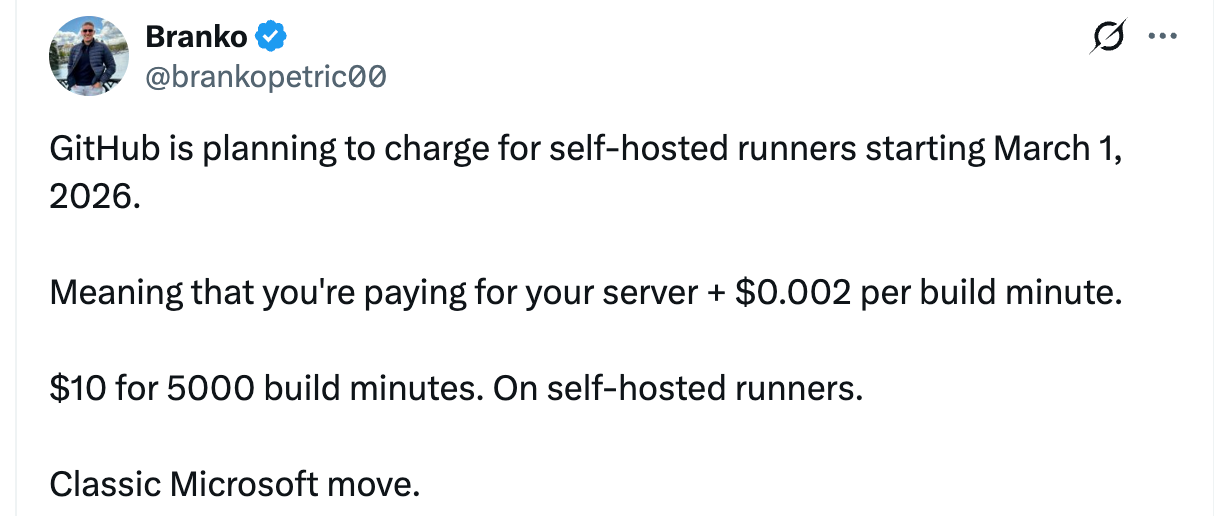
Self-hosted runners have been free to use, you only paid for your own infrastructure. That changes on March 1, 2026.
GitHub is introducing a $0.002 per minute platform charge for self-hosted runner usage in private repositories. This covers the Actions control plane: job orchestration, scheduling, and workflow automation.
| Monthly Minutes | Platform Cost |
|---|---|
| 10,000 | $20 |
| 50,000 | $100 |
| 100,000 | $200 |
| 500,000 | $1,000 |
This fee applies regardless of where your runners are hosted, AWS, GCP, your own data center. You're paying GitHub for orchestration.
Public repositories and GitHub Enterprise Server customers are exempt.
With the March 2026 Github self-hosted runners pricing changes, teams have three paths:
1. Stay on GitHub-hosted runners
Accept the per-minute costs for GitHub's managed runners. This works if your build volume is low enough that the convenience outweighs the cost. GitHub is reducing hosted runner prices by up to 39% starting January 2026, which helps. But at scale, minutes add up fast, and you're still limited by GitHub's runner specs and concurrency limits.
2. Keep self-hosted runners and absorb the new costs
If you've already invested in self-hosted infrastructure and your team has the capacity to maintain it, paying the $0.002/min platform fee might be acceptable. You keep your custom environments and performance optimizations. You also keep the operational burden: ARC management, runner updates, scaling logic, and debugging.
3. Migrate to a platform that handles CI/CD and deployment together
Instead of managing runners, use a platform where builds, deployments, databases, and infrastructure are integrated. You trade GitHub Actions workflows for a system designed to handle the full path from code to production.
For teams evaluating option 3, here's what's available.
If the operational overhead doesn't fit your team, here are some alternatives to Github Actions worth evaluating.
Northflank handles CI/CD alongside deployment, databases, and infrastructure in one platform. Instead of managing runners, you connect a repository and Northflank builds every commit.
How it works:
- Connect your GitHub, GitLab, or Bitbucket repository
- Northflank builds every commit using your Dockerfile or buildpack
- Builds deploy automatically to preview, staging, or production environments
- Logs, metrics, and health checks are included
CI/CD features:
- Automatic builds on push, PR, or branch rules
- Build caching for Docker layers and dependencies
- Parallel builds for monorepos
- Real-time build logs
Beyond CI/CD:
Northflank includes preview environments with isolated databases for every PR, managed databases (Postgres, MySQL, MongoDB, Redis), cron jobs, autoscaling (including scale-to-zero), custom domains with automatic TLS, secret management, and RBAC.
Deployment options:
- Northflank Cloud: Fully managed
- BYOC: Deploy to your AWS, GCP, or Azure account with Northflank managing Kubernetes in your VPC
Pricing: Compute resources (vCPU and memory) prorated to the second. No per-minute platform fee. Free Developer Sandbox tier available.
For teams not ready to fully move away from GitHub Actions, Northflank integrates with existing workflows, keep your CI processes while using Northflank for deployments and hosting.
Established CI/CD platform with cloud and self-hosted runners. Highly customizable YAML-based workflows with Docker, Kubernetes, and VM support.
Best for larger teams with complex pipelines that need flexibility and integrations. No native hosting or service management, you'll need separate tools for deployments and databases.
CI/CD built into GitLab's DevOps platform. Works with cloud-hosted and self-hosted environments.
Best for teams already on GitLab who want integrated project management alongside CI/CD. Less flexible for multi-cloud setups.
Hybrid model: pipelines run from the cloud, builds run on your own infrastructure via lightweight agents.
Best for teams with strict security or compliance requirements who need infrastructure control. You manage and scale your own build infrastructure.
If you want to keep GitHub Actions workflows but need better performance, third-party runner providers offer faster, managed self-hosted runners:
- Depot: Faster builds with managed runners
- WarpBuild: High-performance runners, often 2x faster than GitHub-hosted
- Namespace Labs: Remote development environments with fast CI
These still use GitHub Actions, they replace the runner infrastructure, not the workflow system.
| Concern | GitHub Self-Hosted | Northflank | CircleCI | Buildkite |
|---|---|---|---|---|
| Setup time | Days to weeks | Minutes | Hours | Hours + agent management |
| Autoscaling | ARC or custom | Built-in | Configurable | Agent-based |
| Platform fee (March 2026) | $0.002/min | None | Usage-based | Flat + infra |
| Kubernetes required | For ARC | No | No | No |
| Preview environments | Build yourself | Built-in | No | No |
| Databases | Separate service | Included | Separate | Separate |
| Observability | Add tooling | Included | Add tooling | Add tooling |
Self-hosted runners fit specific scenarios:
- Extreme customization (specific hardware, exotic OS)
- Existing Kubernetes expertise and operational capacity
- GitHub Enterprise Server customers (no platform fee)
- Public repositories (no platform fee)
For most teams, a platform approach is more practical:
- Teams without dedicated DevOps engineers
- Startups that need to ship without infrastructure work
- Growing companies hitting GitHub-hosted runner limits
- Teams wanting preview environments without building them
- Anyone who'd rather write application code than CI infrastructure, and that includes enterprises
- Audit current usage: How many minutes? What's the operational load?
- Calculate total cost: Infrastructure + platform fee + engineering time
- Try alternatives: Northflank's free tier lets you deploy and build without configuration
- Compare: Does a platform approach reduce complexity for your team?
Sign up at northflank.com and deploy your first project in minutes.
GitHub self-hosted runners solve cost, performance, and control problems. They also require infrastructure management, autoscaling complexity, and, starting March 2026, a per-minute platform fee.
Northflank provides builds, deployments, databases, and observability in one platform. No Kubernetes expertise required. No runner maintenance. No platform fees on compute.
Managing self-hosted runners is one option. Using a platform that handles CI/CD and deployment together is another. Choose based on your team's capacity and priorities.
Starting March 1, 2026, GitHub charges $0.002 per minute for self-hosted runner usage in private repositories. At 50,000 minutes/month, that's $100. At 100,000 minutes, $200. This is on top of your own infrastructure costs. Public repositories and GitHub Enterprise Server customers are exempt.
Until March 2026, yes. After March 1, 2026, GitHub introduces a platform fee of $0.002/minute for private repositories. You still pay for your own infrastructure (VMs, Kubernetes clusters, etc.) separately.
Northflank is the best GitHub Actions alternative for teams that want CI/CD, deployments, databases, and infrastructure in one platform. Other options include CircleCI for complex pipelines, GitLab CI for teams already on GitLab, and Buildkite for teams needing infrastructure control.
You provision a machine (VM, container, or bare metal), install the GitHub runner application, configure networking for outbound HTTPS, and register the runner with your repository or organization. For autoscaling, you need Actions Runner Controller (ARC) on Kubernetes or a custom webhook-based solution.
ARC is a Kubernetes operator that manages and scales self-hosted GitHub Actions runners. It requires a Kubernetes cluster, Helm, and cert-manager. GitHub is deprecating legacy ARC modes in favor of the new Scale Set architecture.
Yes. GitHub-hosted runners are fully managed and require no infrastructure setup. You pay per minute based on runner size and OS. GitHub is reducing hosted runner prices by up to 39% starting January 2026.
Common reasons include build performance bottlenecks, scaling costs, limited infrastructure control, no built-in hosting or databases, unpredictable pricing at scale, and vendor lock-in concerns. Platforms like Northflank address these by combining CI/CD with deployment and infrastructure management.
Yes. Northflank connects directly to GitHub repositories. Every commit triggers a build, and deployments happen automatically to preview, staging, or production environments. Teams can also integrate existing GitHub Actions workflows with Northflank for deployments and hosting.
GitHub-hosted runners are managed VMs that GitHub provisions and maintains. Self-hosted runners are machines you provision and maintain yourself. Self-hosted gives you more control over specs, software, and network access, but requires operational overhead and (starting March 2026) a platform fee.
Options include optimizing workflow efficiency, using caching, reducing build minutes, or switching to a platform with different pricing. Northflank charges for compute resources with no per-minute platform fee. Third-party runner providers like Depot and WarpBuild offer faster builds that reduce total minutes.