
Top 6 AI code review tools for your development workflow
The top six AI code review tools covered in this guide are CodeRabbit, GitHub Copilot code review, Greptile, Qodo, Graphite, and Cursor Bugbot. Choose based on your Git provider, review workflow, and budget.
- CodeRabbit: automated PR feedback, summaries, and incremental reviews across major Git providers.
- GitHub Copilot code review: AI review for teams already using Copilot, with GitHub and Azure Repos support.
- Greptile: reviewing changes that affect connected functions, classes, and dependencies across a codebase.
- Qodo: applying team review standards using repository context and PR history.
- Graphite: combining AI review with stacked pull requests and review coordination on GitHub.
- Cursor Bugbot: moving from automated PR findings into a fix workflow in Cursor.
Northflank provides preview environments for testing the running application. Pair your AI reviewer with Northflank preview environments to test changes with their services and databases before merging. Get started with Northflank.
An illustrated overview of AI code review and testing changes with Northflank preview environments.
Repository support and billing can narrow your shortlist before you compare review quality. A per-user subscription, a shared credit pack, and a charge per review represent different costs as your team's activity grows.
Pricing checked on November 27, 2026. Prices below are in USD. Annual commitments, usage charges, and enterprise deployment requirements are identified where relevant.
| AI code review tool | Main workflow fit | Selected repository integrations | Pricing starting point |
|---|---|---|---|
| CodeRabbit | Automated feedback throughout a PR | GitHub, GitLab, Bitbucket, Azure DevOps | Essentials: $24/user/month, billed annually |
| GitHub Copilot code review | Review within an existing Copilot workflow | GitHub; Azure Repos | GitHub workflow: individual Pro $10/month plus applicable usage; Azure Repos review billed separately to Azure |
| Greptile | Codebase context across connected code | GitHub, GitLab, Bitbucket cloud services; Cursor Origin (beta); self-managed options through Enterprise | Free Starter; Pro: $1/credit, with different credit costs per review tier |
| Qodo | Team standards and context-aware review | GitHub, GitLab, Bitbucket, Azure DevOps; Gerrit through Enterprise | Pro team: $30/month for 2,000 shared credits |
| Graphite | Stacked PRs and review coordination | GitHub; GitHub Enterprise Server through Enterprise | Starter: $20/user/month, billed annually, with limited AI reviews; Team: $40/user/month, billed annually, with unlimited AI reviews |
| Cursor Bugbot | PR findings connected to a fix workflow | GitHub, GitLab, Bitbucket, Cursor Origin; Azure DevOps Services (public beta) | Usage-based billing through account or team credits; legacy seat plans differ |
These are workflow recommendations based on product capabilities and documentation, rather than a hands-on ranking of bug-detection accuracy. Git provider support also does not mean every hosting option or feature is available on every plan.
The six tools below offer different approaches to automated feedback, codebase context, and review coordination.
CodeRabbit combines AI analysis with static tools to produce PR summaries, review comments, and suggested changes. It can review subsequent commits incrementally, helping authors get feedback as a change develops.
Its appeal is a familiar review loop: open a PR, read the feedback alongside the diff, discuss a finding, and push another commit. Support for GitHub, GitLab, Bitbucket, and Azure DevOps makes it a candidate for teams that want a review product across several repository providers.
Pricing and limits: Essentials starts at $24 per user per month when billed annually. Team starts at $48 on the same billing basis and adds capabilities including automated test generation. CodeRabbit also offers a 14-day trial and free reviews for public GitHub and GitLab repositories through its open-source offering.
CodeRabbit is a useful starting point when your main requirement is automated PR feedback. Budget for the plan containing the features you actually need: the entry subscription and automated test-generation package are different tiers.
GitHub Copilot code review provides comments and suggested fixes on proposed changes. It supports review on GitHub and Azure Repos. Microsoft announced general availability for Azure Repos on November 20, 2026. The two workflows have different billing arrangements.
The practical advantage is adding review to an existing development toolset. Authors can request feedback within the review workflow without choosing a separate specialist reviewer first. That makes Copilot a sensible baseline to assess before adding another paid product.
Pricing and limits: For the GitHub workflow, individual Copilot Pro starts at $10 per month. Code review uses AI credits shared with other Copilot activity, so the subscription price should not be treated as unlimited review capacity. Agentic review capabilities can also incur GitHub Actions usage charges. Organization policies and licensing arrangements determine access; eligible organizations can also enable review for members without individual licenses, with paid usage applying.
Azure Repos review usage is billed to the Azure subscription linked to the Azure DevOps organization. Credits included with GitHub Copilot plans do not cover that usage.
Having a GitHub repository alone does not provide Copilot code review. For a team rollout, account for who can request reviews and how much of the shared usage budget other Copilot features consume.
Greptile builds a graph of relationships between functions, classes, and dependencies, then uses that context when reviewing changes. It posts findings and suggested fixes in the PR workflow.
That approach is relevant when a small diff can have wider consequences. A change to a shared helper, for example, may affect callers elsewhere in the repository. Greptile's codebase context is intended to help identify those connections; it does not guarantee every downstream issue will be detected.
Pricing and limits: Starter includes one active developer and 50 monthly credits. Pro charges $1 per credit without seat fees. Base reviews consume one credit, Plus reviews three, and Apex reviews ten. Review volume and the selected review tier therefore drive cost.
Greptile supports GitHub Cloud, GitLab.com, and Bitbucket Cloud, plus a Cursor Origin integration in beta. Self-managed Git integrations require Enterprise arrangements. For a larger team, the absence of per-seat fees may be attractive, but frequent reviews at higher tiers can materially change the bill.
Qodo uses codebase context, PR history, and team standards to assess changes. Its review configuration lets teams shape the feedback they receive, including which findings appear and how they are presented.
This is useful when review expectations go beyond general bug detection. A team might require particular error-handling patterns or have conventions for changing shared interfaces. Explicit rules give the reviewer more concrete guidance than a broad instruction to improve code quality.
Pricing and limits: Qodo's Pro team plan starts at $30 per month for 2,000 shared credits, with overages charged at the same credit rate up to a customer-set cap. A 14-day trial includes unlimited reviews and credits. Gerrit support and on-premises or air-gapped deployment sit in Enterprise.
GitHub, GitLab, Bitbucket, and Azure DevOps integrations are available, but configuration features vary by provider. For example, some inline-comment controls supported on GitHub and GitLab are unavailable on Bitbucket. Teams adopting custom review rules should also assign someone to maintain them as their codebase changes.
Graphite combines AI code review with tools for organizing review work on GitHub. Its distinctive fit is a team using stacked pull requests: a sequence of smaller, dependent changes that can be reviewed separately.
For example, a developer might split a feature into a database change, an API change, and a frontend change. Graphite helps reviewers navigate the related PRs while AI feedback contributes to the review. This can be useful when the bottleneck includes keeping dependent work moving, as well as inspecting code.
Pricing and limits: The free Hobby plan supports personal-account repositories with limited AI reviews. Starter costs $20 per user per month when billed annually and supports GitHub organization repositories, also with limited AI reviews. Team costs $40 per user per month, billed annually, and includes unlimited AI reviews and additional workflow features.
Graphite is most relevant when you want its collaboration workflow alongside AI feedback. A GitHub organization comparing entry prices should distinguish Starter's limited AI allocation from Team's offering. GitHub Enterprise Server support requires Enterprise.
Cursor Bugbot reviews PR diffs and posts comments describing potential bugs, security issues, and code-quality problems. It can run automatically on updates or be triggered manually, and its findings provide a path to continue fixing the issue in Cursor.
Its workflow is useful for teams that want to connect a review comment to the next editing step. Authors still need to assess the suggested fix and test its behavior, but the handoff from finding to implementation is part of the product experience.
Pricing and limits: Bugbot uses usage-based billing through account or team credits. Legacy seat-based subscriptions have different arrangements, so older per-user prices are not a reliable guide for a new purchase.
Bugbot supports GitHub, GitLab, Bitbucket, and Cursor Origin, including specified self-managed integrations. Its Azure DevOps Services integration is in public beta. It also documents a PR-size limit and excludes files marked as generated. An oversized PR can be skipped, with a comment explaining why. Reviewers need to distinguish a completed review with no findings from a review that did not run.
Compare useful findings and reviewer effort on the same set of changes. Comment volume alone does not show whether a tool improves review.
Choose a small bug fix, a change spanning several modules, and a feature with clear acceptance criteria. Include known problems where possible, then record whether each tool finds them, raises incorrect concerns, or proposes fixes that change intended behavior.
Keep a simple evaluation record:
| Measure | What to record |
|---|---|
| Useful findings | Correct, actionable issues that the team would want addressed |
| Incorrect findings | Comments reviewers dismiss and the time spent checking them |
| Coverage | Skipped files, unsupported workflows, and incomplete reviews |
| Follow-up behavior | Whether new commits resolve findings or produce repeated comments |
| Cost | Seats, credits, and review activity for the same workload |
Use that evidence to choose a tool for your codebase. Retain human judgment for requirements, architecture, and whether a proposed fix is appropriate. For security-focused reviews, the OWASP Code Review Guide provides a structured reference for examining application code.
A preview environment lets people and automated tests exercise a deployed change before it reaches production. It adds evidence about how the application behaves with its configured services, dependencies, and data.
Consider a checkout update touching the frontend, API, and database schema. A reviewer may catch a missing validation check in the diff. Testing a running preview can also show whether a discount is displayed correctly, the order reaches the API, and the resulting record is stored as expected.
The preview gives QA, product, and design reviewers something they can use directly. With Northflank preview environments, that testable version can include application services, databases, and background jobs.
Some AI review products also offer runtime testing. CodeRabbit Verify, for example, provides testing in prepared sandboxes as a beta capability. The question is whether your review process exercises the relevant application behavior, including dependencies and user journeys.
For the checkout example, useful evidence would include the deployed commit, the test data used, and whether the displayed total matched the stored order. A successful deployment alone does not establish that the checkout works.
Northflank provisions preview environments containing an application and its dependencies, so reviewers can test a change together. Its role in this workflow is providing the running environment alongside your chosen AI reviewer.
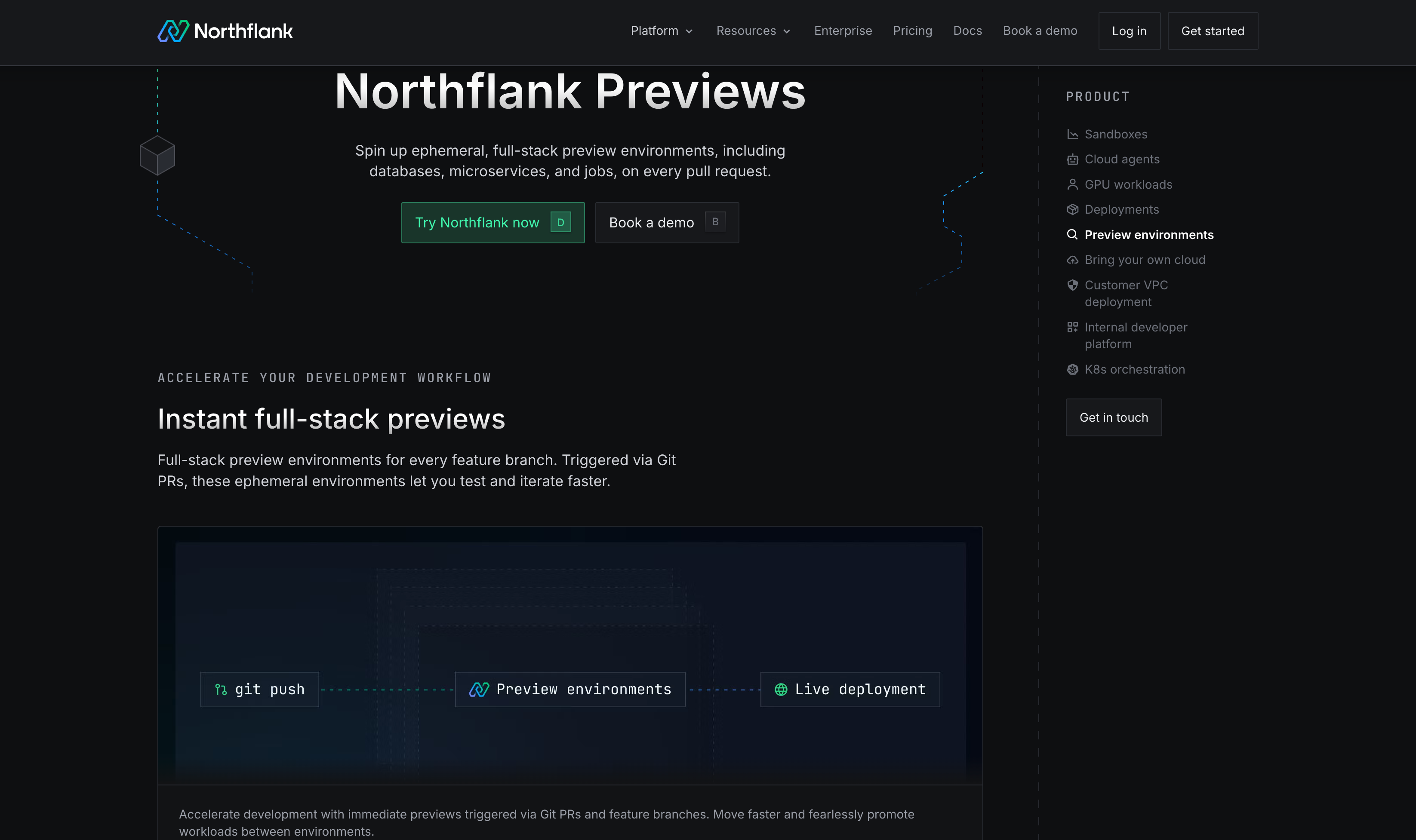
A preview blueprint is a reusable template defining the resources to create and the events that trigger them. It can include builds, application services, databases, and networking that exposes services through unique URLs. Git events, webhooks, or API calls can trigger previews, allowing the team to reuse the configuration across changes.
Watch this walkthrough to see how to create full-stack preview environments for your pull requests with Northflank.
For a feature spanning several services, define the components needed to exercise that feature together. Include representative test data and confirm that the preview runs the intended commit. A frontend connected to an unrelated backend may miss the API change under review.
A practical workflow is:
- Open the PR. Start AI review, human review, and the automated checks appropriate to the change.
- Deploy the preview. Provision the relevant services and dependencies from the blueprint.
- Test the affected journey. Give reviewers the preview URL and acceptance criteria; record what passed, failed, or remained untested.
- Review before merging. Assess code findings and test results, applying the required repository approvals and checks.
- Remove unused previews. Configure expiry and deletion behavior to control resource usage.
Northflank's preview management controls include configured expiry. Git providers can also request deletion when a PR closes or its branch is deleted. Resources incur costs while they run, so size the preview for its tests and configure cleanup.
Creating a preview does not automatically make a test result an enforced merge requirement. Configure any required status checks in your repository workflow.
Create a Northflank account and set up your first preview blueprint. Start with one application change and give reviewers a working environment alongside the code they are approving.
Several products offer limited free access. Greptile Starter includes one active developer and 50 monthly credits. Graphite Hobby supports personal repositories with limited AI reviews. CodeRabbit offers free reviews for public GitHub and GitLab repositories through its open-source offering. Check whether a free option covers your repository type and expected activity.
CodeRabbit, Greptile, Qodo, and Cursor Bugbot support GitLab and Bitbucket integrations. Cloud and self-managed editions can have different requirements. Greptile, for example, places self-managed integrations in Enterprise arrangements.
Billing varies by product: CodeRabbit and Graphite have per-user plans, Greptile charges by credits and review tier, and Qodo offers shared credit packs. Copilot review on GitHub consumes AI credits within its plan arrangements, with applicable GitHub Actions charges. Azure Repos review is billed separately through the linked Azure subscription and does not use GitHub Copilot plan credits. Bugbot uses usage-based billing. Estimate costs from your team's actual review activity, including repeat reviews after updates.
No. Preview environments provide a deployed application against which tests can run. The team still needs test cases, representative data, and acceptance criteria. Northflank supplies the preview infrastructure; your review process determines which evidence is required before merging.