
How to deploy OpenClaw (Clawdbot) on Northflank, securely
If an agent can generate code, run commands, install packages, or call internal tools, you need a real isolation boundary, not just a container, and definitely not “just run it locally.” MicroVM-style sandboxes give you a stronger security model while still being fast enough to spin up per task, per user, or per workflow.
In practice, “agents in prod” often ends up meaning “untrusted code in prod,” and sandboxes are what keeps that from turning into an incident. Every vibe-coded PR or auto-generated branch you merge without reviewing every line is basically a CVE lottery ticket. In the following guide we'll learn how to deploy a new agent called OpenClaw (Clawdbot) and self-service deploy onto a Northflank sandbox in seconds.
If you want to run OpenClaw (Clawdbot) safely in a real environment, Northflank provides the pieces you need to deploy it with isolation, storage and a remote runtime. Follow this guide to deploy OpenClaw (Clawdbot), and reach out if you’re looking to run other agent workloads or untrusted code on Northflank, either on our cloud or inside your own VPC.
OpenClaw (Clawdbot) is an open source AI automation and chat bot system that lets you run an assistant capable of actually doing things. It can manage inboxes, send emails, run workflows, and respond through chat apps like Telegram, Discord, and Slack. Clawdbot is commonly used for personal AI assistants, team automation bots, and chat driven workflows with persistent memory.
With Northflank, you can deploy OpenClaw (Clawdbot) in minutes using the OpenClaw (Clawdbot) stack template. This prebuilt setup handles container builds, persistent storage, networking, and onboarding automatically, so you can focus on configuring your assistant instead of managing servers.
The OpenClaw (Clawdbot) stack template provisions everything needed for a production ready OpenClaw (Clawdbot) deployment on Northflank.
It includes:
- OpenClaw (Clawdbot) Gateway and Control UI exposed over HTTP
- A wrapper web service with a password protected setup wizard
- A persistent Northflank volume for configuration, credentials, conversations, and workspace data
- Secure environment variables for setup and gateway access
This setup follows production best practices while keeping the deployment simple and easy to maintain.
Getting OpenClaw (Clawdbot) running on Northflank takes only a few steps and requires no server side terminal access.
- Click Deploy OpenClaw to open the template.
- Create an account on Northflank if you don’t already have one.
- Click
Deploy OpenClaw now. - Set the required environment variable
SETUP_PASSWORD. - Click
Deploy stackto build and run the OpenClaw template.
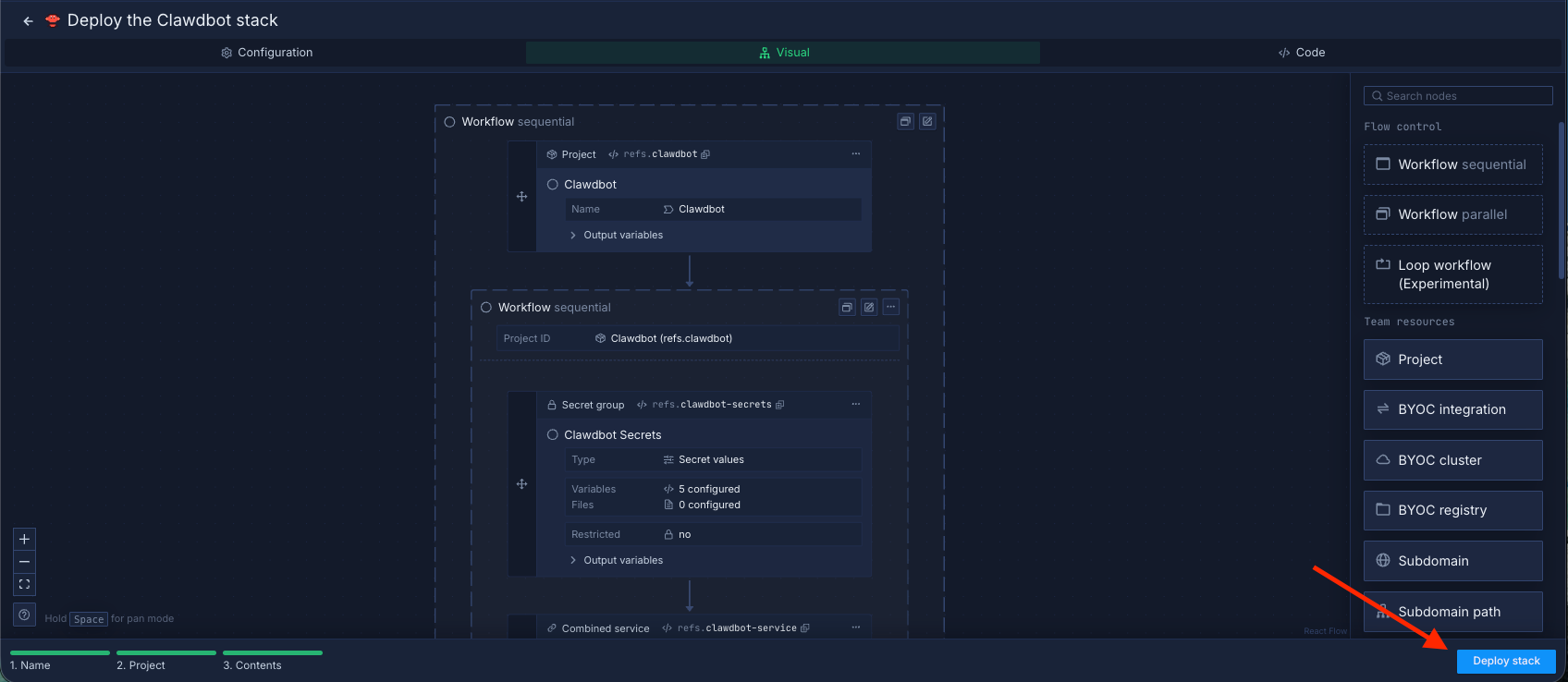
Wait for the deployment to complete, then click View resources.
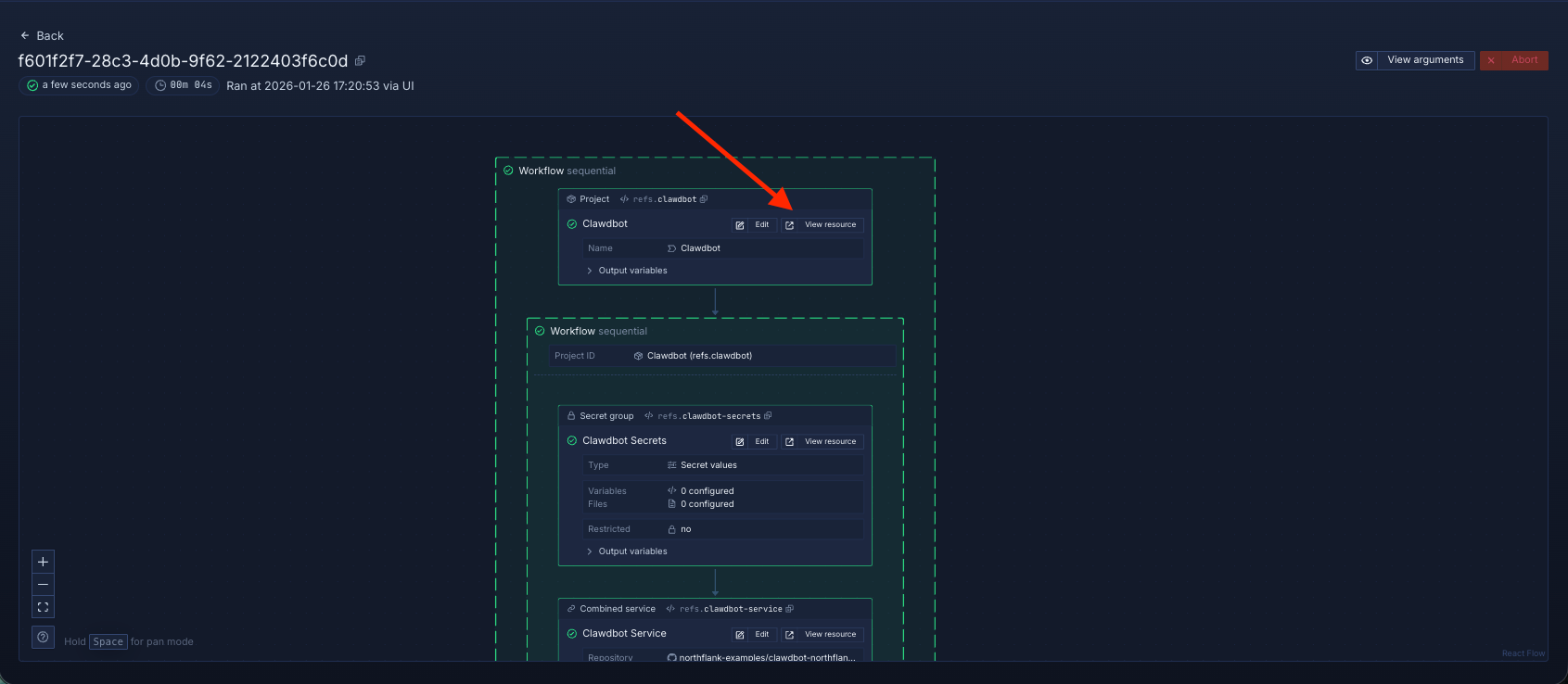
Select the OpenClaw service to access the public URL.
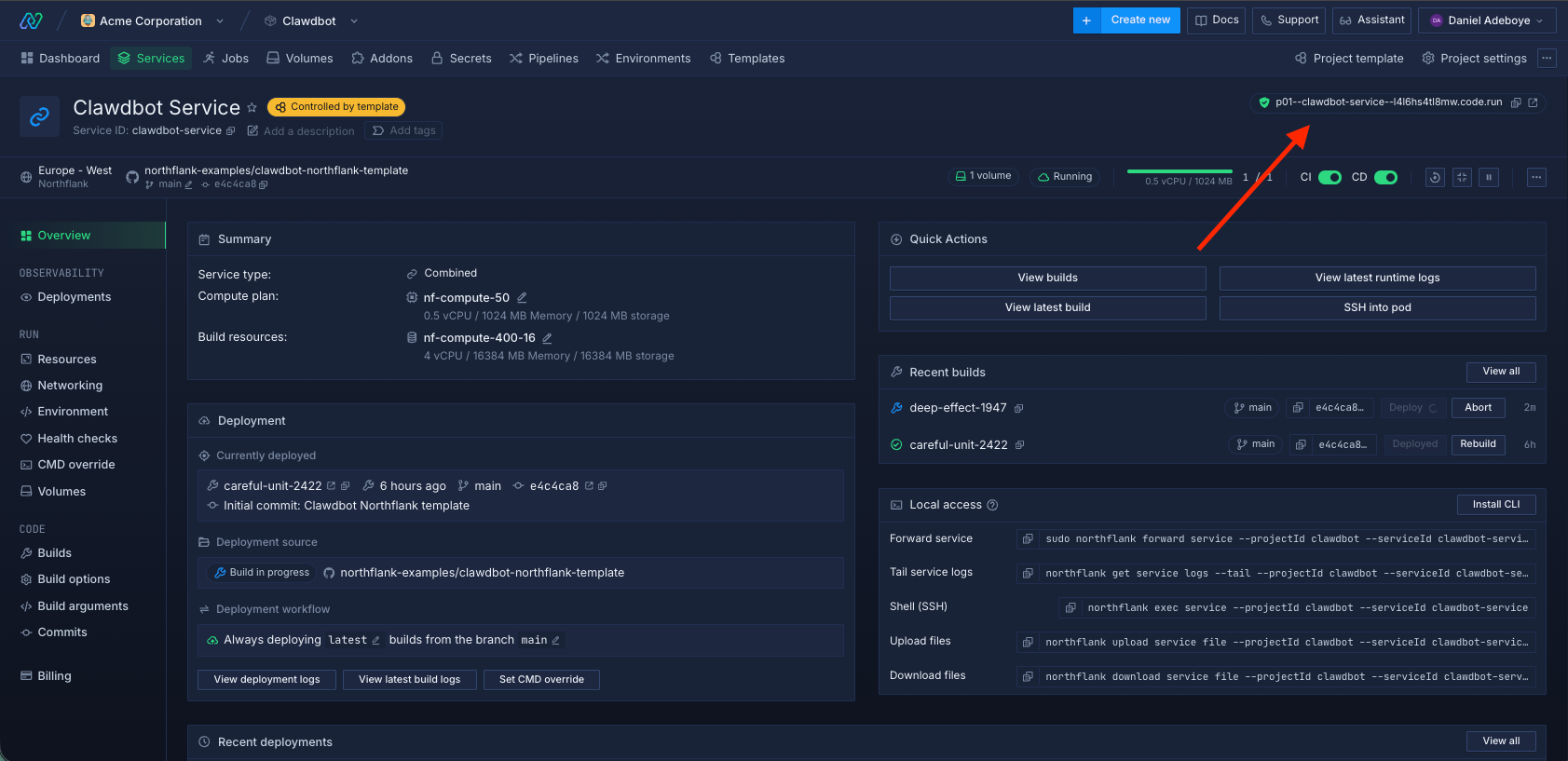
- Open the public Clawdbot URL and complete setup at
/setup. - Open the Control UI at
/openclaw.
- Visit
https://<your-northflank-domain>/setupand enter yourSETUP_PASSWORD. - Choose a model/auth provider and paste your key.
- (Optional) Add Telegram/Discord/Slack tokens.
- Click Run setup.
- Open the Control UI at
https://<your-northflank-domain>/openclaw
This stack template gives you a complete, self hosted OpenClaw (Clawdbot) environment:
- Run an AI assistant that interacts through Telegram, Discord, Slack, and other chat platforms
- Complete onboarding entirely in the browser with no server side terminal access
- Persist configuration, credentials, conversations, and workspace data across redeploys
- Secure sensitive values using environment variables and private volumes
- Scale the Clawdbot service as usage grows
It is suitable for personal assistants, internal team bots, and production chat based automation.
Under the hood, the deployment follows a clear and secure architecture:
- Wrapper service runs on the Northflank public HTTP port and serves setup while reverse proxying all traffic
- Setup wizard runs clawdbot onboard non interactively inside the container
- Persistent volume stores Clawdbot state at data dot clawdbot and workspace at data workspace
- Clawdbot gateway runs internally and handles chat traffic and the Control UI
- Load balancer routes incoming HTTP and WebSocket traffic to keep the service responsive
All internal communication happens over private networking, with only the HTTP interface exposed publicly.
Deploying OpenClaw (Clawdbot) on Northflank is one of the fastest ways to run a fully self hosted AI assistant that actually does things.
With this stack template, you get a ready to run OpenClaw (Clawdbot) environment with persistent storage, secure onboarding, and automated deployment. You can connect your chat apps, configure your assistant, and start automating real work immediately without managing servers, terminals, or complex infrastructure.