
Best cloud sandboxes in 2026
The best cloud sandbox depends on what you need to run, how many environments you need at once, and what should persist between tasks:
- Northflank: Best for AI-generated code and agent workloads at high concurrency. A fit for teams that need fast, isolated cloud sandboxes for coding agents, scripts, APIs, and GPU tasks, with custom environments and support for thousands of concurrent sessions.
- E2B: Best for agent workflows with reusable sandbox state. A fit for teams whose agents return to an environment across tasks, with pause/resume and session limits that vary by plan.
- Modal: Best for programmatically configured cloud sandboxes and GPU tasks. A fit for teams that want to define environments through SDKs and run compute-intensive code with custom dependencies.
- Fly.io Sprites: Best for persistent Linux workspaces. A fit for teams whose agents need installed tools and project files to remain available between sessions, with filesystem checkpoints for rollback.
- Vercel Sandbox: Best for cloud sandbox workflows in Vercel applications. A fit for teams running generated code and application previews with Firecracker isolation and session-based execution.
- Together Code Sandbox: Best for resumable development environments. A fit for teams that need workspaces with memory and disk state preserved through hibernation.
To run your first cloud sandbox, follow the Northflank sandbox quickstart. Create an account to test your workload, or book a demo to discuss sandbox isolation, concurrency, and deployment requirements.
Cloud sandboxes are isolated environments hosted on remote infrastructure where you can execute code, install tools, and test applications. They provide a workspace for tasks that should run separately from your production application or another user’s session.
A coding agent might use a sandbox to edit a repository and run tests. An API-building agent might start a generated server and inspect its responses. A developer might create a temporary environment to reproduce a bug without changing a shared deployment.
Sandboxes can be short-lived or persistent. Some discard their state after a task; others retain files on volumes or save snapshots for later recovery. Persistent files and preserved process memory are different capabilities, so choose around the state your workload actually needs.
Isolation is also only part of the setup. Credentials, network access, and resource limits determine what code inside the sandbox can reach and consume.
Start with the work each environment needs to perform and the number of simultaneous users or tasks it must support.
- Workload compatibility: Check support for your languages, system packages, browser tools, background processes, and GPU requirements. A sandbox for short scripts may need a different configuration from one hosting a generated API.
- Startup speed and concurrency: Measure how quickly environments become usable when many tasks start together. Check concurrent sandbox quotas and environment-creation rates separately.
- Isolation: MicroVMs provide a separate guest kernel. gVisor uses a userspace application kernel to reduce direct exposure to the host kernel. Choose a runtime that supports your workload and security requirements.
- Session duration: Match continuous runtime limits to your task length. Saving files between sessions does not mean a process can run indefinitely.
- Persistence and recovery: Decide whether you need persistent files, filesystem rollback, or memory snapshots. Test what happens after a pause, restart, and failed task.
- Networking: Confirm how agents reach external services and how you expose generated applications. Restrict credentials and outbound access to the task’s needs.
- Deployment location: Decide whether managed infrastructure meets your requirements or whether execution needs to run in infrastructure you control.
Use this table to compare isolation and workspace continuity before choosing a provider.
| Provider | Best fit | Isolation | Session limits and persistence |
|---|---|---|---|
| Northflank | Cloud sandbox execution at high concurrency | Managed CPU sandboxes: microVMs; GPU sandboxes: gVisor | No fixed session time limit; attached volumes retain files, while pausing stops processes |
| E2B | Reusing agent sandbox state | Firecracker microVMs | Hobby: 1 hour; Pro: 24 hours; longer enterprise sessions. Normal pause preserves memory and files |
| Modal | Programmatic environments and GPU execution | gVisor; CPU-only VM option in beta | Default 5 minutes, configurable up to 24 hours; filesystem snapshots support continuation in another sandbox |
| Fly.io Sprites | Persistent Linux workspaces | Firecracker microVMs | Files survive inactivity; checkpoints restore disk state rather than process memory |
| Vercel Sandbox | Execution for Vercel applications | Firecracker microVMs | Hobby: 45 minutes; Pro/Enterprise: 24 hours per session; filesystem snapshots preserve files |
| Together Code Sandbox | Resumable development environments | Firecracker microVMs | Hibernation preserves memory and disk state |
These six options support different approaches to isolated cloud execution, from disposable tasks to workspaces an agent returns to over time.
Northflank provides fast, isolated cloud sandboxes for running AI-generated code and agent workloads at high concurrency. Teams can run coding agents, scripts, APIs, and GPU tasks with custom environments and persistent files.
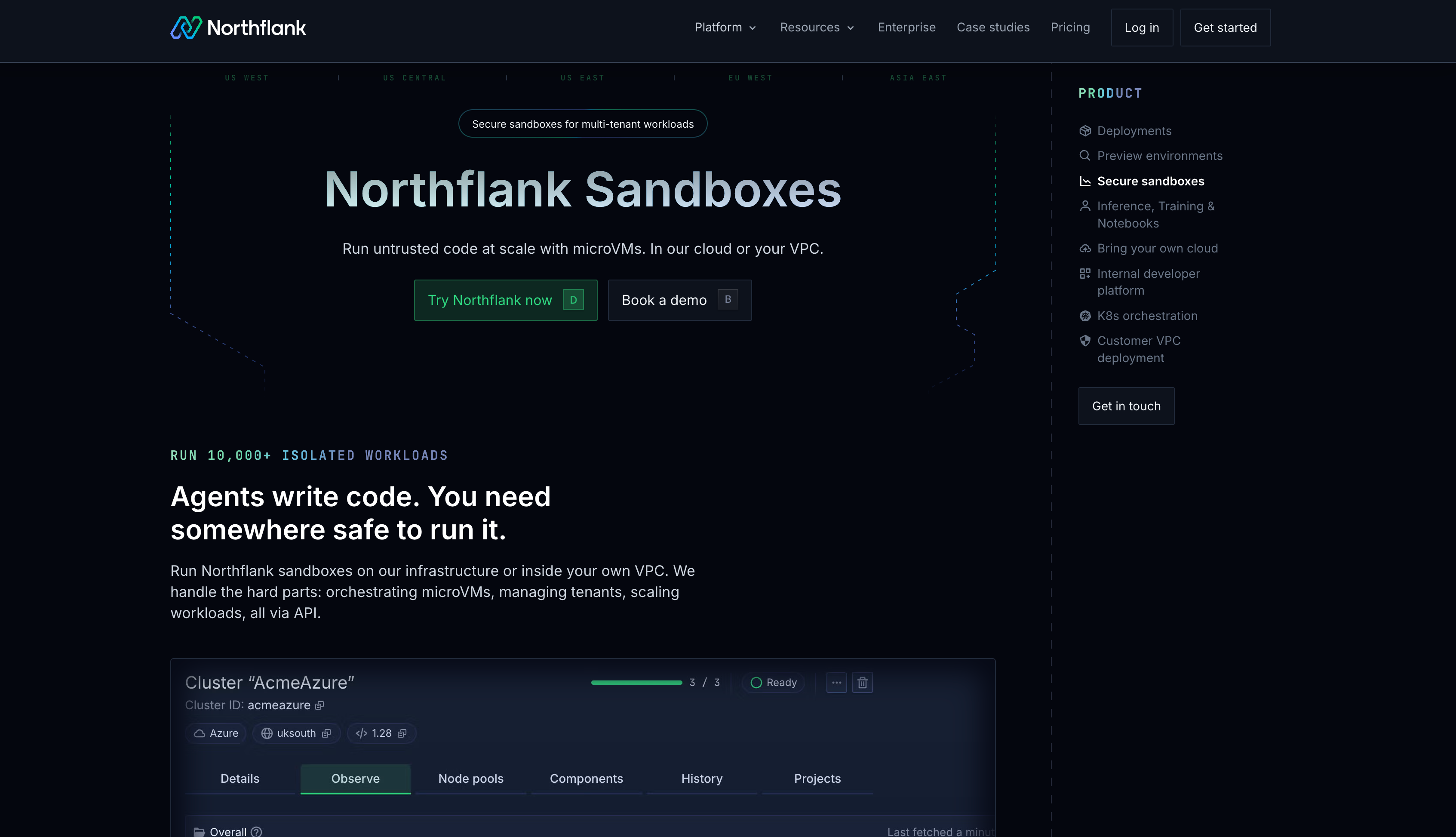
- Fast boot and high concurrency: Northflank Sandboxes support thousands of concurrent agent sessions, with sub-second sandbox boot times on Northflank Cloud. Use separate environments for parallel test runs, agent tasks, and customer code execution.
- Custom environments: Bring container images containing your language runtimes, dependencies, and tools. Run a script, start an API, or give a coding agent a workspace with the packages its repository needs.
- CPU and GPU isolation: On Northflank Cloud, CPU sandboxes use microVMs and GPU sandboxes use gVisor. Isolation is automatic on managed infrastructure; GPU availability depends on the region.
- No fixed session time limit: Keep a sandbox running for a short task or a longer agent workflow without a provider-imposed session timeout.
- Persistent files: Attach volumes for data that must survive restarts. Pausing stops processes and discards ephemeral files while keeping configuration and attached-volume data.
- Deployment options: Use managed infrastructure or bring your own cloud (BYOC), where Northflank acts as the control plane to run coding agents and their sandboxes in your virtual private cloud (VPC). Sandbox isolation requires a supported runtime configured in your cluster.
- Programmatic control: JavaScript and Python clients let your application create sandboxes, execute commands, transfer files, and clean up environments after tasks finish.
Best for: Teams that need fast cloud sandboxes for varied workloads, high concurrency, and control over session duration and execution location.
Follow the sandbox quickstart to create an environment and run code. Get started on Northflank to test your workload, or book a demo to plan for production traffic.
E2B provides cloud sandboxes for AI-generated code, with tools for creating environments and returning to them across agent tasks.
- Isolation: Firecracker microVMs give each sandbox a separate guest kernel.
- Agent integration: Python and JavaScript/TypeScript SDKs support command execution, file operations, and environment management.
- Reusable state: Normal pause preserves memory and files. Filesystem-only pause retains files but reboots on resume, losing process memory.
- Session and concurrency limits: Hobby includes one-hour sessions and 20 concurrent sandboxes. Pro supports 24-hour sessions and 100 concurrent sandboxes, with paid add-ons increasing concurrency to 1,100. Enterprise offers higher limits.
- Deployment: Enterprise includes bring your own cloud (BYOC) options for AWS and GCP.
Best for: Teams building agent workflows that benefit from reusable sandbox state and SDK-based execution.
Modal lets developers configure sandbox environments programmatically, including dependencies, resources, and commands for compute-intensive tasks.
- Environment configuration: Use SDKs and existing container images to prepare the tools your workload needs.
- Isolation options: Standard sandboxes use gVisor. VM Sandboxes provide a separate Linux kernel in beta and currently support CPU workloads only.
- GPU execution: GPU sandboxes support accelerated tasks; choose hardware compatible with the required runtime.
- Session recovery: Sandboxes default to a five-minute timeout, configurable up to 24 hours. Filesystem snapshots let work continue from saved files in another environment.
- Resource billing: CPU and memory charges use the greater of requested and actual usage, so resource requests are not necessarily a spending ceiling.
Best for: Teams that want programmatically configured environments for compute-intensive code and GPU tasks.
Fly.io Sprites provide Linux workspaces whose files remain available between runs. They suit agents that repeatedly work on the same project and need to recover from unwanted changes.
- Isolation: Each Sprite runs in a Firecracker microVM with its own kernel.
- Persistent filesystem: Project files and installed packages survive inactivity. Process memory does not persist when compute stops.
- Checkpoint and restore: Roll the filesystem back to an earlier checkpoint. Restoring disk state does not resume a process from its previous instruction.
- Application access: A Sprite has an HTTPS URL that can wake the environment when a request arrives.
- Automation: CLI, API, and SDK access support creating environments and executing commands. Python SDK support is available alongside other clients.
Best for: Coding agents that need persistent Linux workspaces and filesystem rollback between tasks.
Vercel Sandbox supplies isolated environments for running generated code, installing dependencies, and starting application previews.
- Isolation: Firecracker microVMs separate sandbox execution from the surrounding infrastructure.
- Execution tools: SDK and CLI access support commands, files, and sandbox lifecycle operations.
- Environment configuration: Custom images let you choose the software needed for a workload rather than relying only on a fixed default runtime.
- Session limits: Hobby sessions run for up to 45 minutes; Pro and Enterprise sessions run for up to 24 hours. These are running-session limits, not the total lifetime of saved sandbox files.
- Persistence and scale: Filesystem snapshots preserve workspace files between sessions. Pro and Enterprise allow up to 10,000 concurrent sandboxes, with separate creation-rate quotas.
Best for: Teams using Vercel that need sandboxed code execution and application previews.
Together Code Sandbox provides development environments built on CodeSandbox infrastructure for agents that return to a working environment over time.
- Isolation: Sandboxes use Firecracker microVM technology.
- Memory and disk persistence: Hibernation preserves the workspace’s memory and filesystem state for later resume.
- Development tools: Terminal access, task management, and preview ports support testing generated applications.
- Environment configuration: Development-container configuration supports custom dependencies and tools.
Best for: Teams building agent-driven development environments where restoring memory and disk state matters.
Estimate costs around the way your environments run: continuous sessions, bursts of short tasks, or workspaces that spend most of their time idle. Include saved files and snapshots as well as compute.
Prices below are in USD as of September 28, 2026. Per-second rates are shown as hourly equivalents, rounded where needed.
| Platform | CPU | Memory | Billing considerations |
|---|---|---|---|
| Northflank | $0.01667/vCPU-hour | $0.00833/GB-hour | Per-second compute billing; storage, network transfer, and GPU configurations affect the total |
| E2B | $0.0504/vCPU-hour | $0.0162/GiB-hour | Pro subscription and concurrency add-ons are additional to usage |
| Modal Sandboxes | $0.1419/physical-core-hour | $0.0240/GiB-hour | One physical core represents two vCPUs; requested and actual usage affect charges |
| Fly.io Sprites | $0.07/CPU-hour | $0.04375/GB-hour | Actual compute usage; retained storage can still incur charges while idle |
| Vercel Sandbox | $0.128/active-CPU-hour | $0.0212/GB-hour | Default iad1 region; sandbox creation, transfer, snapshots, and drive usage are additional meters |
| Together Code Sandbox | $0.0446/vCPU-hour | $0.0149/GiB-hour | CPU and memory are separate charges |
These rates use different units and billing rules. A physical core is not the same billing unit as a vCPU, and GB differs from GiB. Compare the total cost of your workload rather than treating the CPU column as a price ranking.
Managed cloud sandboxes let you start without provisioning a cluster in your account. Bring your own cloud (BYOC) is relevant when your organization requires sandbox compute to run inside infrastructure it controls.
With Northflank’s bring your own cloud (BYOC), Northflank acts as the control plane to run coding agents and their sandboxes in your virtual private cloud (VPC). Configure a supported isolation runtime for the cluster. E2B also offers enterprise customer-cloud deployment options.
Compare deployment requirements directly: supported infrastructure, runtime configuration, private-network access, and responsibility for updates and incidents. Access to a private service alone does not automatically require moving all sandbox compute into your cloud; the available networking options also matter.
Run a small set of real tasks before committing to a provider. Include a short script, a repository build, and a longer task that needs saved files or a running server.
- Test the actual environment. Install the packages and system tools your workload needs, then check commands, file access, and exposed ports.
- Run tasks concurrently. Measure startup, completion rates, and resource contention at the load you expect from users.
- Exercise recovery. Pause or restart an environment and check files, memory, credentials, and background processes separately.
- Check access controls. Verify that each task has only the network access and credentials it needs, and that tenants cannot read one another’s files.
- Measure total cost. Include idle periods, retries, snapshots, persistent storage, and cleanup alongside active execution.
For cloud sandboxes that need to run coding agents, generated APIs, and GPU tasks at high concurrency, start with a representative workload on Northflank. Create an account or talk to an engineer about the environments you need to run.
Northflank is our recommendation for teams that need fast, concurrent cloud sandboxes for varied workloads and control over session duration. E2B, Modal, Fly.io Sprites, Vercel Sandbox, and Together Code Sandbox suit other priorities, including reusable state, GPU execution, and persistent development environments.
Yes, if the environment supports the application’s dependencies, long-running processes, and required ports. You can use a sandbox to start a generated API, send test requests, and inspect the results before promoting the code to another environment.
A cloud sandbox describes an isolated execution environment. A container is one way to package and run software. Standard containers share a host kernel, while microVM-backed sandboxes run a separate guest kernel. Sandboxes using gVisor add a userspace kernel boundary. Security also depends on configuration, network access, and permissions.
Not always. Persistent volumes and filesystem checkpoints retain files, while memory snapshots can retain process state. Check the specific pause and recovery behavior: a workspace may return with its files intact while its servers and terminal sessions need restarting.
Bring your own cloud (BYOC) is useful when policy or architecture requires workloads to execute in your cloud account. Managed infrastructure may be sufficient when its regions, isolation, and networking meet your requirements. Review where execution and data handling occur before choosing.
Yes. Use separate environments for customers or tasks, with isolation, scoped credentials, network restrictions, and resource limits. Validate the tenant boundary and capacity under concurrent load before opening execution to users.



