
How much does an NVIDIA L4 GPU cost?
- The NVIDIA L4 Tensor Core GPU is a data center GPU built on the Ada Lovelace architecture. It targets inference, video processing, image generation, and fine-tuning workloads that fit within 24 GB of GPU memory, packaged in a 72W low-profile form factor.
- L4 pricing varies across providers depending on what is included. Raw GPU rental platforms list rates from approximately $0.33/hr to $0.44/hr, but those figures may exclude CPU and RAM. Platforms that bundle the full compute stack list higher headline rates.
- On Northflank, the NVIDIA L4 24 GB costs $0.80/hour, with GPU, CPU, RAM, and storage included in that price. L4 workloads run on Northflank's managed cloud across 7 regions, or on your own GCP, AWS, Azure, OCI, or CoreWeave account via BYOC. GPU and CPU workloads run on the same platform alongside databases, services, and jobs. GPU workloads on Northflank Cloud use gVisor isolation by default. Discounts are available for volume and longer-term commits.
View L4 instance configurations and available regions or request L4 GPU capacity for volume or reservation requirements.
The NVIDIA L4 Tensor Core GPU is a data center GPU designed for video, AI, visual computing, graphics, and virtualization workloads.
This article covers the L4's specs, use cases, pricing across GPU cloud providers, and how to deploy L4 GPU workloads on Northflank.
The NVIDIA L4 Tensor Core GPU is a data center GPU built on the NVIDIA Ada Lovelace architecture. NVIDIA describes it as a universal, energy-efficient accelerator for video, AI, visual computing, graphics, and virtualization workloads. It operates in a 72W low-power envelope in a 1-slot low-profile PCIe form factor, making it suitable for mainstream server deployments from the edge to the data center.
Official specifications from NVIDIA:
| Specification | Detail |
|---|---|
| Architecture | Ada Lovelace |
| GPU memory | 24 GB |
| GPU memory bandwidth | 300 GB/s |
| FP32 | 30.3 teraFLOPs |
| TF32 Tensor Core | 120 teraFLOPS* |
| FP16 Tensor Core | 242 teraFLOPS* |
| BFLOAT16 Tensor Core | 242 teraFLOPS* |
| FP8 Tensor Core | 485 teraFLOPs* |
| INT8 Tensor Core | 485 TOPs* |
| Max thermal design power (TDP) | 72W |
| Form factor | 1-slot low-profile, PCIe |
| Interconnect | PCIe Gen4 x16 64GB/s |
Shown with sparsity. Specifications are one-half lower without sparsity.
The NVIDIA L4 is designed for video, AI, visual computing, graphics, and virtualization workloads. NVIDIA positions it as a universal accelerator for high throughput and low latency across server deployments from the edge to the data center to the cloud.
Common workload types include:
- LLM inference: serving small-to-mid-size language models that fit within 24 GB of VRAM
- Image generation: running diffusion models such as Stable Diffusion variants
- Video processing: GPU-accelerated transcoding, video understanding, and AI video pipelines
- Computer vision: object detection, classification, and segmentation models
- Fine-tuning: parameter-efficient fine-tuning of models that fit within 24 GB VRAM
- Interactive notebooks: Jupyter environments with GPU access for experimentation
- Virtualization: virtual workstation and virtual application workloads via NVIDIA vWS
Workloads that require more than 24 GB of GPU memory, or that rely on high-bandwidth GPU interconnects for distributed training, are better suited to A100, H100, H200, or B200 instances. For pricing and deployment guides, see how much does an NVIDIA A100 GPU cost, how much does an NVIDIA H100 GPU cost, and how much does an NVIDIA B200 GPU cost.
On Northflank, the NVIDIA L4 24 GB costs $0.80/hour. That price includes GPU, CPU, RAM, and storage. On the pay-as-you-go plan, billing is pro-rated to the second, so you pay only for the time your workload runs.
Discounts are available for volume and longer-term commits. (Request GPU capacity)
L4 workloads run on Northflank's managed cloud or on your own cloud account via BYOC (Bring Your Own Cloud).
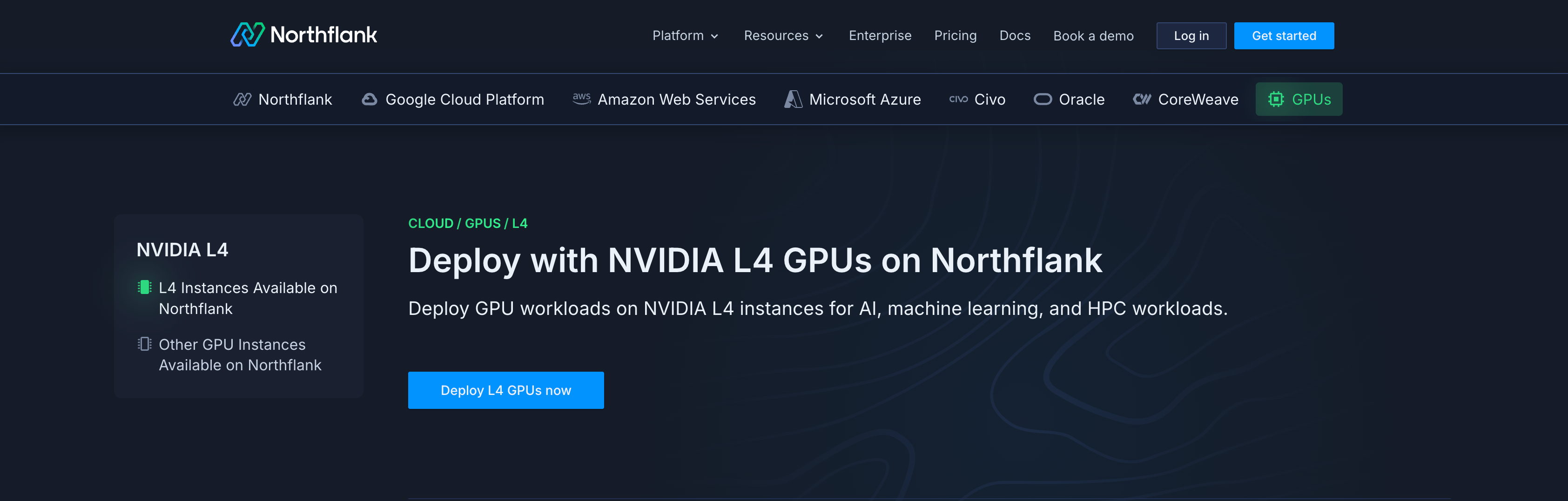
The L4 is available on Northflank Cloud in the following regions:
- Asia - Northeast
- Asia - Southeast
- Europe - West
- Europe - West - Frankfurt
- US - Central
- US - East
- US - West
See the NVIDIA L4 on Northflank page for the current list of available instance configurations, visit the pricing page for the full GPU pricing table, or use the pricing calculator to estimate your monthly spend.
For a broader comparison of AI sandbox pricing including GPU access costs across platforms, see AI sandbox pricing comparison.
For teams deploying GPU workloads alongside APIs, workers, databases, and other services, Northflank supports GPU and CPU workloads, managed databases, CI/CD pipelines, secrets, autoscaling, observability, IaC templates, and BYOC in one platform. Get started (self-serve) or book a demo if you have specific infrastructure or compliance requirements.
- GPU workloads on Northflank: overview of inference, training, and notebook workloads on the platform
- NVIDIA L4 on Northflank: available L4 instance configurations across providers
- Northflank pricing: full GPU and compute pricing
- Request GPU capacity: for volume or reservation requirements
L4 pricing varies widely depending on whether the rate covers the GPU only or a bundled compute unit including CPU and RAM. The table below reflects published rates at the time of writing. Prices, especially on marketplace platforms, are subject to change.
| Provider | L4 (24 GB) price | What's included | Notes |
|---|---|---|---|
| Northflank | $0.80/hr | GPU, CPU, RAM, storage | Managed cloud (7 regions) or BYOC (GCP, AWS, Azure, OCI, CoreWeave); GPU and CPU workloads on one platform; gVisor isolation on managed cloud; workload optimisation controls |
| Modal | $0.80/hr | GPU only | CPU billed at $0.0473/physical core/hr (2 vCPU equivalent) and RAM at $0.0080/GiB/hr on top; region selection adds a 1.5x to 1.75x price multiplier |
| RunPod | $0.44/hr (Community Cloud) / $0.39/hr (Secure Cloud) | GPU, CPU, RAM (pod) | Community Cloud and Secure Cloud tiers at different rates; raw GPU rental |
| Vast.ai | ~$0.33/hr | Varies by host | Market-driven rate set by supply and demand across hosts; fluctuates and is not fixed |
Modal's headline L4 rate matches Northflank's at $0.80/hr, but CPU and RAM are metered separately on top of that at $0.0473/physical core/hr (each physical core is equivalent to 2 vCPUs) and $0.0080/GiB/hr, respectively.
RunPod and Vast.ai offer lower headline rates but provide raw GPU access without a managed platform layer.
Northflank's $0.80/hr rate covers the full compute stack (GPU, CPU, RAM, and storage). The platform manages the orchestration layer and supports CPU services, databases, and jobs alongside GPU workloads.
Northflank supports two deployment paths for L4 GPU workloads.
Northflank Cloud is a managed environment where you create a GPU-enabled project in one of the 7 supported regions. GPU and CPU workloads run on Northflank's infrastructure. GPU workloads on Northflank Cloud use gVisor isolation by default, which can be relevant for teams running multi-tenant inference or executing untrusted code.
Bring your own cloud (BYOC) lets you deploy L4 GPU nodes on your own cloud account using GCP, AWS, Azure, OCI, or CoreWeave, while Northflank manages the orchestration layer. This path suits teams that need to retain control of their infrastructure or billing relationships with a specific cloud provider.
Both paths use the same Northflank UI, API, and CLI, so the deployment workflow is consistent regardless of where the workload runs.
See the following guides to get started with either deployment path:
- Deploy GPUs on Northflank Cloud: step-by-step guide for deploying GPU workloads on Northflank's managed infrastructure
- Deploy GPUs in your own cloud: configuring GPU node pools and workloads on BYOC clusters
The steps below apply to deploying on Northflank's managed cloud. BYOC deployment requires a configured cluster first.
- Create a new project in a GPU-enabled region on Northflank Cloud.
- Create a deployment service or job within that project.
- Select NVIDIA L4 as the GPU type and set the GPU count in the resources configuration.
- Use a container image compatible with CUDA 12.0 or later. For example, nvidia/cuda:12.8.0-cudnn-runtime-ubuntu22.04 or an official framework image such as pytorch/pytorch:2.6.0-cuda12.4-cudnn9-runtime.
- Mount a persistent volume to the default model cache path for your framework (for example,
/root/.cache/huggingfacefor Hugging Face models) to avoid re-downloading weights on every restart.
Your application also needs to be configured to use the GPU at the framework level. For PyTorch, check device availability with torch.device("cuda" if torch.cuda.is_available() else "cpu"). For TensorFlow, confirm GPU visibility with tf.config.list_physical_devices('GPU').
Deploy L4 GPU workloads on Northflank
- GPUs on Northflank: overview of GPU deployment options on managed cloud and BYOC
- Deploy GPUs on Northflank Cloud: step-by-step guide for GPU projects on Northflank's managed infrastructure
- Deploy GPUs in your own cloud: configuring GPU node pools on BYOC clusters
- Configure and optimise workloads for GPUs: right-sizing CPU and memory, persisting models, and using GPU-optimised base images
- Sandboxes on Northflank: microVM-backed isolation for GPU and CPU workloads
Get started (self-serve), or book a session with an engineer if you have specific infrastructure or compliance requirements.
Northflank supports sandbox deployments backed by microVM-based isolation. GPU workloads on Northflank Cloud use gVisor isolation by default, which provides kernel-level separation between containers.
This can be relevant for teams that run workloads involving user-submitted code, LLM-generated code execution, or multi-tenant inference pipelines where container isolation requirements are stricter than standard Kubernetes defaults. Whether this isolation model fits a given security posture depends on the specific workload and compliance requirements.
See Sandboxes on Northflank for full details on the isolation model and how to configure GPU sandboxes. For a broader look at GPU sandbox isolation models and platform support, see GPU sandboxes: isolation models and platform support.
On Northflank, the NVIDIA L4 24 GB costs $0.80/hour with GPU, CPU, RAM, and storage included, with the orchestration layer managed and GPU workloads running alongside CPU services, databases, and jobs. Modal lists the L4 at $0.80/hr for the GPU only, with CPU and RAM billed separately on top. RunPod lists L4 pods from $0.44/hr (Community Cloud) and $0.39/hr (Secure Cloud), providing raw GPU access without a managed platform layer. Vast.ai shows a market-driven rate of approximately $0.33/hr, which fluctuates based on supply and demand across hosts.
The L4 has 24 GB of GPU memory versus 16 GB on the T4. On NVIDIA's own benchmarks for generative AI inference, the L4 delivers up to 2.5X higher performance than the T4 for image generation workloads (measured on 512x512 Stable Diffusion v2.1, FP16, TensorRT 8.5.2). The L4 is built on Ada Lovelace while the T4 uses Turing architecture. Both are low-profile PCIe cards designed for mainstream server deployments.
Yes. The $0.80/hour rate on Northflank includes GPU, CPU, RAM, and storage.
The NVIDIA L4 is available on Northflank Cloud in Asia-Northeast, Asia-Southeast, Europe-West, Europe-West-Frankfurt, US-Central, US-East, and US-West. See the NVIDIA L4 page for the current list of available configurations.