
Best on-premises AI sandbox platforms in 2026
Running AI sandbox workloads on-premises means execution happens on hardware you own, inside your own data center, with no dependency on any public cloud provider. Most sandbox platforms do not support this at all. These are the ones that do.
- Northflank – The only platform on this list with production-ready, self-serve on-premises deployment. Runs sandbox execution on your own bare-metal or data center hardware with full microVM isolation, managed orchestration, unlimited sessions, databases, GPUs, and CI/CD.
- E2B – On-premises available as part of enterprise self-hosting. You operate the full runtime stack, including the control plane. Firecracker microVM isolation and clean Python and TypeScript SDKs.
- Daytona – On-premises deployment supported via Kubernetes custom regions. You manage the full infrastructure layer; Daytona provides the control plane remotely. Docker-based isolation by default. Codebase closed-source since June 2026.
Most sandbox platforms are cloud-only. That is fine for the majority of use cases, but a specific set of requirements makes on-premises non-negotiable.
Regulated industries like financial services, healthcare, and government operate under compliance frameworks that prohibit sensitive data from leaving controlled infrastructure entirely, including public cloud accounts. Air-gapped environments by definition cannot reach external APIs. Teams with existing data center investments or specific hardware requirements need execution to happen where their systems already live.
The gap between on-premises and cloud deployment is meaningful. Cloud platforms still depend on a third-party provider's infrastructure and physical security. On-premises means your own hardware, your own network, your own physical perimeter. Among sandbox platforms, only a handful support this at all, and among those, the depth of support and the operational model differ significantly.
Not all on-premises implementations are equal. These are the dimensions that matter when execution must run on your own hardware.
- Air-gap compatibility. Can the platform operate without outbound internet access? Some platforms phone home for licensing, telemetry, or updates in ways that break air-gapped deployments. Verify what network access the control plane requires before committing.
- Bare-metal support. On-premises often means bare-metal servers rather than VMs. Not all platforms are designed to run on bare-metal without a hypervisor layer underneath. Check whether the platform supports direct bare-metal deployment or requires an intermediate virtualisation layer.
- Orchestration model. Does the vendor manage orchestration on your hardware, or do you? The difference between a platform that deploys and operates inside your data center versus one that hands you Helm charts and walks away is significant in terms of engineering overhead.
- Isolation on your hardware. microVM isolation on bare-metal behaves differently from microVM isolation on cloud VMs. Confirm the isolation technology works correctly on your specific hardware configuration, particularly for Kata Containers and Firecracker which have hardware dependencies.
- Compliance certifications. SOC 2 Type 2, HIPAA, FedRAMP, and other certifications matter but only if they cover on-premises deployments specifically. Some certifications apply only to managed cloud offerings. Northflank is also HIPAA compliant, with BAAs supported under an Enterprise contract.
- Upgrade and maintenance model. On-premises infrastructure requires patching, upgrades, and operational maintenance. Understand whether the vendor handles this remotely or whether your team is responsible for the full Day 2 operational surface.
Most sandbox platforms simply do not support on-premises deployment. The three below are the options that exist today, and they differ significantly on who operates what once your hardware is in the picture.
Northflank is a full-stack platform with production-ready on-premises and bare-metal deployment available self-serve. You connect your own data center or bare-metal infrastructure, and Northflank manages orchestration, scheduling, autoscaling, and microVM provisioning on your hardware while your data never leaves your physical perimeter. No enterprise sales process required.
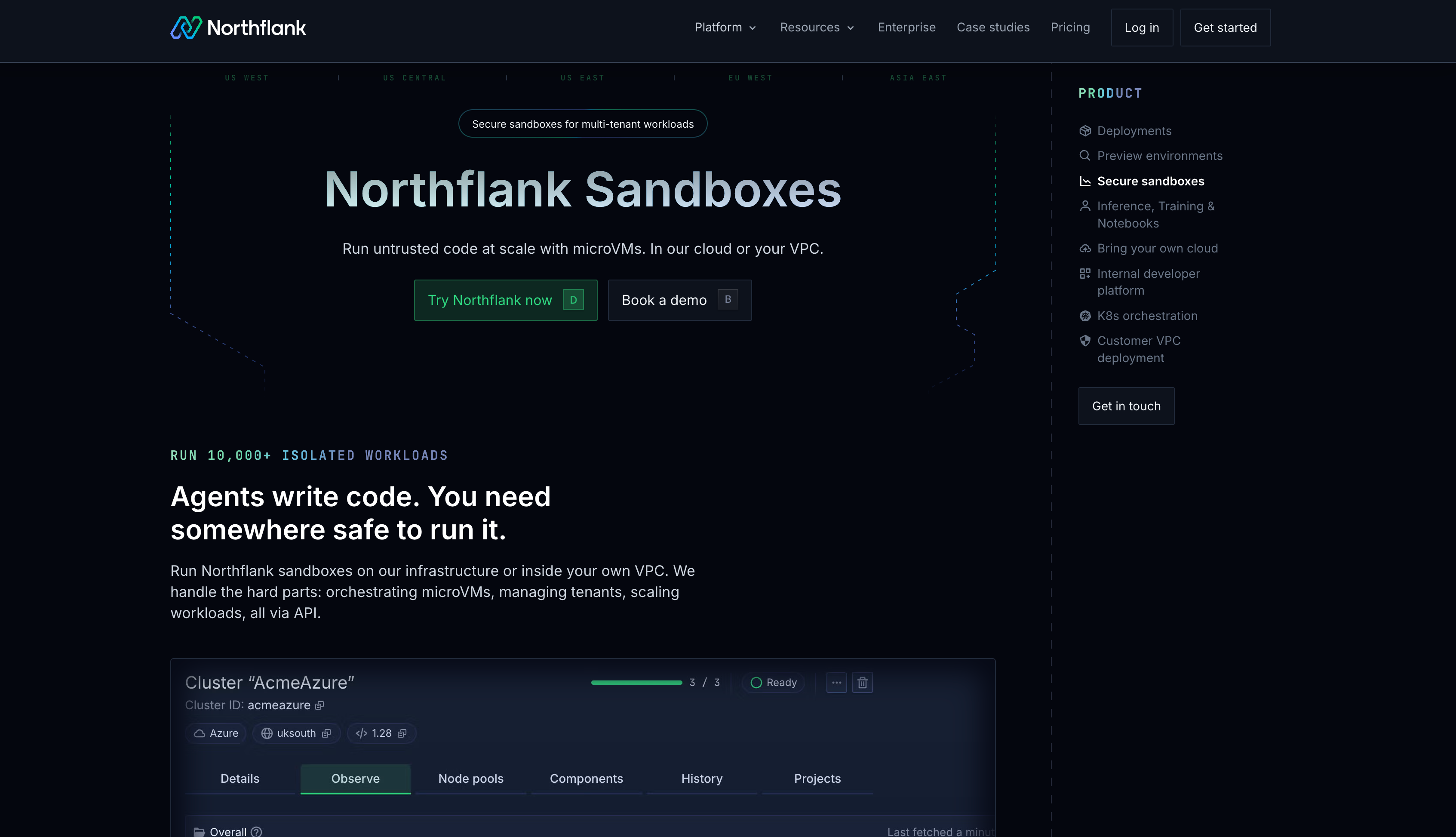
What makes Northflank different from the other options here is that the vendor manages the operational layer on your hardware. Your team owns the servers. Northflank operates the platform. Sandboxes run alongside databases, APIs, background workers, and GPU workloads in the same control plane. Isolation uses Kata Containers with Cloud Hypervisor, Firecracker, and gVisor applied per workload. Sessions run indefinitely with no platform-imposed time limits. Any OCI-compliant image from any registry works without modification.
Key features:
- Self-serve on-premises deployment: Connect bare-metal or data center hardware without going through enterprise sales. Available to any team on the platform.
- Managed orchestration on your hardware: Northflank handles scheduling, autoscaling, bin-packing, and microVM lifecycle management. You own the hardware; Northflank operates it.
- Isolation options: Kata Containers with Cloud Hypervisor, Firecracker, and gVisor applied per workload. Every sandbox runs in its own microVM with true multi-tenant isolation.
- No session limits: Sandboxes run for seconds or weeks with no platform-imposed cutoff. Ephemeral and persistent environments supported in the same control plane.
- Full-stack scope: Run databases (Postgres, MySQL, MongoDB, Redis), persistent volumes, S3-compatible storage, background jobs, and GPU workloads alongside your sandboxes, all on your hardware.
- GitOps-compatible: Sandbox environment templates version-controlled and synced bidirectionally with a Git repository.
- SOC 2 Type 2 certified: Relevant for regulated industries and government deployments requiring compliance coverage on-premises.
- HIPAA compliant: Meets the standards required to handle PHI on-premises and via BYOC. BAAs supported under an Enterprise contract.
cto.new migrated their entire sandbox infrastructure to Northflank in two days after EC2 metal instances made scaling costs unpredictable, going from unworkable provisioning to thousands of daily deployments with linear, per-second billing.
Best for: Teams with air-gapped or on-premises requirements, regulated industries where data cannot leave physical infrastructure, and platform engineering teams that need managed orchestration on their own hardware without a lengthy enterprise sales process.
Pricing: $0.01667/vCPU-hour, $0.00833/GB-hour, H100 GPU at $2.74/hour all-inclusive. On-premises deployments bill against your own infrastructure costs.
Get started on Northflank (self-serve, no demo required). Or book a demo with an engineer if you want to walk through your on-premises architecture first.
Understand how Northflank deploys on-premises and manages sandboxes on your hardware:
- How Northflank sandboxes are provisioned and used for secure code execution: https://northflank.com/product/sandboxes
- How bring your own cloud deployments allow workloads to run inside your own infrastructure: https://northflank.com/product/bring-your-own-cloud
- How sandbox workloads can be deployed directly into customer VPC and on-premises environments: https://northflank.com/product/customer-vpc-deployments
- How microVM sandbox environments are created using Firecracker, gVisor, and Kata Containers: https://northflank.com/blog/how-to-spin-up-a-secure-code-sandbox-and-microvm-in-seconds-with-northflank-firecracker-gvisor-kata-clh
E2B offers on-premises deployment as part of its enterprise self-hosting option. On-premises is available for enterprise customers and requires operating the full runtime stack on your own infrastructure. Sandboxes use Firecracker microVM isolation with boot times under 200ms.
The key distinction from Northflank is operational responsibility. In E2B's on-premises model, your team operates the full runtime stack, including the control plane, not just the compute layer. E2B manages neither the control plane nor the execution plane once deployed on your hardware. That is a significant engineering commitment, and it is not self-serve.
Best for: Enterprise teams who need on-premises Firecracker microVM sandboxes and have the engineering capacity to operate the full runtime stack themselves.
Pricing: Enterprise custom pricing for on-premises deployments. Managed tiers: Hobby free with $100 credit and 20 concurrent sandboxes. Pro at $150/month with 100 concurrent sandboxes and 24-hour sessions.
Daytona supports on-premises deployment via Kubernetes, including bare-metal Kubernetes clusters. You deploy Daytona onto your Kubernetes infrastructure, and Daytona uses Kubernetes to run the nodes while its own orchestrator runs the sandboxes on top. You create custom regions and runners in your environment, and Daytona connects them to its control plane via a provisioned token.
Your team owns and operates the full infrastructure layer, including the Kubernetes cluster, compute nodes, scaling, and networking. Daytona provides the control plane remotely but does not manage orchestration on your hardware. Isolation defaults to Docker containers, which is weaker than microVM isolation for genuinely untrusted code. Custom regions are self-serve, created via the dashboard or API and deployed with Daytona's Helm charts.
In June 2026, Daytona moved its production codebase to closed source, citing security concerns around AI-assisted vulnerability discovery. The original open-source repository remains public but is archived and will receive no further updates. For on-premises buyers this closes off one path: fully self-hosting the platform, including the control plane, is no longer possible, the control plane runs exclusively on Daytona's infrastructure, with only the runner layer deployed on your hardware.
Best for: Teams with existing Kubernetes infrastructure on-premises and the engineering capacity to operate it alongside Daytona's control plane.
Pricing: Usage-based with $200 free credits. Contact Daytona for on-premises pricing.
The core question is who operates the platform once it is running on your hardware. Northflank is the only option here where the vendor manages orchestration on your hardware. You own the infrastructure; Northflank operates the platform on it. E2B and Daytona both require you to operate the infrastructure layer yourself, with the vendor providing only the control plane remotely. If your requirement is on-premises execution without taking on full operational responsibility, Northflank is the only option that covers it.
| Platform | On-prem support | Access model | Isolation | Control plane | Infrastructure responsibility |
|---|---|---|---|---|---|
| Northflank | Yes | Self-serve | Kata Containers, Firecracker, gVisor | Managed by Northflank | Hardware only |
| E2B | Yes, enterprise | Enterprise only | Firecracker | Customer operates | Full stack including control plane |
| Daytona | Yes, runner layer only (closed-source since June 2026) | self-serve | Docker (default) | Daytona (remote) | Full Kubernetes infrastructure |
On-premises means sandbox execution runs on hardware you own and operate, inside your own data center, with no dependency on a public cloud provider. The vendor may still provide the control plane remotely, but the compute and execution happen on your physical infrastructure.
It depends on the platform. Northflank supports air-gapped deployments for regulated industries and government deployments. Verify with any vendor whether their control plane requires outbound internet access before deploying in an air-gapped environment, as some platforms phone home for licensing or updates in ways that break air-gapped setups.
On-premises is significantly harder to support than cloud offerings. The vendor cannot control the hardware environment, networking configuration, or infrastructure reliability. Most sandbox platforms prioritize managed cloud and add on-premises only for large enterprise customers, if at all.
Northflank manages orchestration, scheduling, autoscaling, and microVM lifecycle on your infrastructure. You own and maintain the hardware. Northflank operates the platform layer on top of it, which means your team is not responsible for managing sandbox orchestration directly.
Northflank supports Kata Containers with Cloud Hypervisor, Firecracker, and gVisor on bare-metal. The specific isolation technology available depends on your hardware configuration. For bare-metal deployments with specific hardware requirements, the Northflank engineering team can advise on the right isolation approach during onboarding.
They are the same thing. E2B's on-premises option is its self-hosted deployment model. Your team operates the full runtime stack, including the control plane. This is available to enterprise customers only and is not self-serve.
On-premises AI sandbox infrastructure is a small category for good reason. It requires the vendor to support deployment onto hardware they do not control, in environments with networking configurations they cannot predict, at a level of operational complexity that most sandbox-focused platforms are not built for.
Northflank is the only platform here with production-ready, self-serve on-premises deployment where the vendor manages orchestration on your hardware. E2B is an option for enterprise teams willing to operate the full runtime stack themselves. Daytona is an option for teams with strong Kubernetes expertise, though its codebase went closed-source in June 2026 and its control plane cannot run on your hardware. If your requirement is on-premises execution with managed orchestration rather than full self-hosting, Northflank is the only option that covers it.
You can get started for free on Northflank or talk to the team to walk through your on-premises requirements.
If you want to go deeper on the topics covered in this guide, these articles are a good next step.
- Best BYOC sandbox platforms in 2026: Covers the full BYOC landscape, including cloud deployment options alongside on-premises, with a detailed comparison of Northflank, E2B, and Daytona.
- Self-hosted AI sandboxes: guide to secure code execution: Covers how DIY, self-hosted, and BYOC sandbox approaches differ operationally, and what full self-hosting actually involves.
- How to sandbox AI agents: microVMs, gVisor, and isolation strategies: Technical deep-dive into isolation technologies and how to choose between them for on-premises workloads.