
How to run AI-generated code safely
Running AI-generated code safely requires an isolated execution environment that enforces boundaries around the filesystem, process space, network, and kernel. Standard Docker containers share the host kernel and are not sufficient for untrusted code.
- The right isolation model depends on your use case: hardened containers work for internal trusted code, gVisor adds syscall-level protection for moderate-risk workloads, and microVMs (Firecracker, Kata Containers) provide hardware-level isolation for truly untrusted or multi-tenant execution.
- Each execution pattern (one-shot coding assistant output, multi-step agent tool calls, user-submitted prompts in a product, CI pipelines) carries a different threat profile and maps to different infrastructure requirements.
- Building and operating sandbox infrastructure yourself is a significant engineering commitment. Hosted sandbox platforms handle the infrastructure layer so you can focus on your product.
Northflank provides microVM-backed sandboxes using Kata Containers, Cloud Hypervisor, Firecracker, and gVisor, with any OCI container image support, unlimited session duration, and both ephemeral and persistent execution modes. BYOC (Bring Your Own Cloud) deployment is available self-serve across AWS, GCP, Azure, Civo, Oracle Cloud, CoreWeave, and on-premises or bare-metal infrastructure. It has been in production since 2021 across early-stage startups, public companies, and government deployments.
Running AI-generated code safely is an infrastructure requirement for any AI product, developer tool, or autonomous agent system that executes LLM-generated code.
If your product or pipeline executes code produced by an LLM, you are operating an untrusted code execution surface, and the infrastructure decisions you make around it have direct security consequences.
This article covers the threat model for running AI-generated code, the four key enforcement boundaries you need, how common execution patterns map to infrastructure requirements, how to choose an isolation model, and how to evaluate sandbox platforms.
When a language model generates code, that code should be treated as untrusted unless it has been reviewed before execution. It cannot be fully predicted, and it may be influenced by prompt injection attacks that are invisible to the system running it.
Running it directly on your application servers, or inside a shared container environment, exposes your infrastructure to:
- Filesystem access: Code can read environment variables, API keys, and configuration files it was never intended to reach.
- Network exfiltration: Without outbound controls, generated code can send data to external endpoints.
- Resource exhaustion: Uncontrolled CPU and memory consumption can degrade or take down adjacent workloads.
- Privilege escalation: A kernel vulnerability in a shared-kernel environment can allow a compromised workload to break out and access the host.
This differs from running your own application code, where the code is authored by engineers you trust, reviewed before deployment, and scoped to known behaviour. AI-generated code has none of those properties. It is produced at runtime, in response to user input or agent decisions, and it executes without the review cycle that applies to engineer-authored code.
For a broader look at what makes AI sandboxes a distinct category from traditional container isolation, see What is an AI sandbox?
Before choosing an isolation technology for running AI-generated code, you need to understand what you are enforcing. A production-grade execution environment enforces boundaries across four key dimensions:
| Boundary | What it prevents |
|---|---|
| Filesystem isolation | Access to host files, secrets, and credentials |
| Process isolation | Interference with other workloads and host processes |
| Network isolation | Unauthorised outbound connections and data exfiltration |
| Kernel isolation | Privilege escalation and host access via kernel exploits |
Standard Docker containers provide filesystem and process isolation through Linux namespaces and cgroups by default. They do not address kernel isolation because they share the host kernel. If a container workload exploits a kernel vulnerability, that vulnerability exposes the host, and from the host, adjacent workloads on the same node are reachable.
For AI-generated code from unknown or untrusted sources, kernel isolation is not optional.
See this guide on remote code execution sandboxes for a deeper look at how isolation models map to each of these boundaries.
Not every AI-generated code execution use case carries the same risk profile. Here is how common execution patterns differ in what they require:
- Coding assistant output (one-shot): A user asks an LLM to generate a script. It runs once and returns output. The main risk is the code itself being malicious or accidentally destructive. Requires: strong isolation, fast startup, and ephemeral teardown.
- Agent tool calls (multi-step, stateful): An autonomous agent runs multiple steps in sequence, each shaped by previous results. Sessions can last minutes to hours. Requires: isolation that persists across steps within a session, scoped outbound networking for tool calls, and clean teardown between user sessions.
- User-submitted prompts in a multi-tenant product: Multiple users' AI-generated code runs on shared infrastructure simultaneously. A bug or exploit from one user must not reach another. Requires: per-tenant isolation at the kernel level, not just the application level.
- CI pipelines running LLM-generated tests: Code generated by an AI coding assistant runs inside your CI pipeline. The risk is lower than fully untrusted user code, but prompt injection via repository content is a documented attack vector. Requires: process and network isolation at minimum.
For a detailed look at autonomous agent execution environments, see these guides on Code execution environment for autonomous agents and Ephemeral execution environments for AI agents.
Three isolation approaches are in common use for running AI-generated code. Each provides a different kernel boundary and comes with different operational tradeoffs. Start by asking which of the following fits your use case:
Containers isolate workloads using Linux namespaces and cgroups while sharing the host kernel. A hardened configuration adds seccomp profiles to restrict syscall surface, drops unnecessary Linux capabilities, enforces read-only root filesystems, and applies cgroup resource limits.
This is acceptable for internal workloads where you control and trust the code being executed. It is not sufficient for AI-generated code from external users or LLM agents operating on untrusted input.
gVisor intercepts syscalls through a user-space process called the Sentry, which handles them without passing them directly to the host kernel. Container workloads interact with the Sentry rather than directly with the host kernel, which reduces the kernel attack surface.
This fits workloads where full microVM isolation is not justified, but standard container isolation is insufficient. There are tradeoffs: some I/O overhead, limited compatibility with certain kernel features, and an additional attack surface from the interception layer itself.
MicroVMs provide each workload with a dedicated guest kernel running inside a lightweight virtual machine. A compromise of the guest kernel does not directly expose the host kernel; an attacker must also escape the hypervisor boundary.
Firecracker is designed for fast boot times and is used in production at scale for serverless and multi-tenant workloads. Kata Containers runs OCI-compliant containers inside microVMs and integrates natively with Kubernetes, making it a common choice for Kubernetes-based sandbox infrastructure.
For AI-generated code in multi-tenant or user-facing products, microVM isolation is the standard approach.
The table below summarises how each isolation model compares across kernel boundary and use case:
| Isolation model | Kernel boundary | Best suited for |
|---|---|---|
| Hardened containers | Shared | Internal, trusted code |
| gVisor | Intercepted (user-space) | Moderate-risk, compute-heavy workloads |
| Firecracker microVM | Dedicated guest kernel | Serverless, untrusted, multi-tenant |
| Kata Containers | Dedicated guest kernel via Kubernetes | Production Kubernetes with VM-grade isolation |
For a detailed comparison of these technologies, see Kata Containers vs Firecracker vs gVisor and How to sandbox AI agents.
Building microVM-based sandbox infrastructure yourself requires maintaining a VMM (Firecracker, Cloud Hypervisor, or QEMU), integrating it with your container runtime and orchestrator, managing pre-warmed pool sizing and drain logic, handling cold start latency, and operating all of it reliably at scale. It is a significant ongoing engineering commitment, not a one-time setup.
Hosted sandbox platforms handle the infrastructure layer. You define the container image, submit your workload, and the platform handles isolation, scheduling, scaling, and teardown.
When evaluating a hosted sandbox platform, the key criteria are isolation technology, session duration limits, BYOC (Bring Your Own Cloud) availability, container image flexibility, and platform scope beyond just sandbox execution.
Northflank provides hosted microVM-backed sandbox infrastructure using Kata Containers, Firecracker, and gVisor, with both ephemeral and persistent execution modes.
Sandbox creation takes around 1-2 seconds. Any OCI container image works without modification. BYOC deployment is available self-serve across AWS, GCP, Azure, Civo, Oracle Cloud, CoreWeave, and on-premises or bare-metal infrastructure. Northflank has been running sandbox workloads in production since 2021 across startups, public companies, and government deployments.
See this guide on how to spin up a secure code sandbox and microVM with Northflank.
Northflank is a cloud platform that provides microVM-backed sandbox infrastructure and full workload orchestration, including APIs, workers, databases, GPU workloads, and CI/CD.
Deploy on Northflank's managed cloud or inside your own VPC via self-serve BYOC (Bring Your Own Cloud). Northflank supports multi-tenant architectures for running untrusted code at scale and has operated sandbox infrastructure in production since 2021 across startups, public companies, and government deployments.
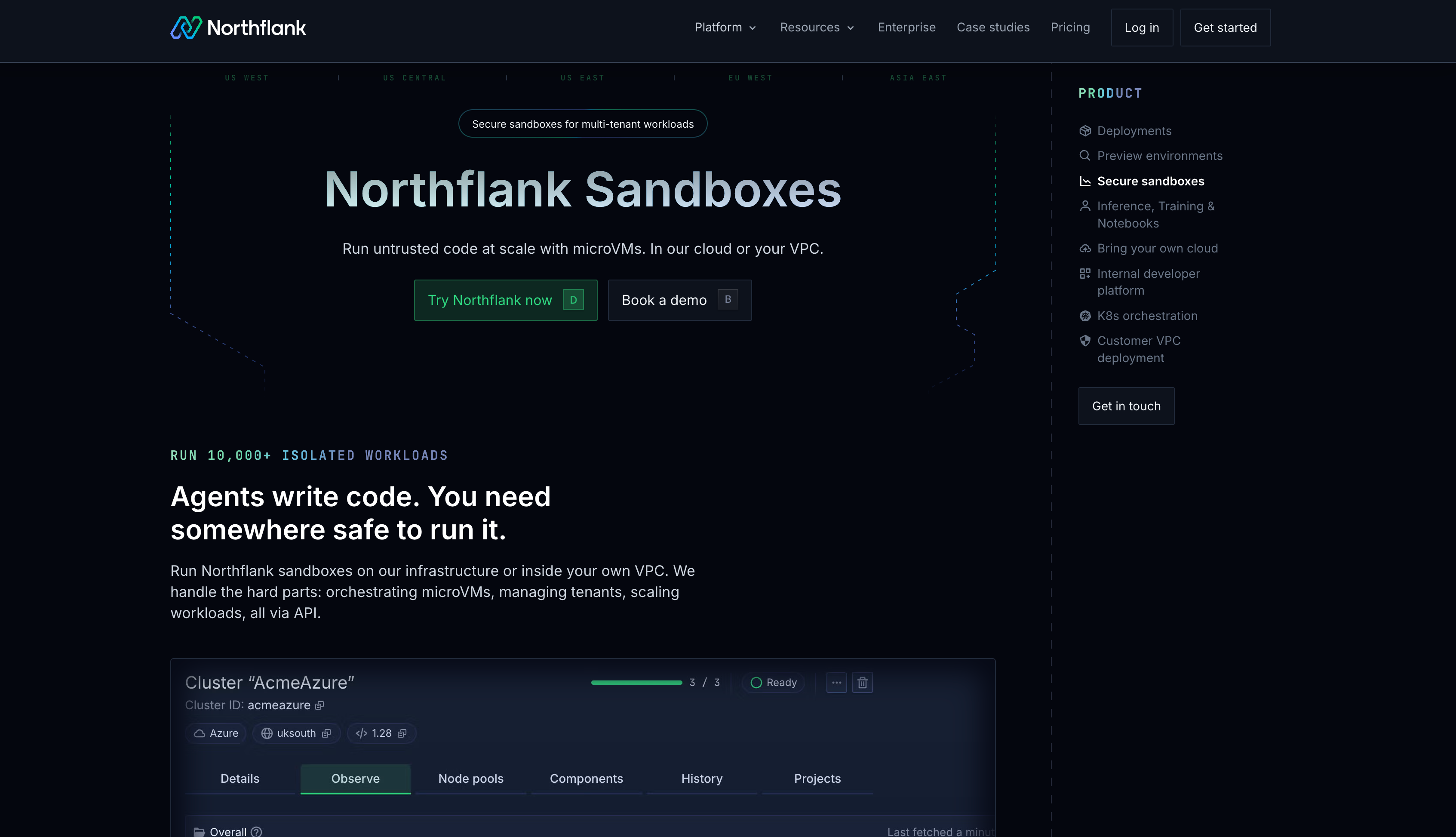
Here is what Northflank provides for running AI-generated code in production:
- Multiple isolation technologies: Northflank runs workloads using Kata Containers with Cloud Hypervisor, Firecracker, and gVisor depending on workload requirements.
- Any OCI image: Sandboxes accept any container from Docker Hub, GitHub Container Registry, or private registries without modification. No proprietary SDK or custom image format is required.
- No forced time limits: Sandboxes run for seconds or weeks depending on your use case, with no imposed session duration limits.
- BYOC, self-serve: BYOC deployment is available self-serve across major cloud providers and on-premises or bare-metal infrastructure. Northflank handles orchestration while workloads run inside your own cloud account or VPC.
- Full workload runtime: Databases, backend APIs, GPU workloads, and CI/CD run on the same platform alongside sandbox execution.
As an example of Northflank in production, cto.new uses Northflank to run secure multi-tenant sandboxes, handling thousands of daily container deployments across a free AI coding platform serving over 30,000 developers."
Run it inside a microVM-based sandbox using Firecracker or Kata Containers as the isolation foundation. Each execution gets a dedicated guest kernel, isolating it from the host and from other workloads. Layer scoped network policies and hard resource limits on top of that isolation.
You can, but standard containers share the host kernel. For internal trusted code this is often acceptable with a hardened configuration. For untrusted AI-generated code or multi-tenant platforms, container isolation alone carries meaningful kernel-level risk.
gVisor intercepts syscalls in user space, reducing but not eliminating kernel exposure. MicroVMs give each workload a dedicated guest kernel via hardware virtualisation. MicroVMs provide stronger isolation; gVisor has lower overhead on compute-heavy workloads where I/O is not the bottleneck.
Apply default-deny outbound policies and explicitly allow only the endpoints the workload needs. For agent workloads making tool calls, scope outbound access to known API endpoints. Unrestricted egress is an exfiltration risk.
BYOC means sandbox execution runs inside your own cloud account (AWS, GCP, Azure, etc.) rather than on shared third-party infrastructure. The platform handles orchestration while your data and workloads stay inside your VPC, which is important for compliance-sensitive or data-sensitive applications.
Not always. One-shot executions suit ephemeral sandboxes well. Agent workflows that maintain state across many steps within a session need a persistent execution environment for the duration of that session, while still using ephemeral teardown between sessions.
The articles below cover specific aspects of sandbox infrastructure for AI-generated code execution in more depth.
- What is an AI sandbox?: Covers the definition, isolation technologies, and common use cases for AI sandboxes, including code interpreters and multi-tenant SaaS platforms.
- How to sandbox AI agents: A practical guide to isolation strategies for AI agents, including microVM, gVisor, and hardened container configurations.
- Remote code execution sandbox: Explains the full threat model for remote code execution and how isolation models compare in production.
- Secure runtime for codegen tools: Covers how to build and operate a secure runtime specifically for code generation tools at scale.
- Best code execution sandbox for AI agents: Platform comparison across isolation strength, session limits, BYOC support, and pricing.
- Code execution environment for autonomous agents: Details the specific infrastructure requirements for multi-step stateful agent execution environments.
- Ephemeral execution environments for AI agents: Covers ephemeral vs persistent execution patterns and how they apply to agent workloads.
- Kata Containers vs Firecracker vs gVisor: Side-by-side comparison of the three main isolation technologies with tradeoffs for each use case.