
How to set up preview environments for apps built with Claude Code
Every production-ready preview environment should provide:
- Automatic environments for every pull request
- Isolated infrastructure for testing changes safely
- Temporary URLs for review and QA
- Automatic cleanup after merge
There are two ways to set this up on Northflank:
- Using Claude Code with Northflank Skills (recommended): Install Northflank Skills and ask Claude to configure preview environments for you.
- Configure manually: Connect your Git repository from the Northflank dashboard and create a Preview Blueprint yourself.
What is Northflank? Northflank is a full-stack cloud platform that deploys vibe-coded apps with production-grade infrastructure: managed databases, secrets management, TLS, CI/CD pipelines, preview environments per pull request, and BYOC into your own cloud. No infrastructure code. No DevOps background required. Sign up to get started or book a demo.
You built an app with Claude Code. It runs locally. Now you need a safe way to validate every AI-generated change before it reaches production.
Instead of reviewing code alone, your team can test a live deployment for every pull request before merging changes.
This guide shows two ways to set that up on Northflank: let Claude configure everything with Northflank Skills, or do it yourself through the dashboard.
Claude Code can generate and modify large amounts of code in minutes. That speed makes a reliable review workflow even more important. Every change should be validated before it reaches production, and every reviewer should be testing the same application.
Preview environments give every pull request a production-like deployment with its own services, databases, and URL. Developers, designers, QA engineers, and stakeholders can validate changes before they're merged, while isolated environments reduce the risk of AI-generated regressions reaching production.
Whether you use Northflank or another deployment platform, every production-ready preview environment should provide the same core capabilities.
- Automatic creation for every pull request: Opening a pull request should automatically create a new environment without requiring manual deployment.
- Isolated infrastructure: Every preview should run independently from production and other pull requests. Databases, services, and environment variables should not interfere with one another.
- Production-like configuration: Preview environments should use the same runtime, networking, dependencies, and infrastructure as production so reviewers test realistic conditions.
- Shareable URLs: Every preview deployment should generate a unique URL that developers, designers, QA engineers, and stakeholders can access without local setup.
- Automatic cleanup: Once a pull request is merged or closed, the preview environment should be removed automatically to avoid unnecessary infrastructure costs.
Northflank provides these capabilities out of the box using Preview Blueprints. The only difference is how you configure them: either by asking Claude Code through Northflank Skills or by creating the blueprint yourself from the dashboard.
Sign up for Northflank. The free tier includes two services, one database, and two cron jobs with always-on compute.
Once you’re in the team dashboard, go to Integrations and connect your GitHub, GitLab, or Bitbucket account. Northflank uses this connection to pull your repository code and trigger automatic builds every time you push a change.
There are two ways to configure preview environments.
- Using Claude Code with Northflank Skills (recommended): Claude configures the entire workflow using natural language.
- Configuring manually: You create the same preview environment workflow yourself through the Northflank dashboard.
Both approaches create the same production-ready result. The only difference is whether Claude performs the infrastructure configuration for you or you configure it manually.
If you're using Claude Code, Northflank Skills can configure your entire preview environment workflow for you. Instead of navigating the dashboard and creating resources manually, you simply describe what you want in natural language and review the proposed infrastructure changes before they're applied.
From inside your Claude Code session, install the Northflank plugin:
/plugin marketplace add northflank/skills
/plugin install northflank@northflank
Or install it from your terminal:
claude plugin marketplace add northflank/skills
claude plugin install northflank@northflank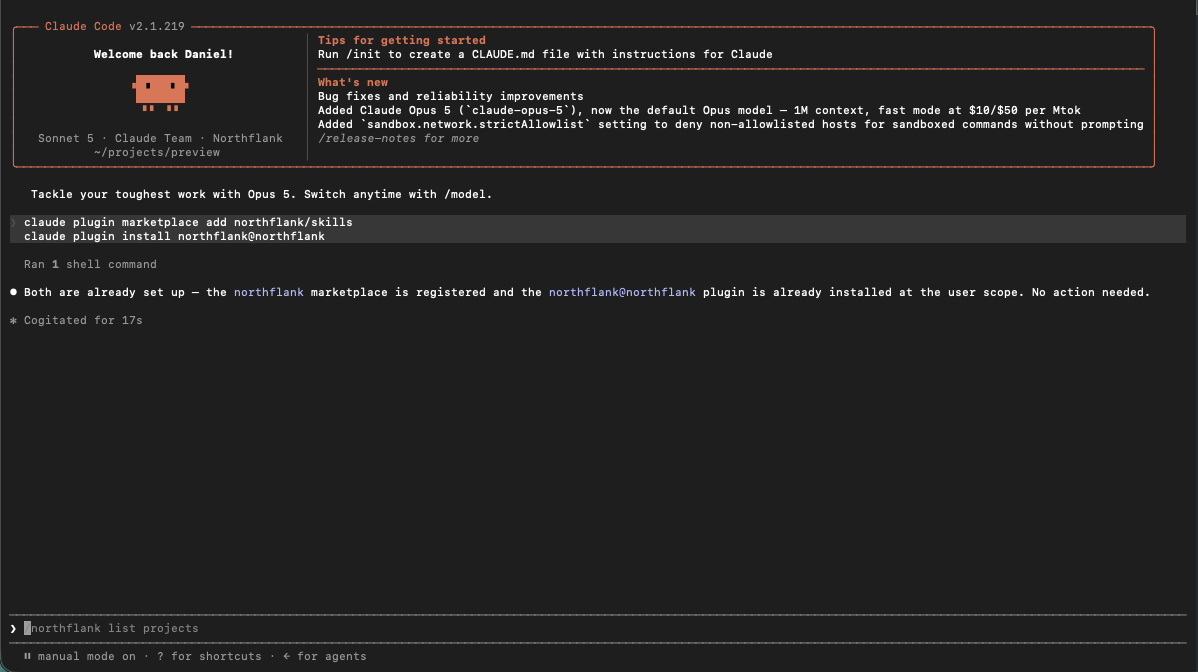
Before you continue: Install the Northflank CLI and log in. Northflank Skills uses the CLI to authenticate and manage infrastructure on your behalf.
Once Northflank Skills is installed, it loads automatically whenever Claude is working with Northflank infrastructure. You don't need to mention the skill explicitly in your prompt.
For example, you can ask:
Create preview environments for this application on Northflank that automatically provision an isolated environment for every pull request. Generate a unique preview URL and automatically clean up each preview environment when its pull request is merged or closed. Then create a test branch and pull request to trigger the workflow so I can verify that the preview environment is working correctly.If your application requires PostgreSQL, Redis, MinIO, RabbitMQ, environment variables, custom domains, or other infrastructure, simply include those requirements in the prompt. Claude will incorporate them into the deployment plan before asking you to approve the changes.
Here is exactly what Claude Code sets up, step by step.
Claude creates a project with a build service for your repository and connects it to your Git provider to enable automatic builds and deployments.
What is a preview blueprint? A Preview Blueprint is a reusable template that defines the infrastructure Northflank should create whenever a pull request is opened.
Claude creates a Preview Blueprint that automatically provisions an isolated preview environment for every pull request.
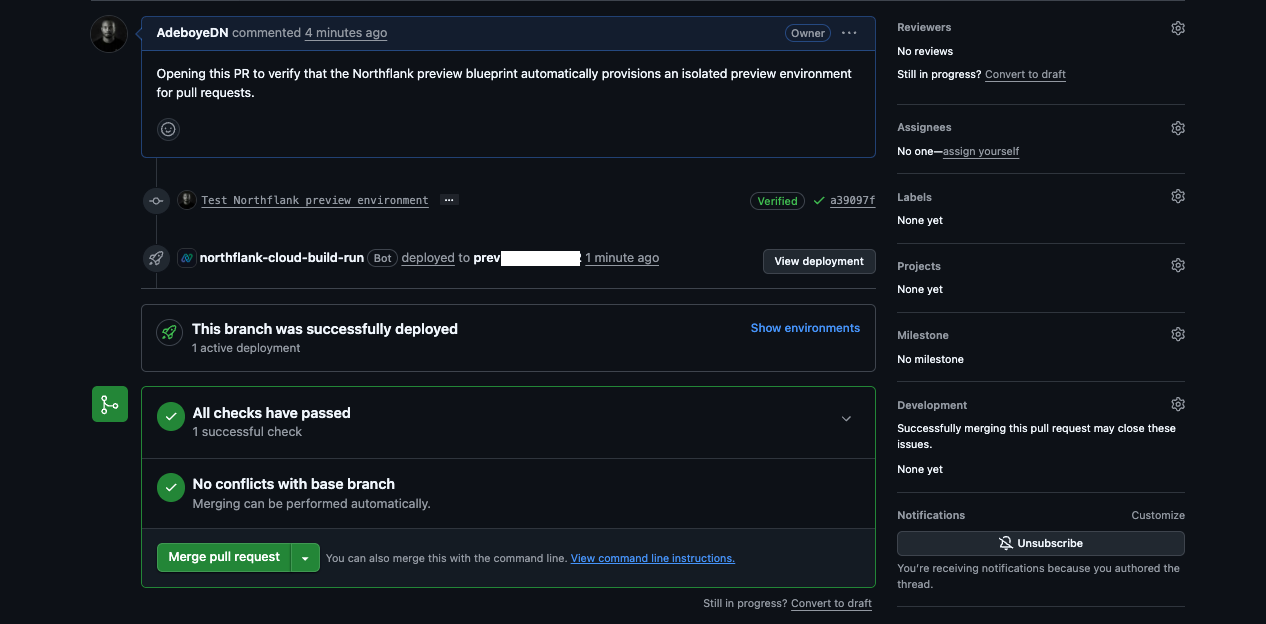
To verify the configuration, Claude creates a test branch and opens a pull request. This triggers the Preview Blueprint, which provisions a new preview environment automatically.
Once deployment completes, Claude verifies that the preview environment was provisioned successfully and is ready for review.
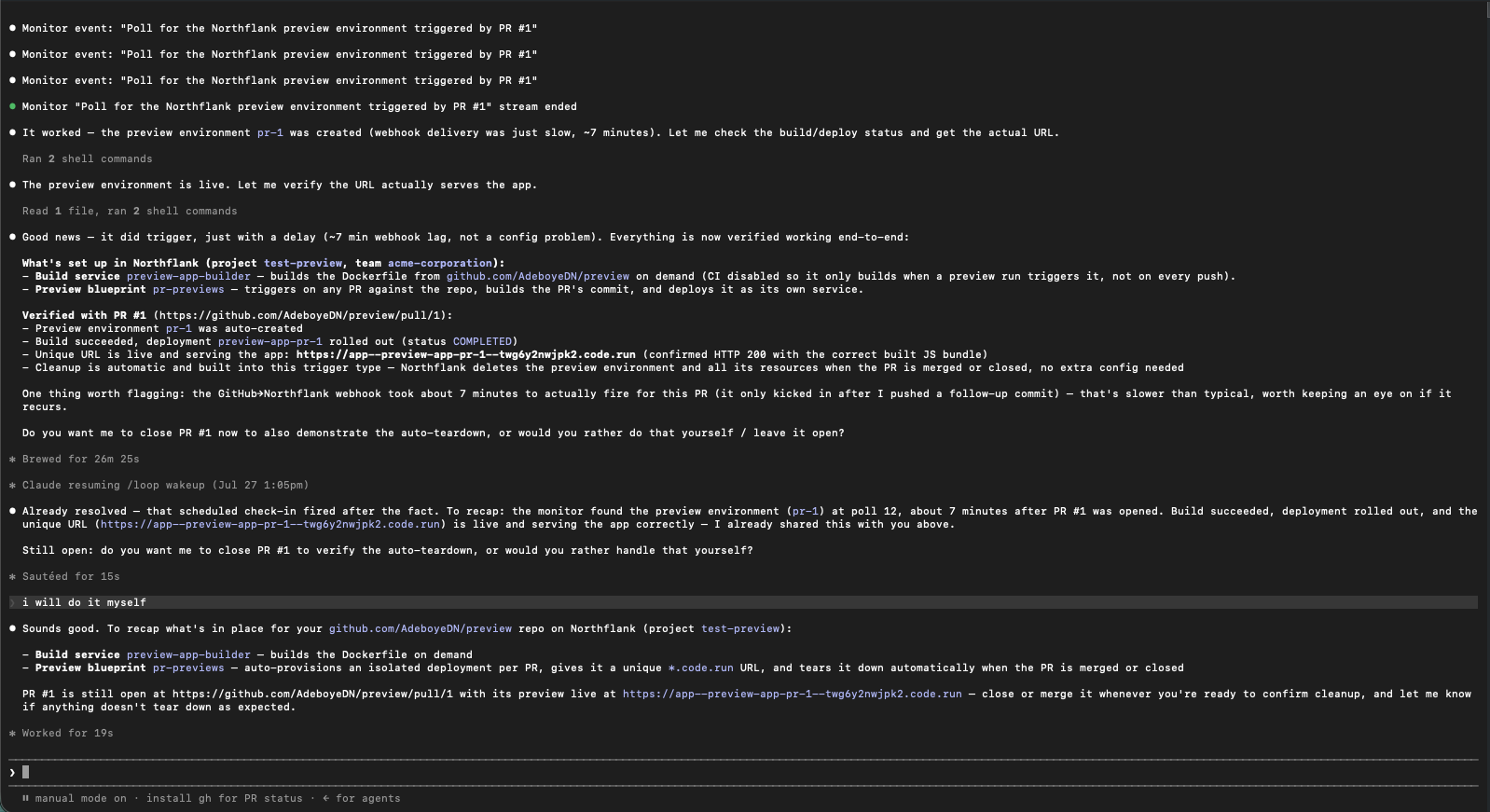
After Claude finishes configuring your preview environment workflow, your Northflank dashboard and pull request will look similar to this:
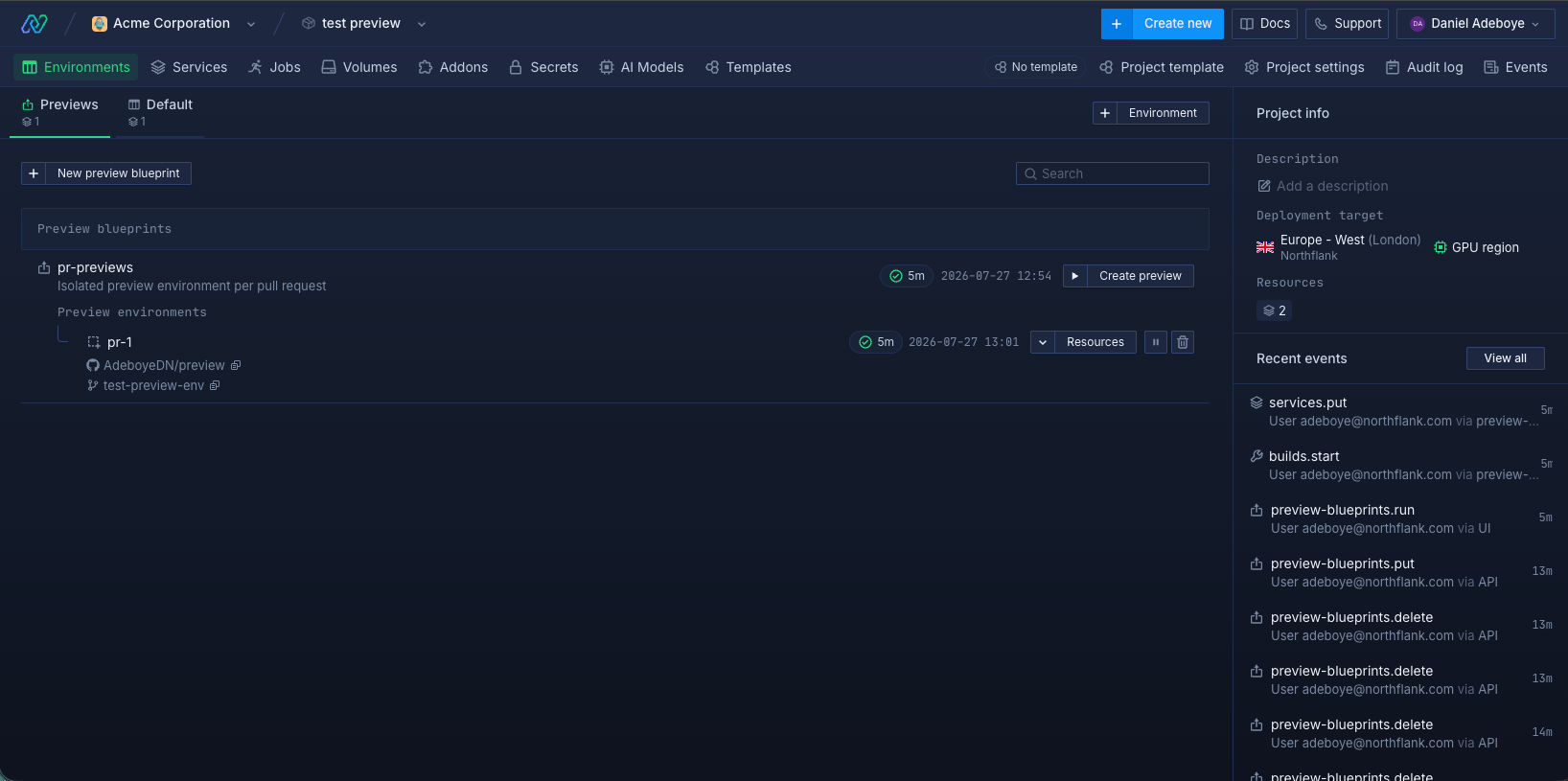
If you choose to configure preview environments manually, you can create the same workflow directly from the Northflank dashboard by following this guide:
- How to auto-create preview environments on every PR — set up isolated environments per pull request automatically
Once preview environments are configured, every pull request follows the same workflow.
- You or Claude Code create a feature and open a pull request.
- Northflank detects the new pull request automatically.
- A Preview Blueprint provisions an isolated environment.
- Your application and supporting infrastructure are deployed.
- Northflank generates a unique preview URL.
- Developers, designers, QA engineers, and stakeholders review the running application.
- You merge or close the pull request.
- Northflank automatically deletes the preview environment and all associated infrastructure.
Because every pull request receives its own isolated deployment, multiple developers and AI agents can work simultaneously without interfering with one another or with production.
Yes. Even if you're working alone, preview environments let you verify AI-generated changes before they reach production. Reviewing a live deployment is often much easier than reviewing code or testing everything locally.
Yes. Northflank automatically provisions a separate environment for every pull request, allowing multiple branches to be tested independently.
Yes. Preview environments can provision managed PostgreSQL, MySQL, MongoDB, Redis, MinIO, RabbitMQ, and other project resources alongside your application.
Northflank automatically deletes the preview environment and its associated resources after the pull request is merged or closed. You don't need to clean anything up manually.
Yes. If you're using Northflank Skills, simply ask Claude to modify your Preview Blueprint, add services, provision another database, or change your deployment configuration. You'll review the proposed infrastructure changes before they're applied.
Preview environments are one of the safest ways to review AI-generated code before it reaches production. Instead of relying on local testing or code review alone, every pull request receives its own isolated deployment that behaves like a production environment.
With Northflank, you can configure preview environments either by asking Claude Code through Northflank Skills or by creating a Preview Blueprint yourself from the dashboard. In both cases, every pull request automatically receives a production-like deployment, making it easier for developers, QA engineers, designers, and stakeholders to validate changes before they reach production.
Ready to add preview environments to your Claude Code workflow?
Get started on Northflank with the free tier or book a demo to see how automatic preview environments help teams safely ship AI-generated code.
- How to deploy apps built with Claude Code to production: Deploy Claude Code applications with managed infrastructure, databases, and automatic deployments.
- How to set up CI/CD for a vibe-coded app: Build a production-ready deployment pipeline with preview environments, staging, and rollback.
- How to auto-create preview environments on every PR: Full walkthrough for setting up automatic preview environments on Northflank.
- How to vibe code securely: Security controls for vibe-coded apps: secrets management, sandbox isolation, and access controls.



