
Best platforms for high concurrency sandbox environments in 2026
The best platform for high concurrency sandboxes depends on how many environments your AI agents need at once, how quickly new sandboxes must become ready, and what each workload runs.
- Northflank: Best for AI agent sandbox execution at high concurrency. A fit for teams that need fast, isolated code execution across thousands of sandboxes, with custom environments for coding agents, APIs, scripts, and GPU tasks.
- Modal: Best for parallel sandbox workloads with GPU access. A fit for teams that want programmatic environment creation and compute scaling, with concurrency allowances that depend on the plan.
- E2B: Best for agent-oriented execution with expandable concurrency. A fit for teams that want Python or TypeScript SDKs, Firecracker isolation, and options to increase concurrent sandbox capacity as demand grows.
- CodeSandbox: Best for parallel agent runs from shared environment state. A fit for teams that use snapshots and forks to give agents separate copies of a prepared coding environment.
- Fly.io Sprites: Best for pools of persistent agent environments. A fit for teams whose agents return to saved files between tasks, with automatic idle behavior and on-demand wake-up.
Follow the Northflank sandbox quickstart to run your first agent workload, or talk to an engineer about scaling concurrent sandbox execution.
Spinning up a single isolated sandbox is straightforward. The hard part is what happens at scale: thousands of agents running in parallel, each needing its own environment, sufficient resources, and a reliable way to clean up after execution.
Rate limits, provisioning queues, image downloads, and available compute can all affect how quickly a new sandbox becomes usable. A platform that handles a small development workload needs to be tested against the bursts and sustained load your production agents will generate.
Keep three measurements separate: live concurrency is the number of sandboxes running at once, creation rate is how many new environments can start in a given period, and startup latency is how long each takes to become usable. Millions of executions per month do not establish a simultaneous concurrency limit.
Evaluate those measurements alongside isolation, resource allocation, autoscaling behavior, and the cost of keeping capacity available.
The platforms below support different patterns of parallel agent execution. Compare their concurrency allowances, provisioning behavior, supported workloads, and deployment options against your expected traffic.
Northflank provides isolated sandbox environments for AI agents and code execution, with fast startup and support for thousands of concurrent sessions. Run coding agents, generated APIs, scripts, repository builds, and GPU tasks in custom container environments, with persistent volumes when files need to survive between runs.
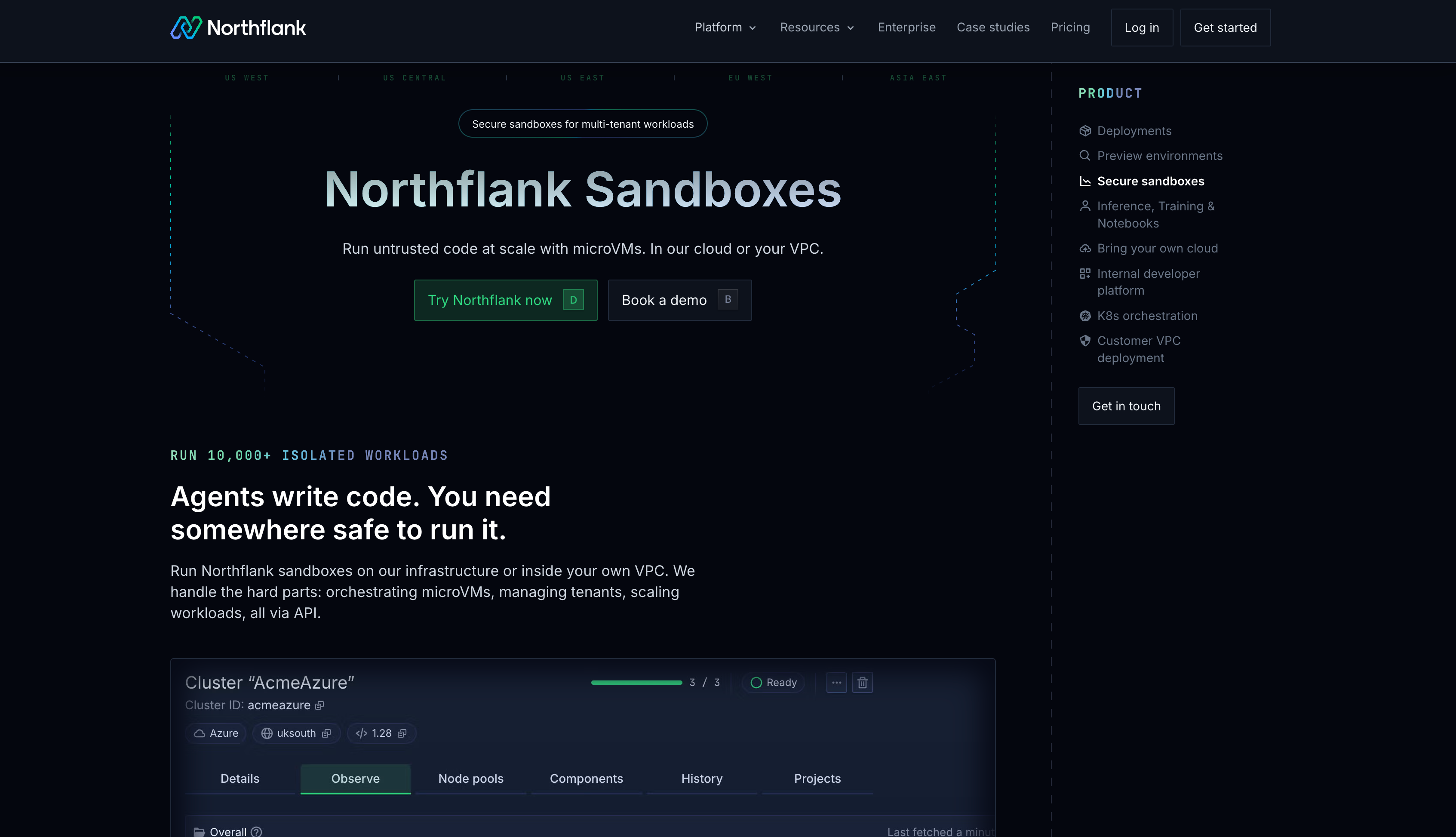
Northflank combines API-driven sandbox provisioning with horizontal scaling and workload scheduling to support parallel execution. Create separate environments for users or tasks, configure compute and networking, and run ephemeral or persistent sandboxes on Northflank Cloud or your own infrastructure.
Key features:
- Concurrent sandbox execution: Run thousands of isolated environments for parallel agent tasks, code evaluation, and multi-tenant workloads.
- Horizontal autoscaling: Configure minimum and maximum deployment instance counts and scaling thresholds for CPU, memory, or requests per second. Create distinct per-task sandboxes through the API when each agent needs its own environment.
- Workload scheduling: Bin-packing places workloads across available compute to improve resource utilization while maintaining their isolation boundaries.
- Fast startup: Sub-second sandbox boot times on Northflank Cloud for quickly provisioning execution environments.
- Isolation: Northflank Cloud uses microVMs for CPU sandboxes and gVisor for GPU sandboxes, with isolation enabled automatically.
- Custom environments: Deploy container images from public or private registries for coding agents, APIs, scripts, test suites, and GPU tasks.
- Persistence and duration: Use ephemeral environments for disposable runs or attach volumes for files that must survive pauses and restarts. Sandboxes have no fixed session time limit.
- Managed cloud or bring your own cloud (BYOC): Run on Northflank Cloud or your own infrastructure. With bring your own cloud (BYOC), Northflank acts as the control plane to run coding agents and their sandboxes in your virtual private cloud (VPC).
- Security: Northflank is SOC 2 Type II and HIPAA compliant, with Business Associate Agreements (BAAs) supported under Enterprise contracts.
cto.new migrated its sandbox infrastructure to Northflank in a couple of days after scaling on EC2 metal instances caused large capacity and cost jumps. The team went on to run thousands of daily container deployments with API-driven provisioning and per-second billing.
Best for: Teams running thousands of concurrent AI agent sandboxes, multi-tenant code execution, and parallel workloads that need custom images, persistent files, or GPUs.
Pricing: $0.01667/vCPU-hour and $0.00833/GB-hour, with H100 GPU plans at $2.74/hour all-inclusive (CPU and RAM included). The free developer Sandbox tier offers always-on compute with no sleeping, two free services, one database, and two cron jobs for development and testing. Pay-as-you-go supports CPU and GPU workloads with per-second billing. Enterprise plans provide custom pricing, 24/7 support, service-level agreements (SLAs), and enterprise access controls. See the full pricing details for additional GPU options and plans.
Get started on Northflank to run isolated AI agent sandboxes, or book a demo with an engineer to discuss your workload's concurrency and startup requirements.
Modal supports parallel sandbox execution with programmatic resource allocation and GPU access. Its pricing plans list 100 containers on Starter and 5,000 on Team, with custom Enterprise capacity. GPU concurrency is a separate allowance: 10 on Starter and 50 on Team.
Standard sandboxes use gVisor, while CPU-only VM Sandboxes are available in beta. Python, JavaScript, and Go clients support environment creation, including existing container images. For high concurrency workloads, size CPU and memory requests around the work each sandbox performs and test how creation bursts behave at your account's limits.
Best for: Parallel agent tasks, ML evaluations, and compute-heavy workloads that need GPUs and programmatic environment configuration.
Pricing: Starter has no subscription fee and includes $30/month in compute credits. Team costs $250/month plus compute, with $100/month in included compute. Sandbox CPU costs $0.1419/physical-core-hour and memory costs $0.0240/GiB-hour.
E2B provides Firecracker-isolated sandboxes with Python and TypeScript SDKs for creating environments, executing code, and managing files. Hobby supports 20 concurrent sandboxes. Pro includes 100, with paid add-ons that expand the allowance to 600 or 1,100. Enterprise supports custom higher concurrency.
For parallel agents, check both the number of active sandboxes and how quickly you can create new ones. Bring your own cloud (BYOC) is available on Enterprise for AWS, GCP, and Azure.
Best for: Coding agents, evaluation pipelines, and Code Interpreter-style tools that need SDK integration and configurable concurrency capacity.
Pricing: Hobby includes a $100 one-time usage credit. Pro starts at $150/month plus usage; concurrency add-ons cost extra. Enterprise pricing is custom.
CodeSandbox supports fork and snapshot workflows for parallel agent execution. Create a prepared environment, then give separate agents their own copies of its state. This reduces repeated setup work when many tasks need the same dependencies and repository configuration.
CodeSandbox is part of Together AI and supports Docker and Dev Container customization. Build allows 10 concurrent VM sandboxes; Scale allows 250, with custom Enterprise limits. Scale also allows 1,000 new SDK sandboxes per hour, which is a separate limit from how many can run simultaneously.
Best for: Parallel agent runs from shared state, testing alternative code changes, and coding tools that need reproducible starting environments.
Pricing: Build is free. Scale starts at $170 per workspace per month, with included VM credits and additional usage charges. CPU and memory are bundled into VM tiers; Enterprise pricing is custom.
Fly.io Sprites provide persistent Linux environments that pause when inactive and wake when needed. This supports pools of agent environments where each user or task retains files, packages, and repository changes between executions.
A warm wake resumes frozen processes in 100–500 ms. After a cold transition, waking takes 1–2 seconds and processes start fresh, while files remain available. These are wake timings, not measurements of creating thousands of new environments simultaneously.
For a large pool, distinguish the number of retained Sprites from the number actively executing work. Test simultaneous wake-ups and sustained resource usage against the capacity available to your organization. Persistence alone does not establish a low or high concurrency ceiling.
Best for: Persistent agent environments with uneven activity, where automatic idle behavior reduces active compute time between tasks.
Pricing: Through September 30, 2026, CPU costs $0.07/CPU-hour and memory costs $0.04375/GB-hour. From October 1, the rates are $0.03825/CPU-hour and $0.021875/GB-hour. Idle compute is free; retained cold storage is billed.
Northflank is a strong fit for teams that need fast, isolated sandbox execution across thousands of concurrent AI agent environments, with custom images, persistent files, GPU access, and optional deployment in their own infrastructure.
Modal fits programmatic parallel workloads and GPU execution. E2B offers SDK-driven execution with expandable plan allowances. CodeSandbox suits parallel runs from shared environment state, while Sprites suits persistent environments that pause between tasks.
Use the table to distinguish capacity allowances from startup behavior. Boot, snapshot restore, and waking an existing environment measure different lifecycle steps.
| Platform | Concurrency and scaling | Startup and resume | Bring your own cloud (BYOC) | Isolation |
|---|---|---|---|---|
| Northflank | Thousands of concurrent sandboxes; API-driven provisioning and horizontal scaling | Sub-second sandbox boot on Northflank Cloud | Yes, self-serve | MicroVMs for CPU and gVisor for GPU on Northflank Cloud |
| Modal | 100 containers Starter; 5,000 Team; custom Enterprise; separate GPU allowances | Creates environments from images; supports snapshots | No | gVisor; CPU-only VM option in beta |
| E2B | 20 Hobby; 100 Pro, expandable to 1,100; custom Enterprise | Template-based creation and pause/resume | AWS, GCP, and Azure on Enterprise | Firecracker |
| CodeSandbox | 10 VM sandboxes Build; 250 Scale; custom Enterprise | Snapshot restore and environment cloning | No | MicroVMs |
| Fly.io Sprites | Persistent environment pools; size and test active capacity for your workload | Warm wake: 100–500 ms; cold wake: 1–2 seconds | No | Firecracker |
Pricing checked on September 30, 2026. Hourly equivalents are rounded where needed. The table shows usage rates; subscription fees and included allowances vary by plan.
| Platform | CPU | Memory | Storage | GPU | Billing model |
|---|---|---|---|---|---|
| Northflank | $0.01667/vCPU-hr | $0.00833/GB-hr | $0.15/GB-month | L4: $0.80/hr, A100 40GB: $1.42/hr, A100 80GB: $1.76/hr, H100: $2.74/hr | Per second |
| E2B | $0.0504/vCPU-hr | $0.0162/GiB-hr | 10 GiB Hobby / 20 GiB Pro included | No GPU compute | Per second; Pro adds $150/month plus usage |
| Fly.io Sprites | $0.07/CPU-hr through Sept. 30; $0.03825 from Oct. 1 | $0.04375/GB-hr through Sept. 30; $0.021875 from Oct. 1 | $0.000683/GB-hr hot; $0.000027/GB-hr cold | No GPU compute | Actual usage, metered hourly; idle compute is free, retained cold storage is billed |
| CodeSandbox | Pico VM: $0.075/VM-hr (1 core and 2 GB RAM) | Included in VM price | Plan-dependent; 20 GB per VM on standard plans | No GPU compute | VM credits; subscription and included credits depend on plan |
| Modal Sandboxes | $0.1419/physical-core-hr (2 vCPU) | $0.0240/GiB-hr | Volumes: $0.09/GiB-month; 1 TiB/month included | L4: $0.80/hr, A100 40GB: $2.10/hr, A100 80GB: $2.50/hr, H100: $3.95/hr, H200: $4.54/hr | Per second |
Billing units differ: CodeSandbox includes CPU and RAM in its VM price, while Modal charges per physical core (two vCPUs). The CodeSandbox VM rate is before subscription savings.
The table below shows how each platform handles bring your own cloud (BYOC) deployment, which clouds are supported, and whether it requires a sales process.
| Platform | Bring your own cloud (BYOC) available | Clouds supported | Access model | Pricing model |
|---|---|---|---|---|
| Northflank | Yes, self-serve | AWS, GCP, Azure, Oracle, CoreWeave, Civo, and supported Kubernetes infrastructure, including on-premises and bare-metal | Self-serve; Enterprise contracts available | Cloud infrastructure costs plus Northflank management charges |
| E2B | Yes, Enterprise | AWS, GCP, and Azure | Contact sales | Custom Enterprise pricing plus cloud infrastructure costs |
| Modal | No | Managed only | — | — |
| Fly.io Sprites | No | Managed only | — | — |
| CodeSandbox | No | Managed service; dedicated cluster option on Enterprise | Contact sales for dedicated clusters | Custom dedicated-cluster pricing |
A dedicated cluster does not by itself mean the service runs in your cloud account.
Concurrency depends on plan allowances, API rate limits, available CPU and memory, regional capacity, and the resources each sandbox requests. Autoscaling helps provision capacity, but it does not make those constraints disappear. Check simultaneous sandbox limits and creation-rate limits separately.
Bin-packing places workloads onto available compute to use capacity efficiently. At high concurrency, placement affects how many sandboxes fit on each node and whether new workloads must wait for additional capacity. Northflank uses bin-packing in its scheduling; resource requests and available capacity still determine how efficiently a particular workload runs.
The isolation boundary should remain consistent as concurrency increases. MicroVMs separate guest kernels, while gVisor intercepts system calls through a user-space kernel. Neither automatically eliminates contention for shared physical CPU, storage, or network resources. Resource limits, scheduling, and network policies also matter when many tenants run simultaneously.
Northflank and Modal are options for parallel evaluations that need GPU access. Northflank supports custom sandbox images, concurrent CPU and GPU workloads, and execution in your own infrastructure. Modal provides programmatic environments and GPU allocation. Compare available GPU capacity, task throughput, and cost using your actual evaluation workload.
Yes. Northflank offers self-serve bring your own cloud (BYOC), acting as the control plane to run coding agents and their sandboxes in your virtual private cloud (VPC). E2B also supports bring your own cloud (BYOC) on AWS, GCP, and Azure through Enterprise. Available capacity and supported isolation runtimes depend on the deployment.
Startup latency affects how quickly agents can begin work, while creation throughput determines how fast a batch of environments can become available. Under burst load, measure readiness latency, queued requests, and failures together. Northflank Cloud offers sub-second sandbox boot times; test the complete workload at your target concurrency to understand when agents can begin executing tasks.
High concurrency sandbox infrastructure needs to handle both the environments already running and the next wave of requests. Compare live capacity, creation rates, startup latency, and workload isolation separately.
Northflank combines fast sandbox startup, thousands of concurrent sessions, custom container environments, and CPU or GPU execution. It is a strong starting point for teams running coding agents, generated APIs, scripts, and evaluation tasks at scale, on managed infrastructure or inside their own cloud.
Get started on Northflank or talk to the team to discuss your concurrent sandbox workloads.



