
How to run AI coding agents in AWS
- You can run AI coding agents such as Claude Code, Codex, or OpenCode in AWS on an EC2 instance, as an ECS or Fargate task, on a platform you build on EKS, or in a managed environment deployed into your own AWS account. Running agents in AWS lets you keep their execution environment close to your existing infrastructure and give them controlled access to resources in your VPC.
- Claude Code can use Claude models through Amazon Bedrock, with model usage billed through your AWS account. Running agents on EC2 yourself works well for simple setups, but you take on isolation, patching, credentials, idle costs, and team access yourself.
- Northflank Cloud Harnesses provide the infrastructure to run coding agents in isolated cloud environments inside your own AWS account through self-serve BYOC, with support for Claude Code, Codex, Cursor, OpenCode, Pi, or a bring your own agent. Harnesses can also run on Northflank's managed cloud, with microVM isolation, persistent storage, configurable compute and networking, a web terminal, and SSH access.
Run AI coding agents in your own AWS account with Northflank Cloud Harnesses, or book a demo to discuss your setup.
Most teams that adopt coding agents run them on developer laptops first. For companies with compliance requirements, private infrastructure, or an existing AWS footprint, that raises questions quickly: where the code is processed, which credentials the agent holds, and whether the agent can reach the databases and services it needs to test against.
Running coding agents inside your own AWS account gives you more control over their execution environment, network access, and AWS permissions. The agent can work alongside your existing AWS infrastructure and use IAM to access the resources it needs. This guide covers the ways to run AI coding agents in AWS, how to set one up on EC2 with Bedrock, where that approach breaks down, and how to run coding agents in your AWS account with Northflank Cloud Harnesses.
Running coding agents in your AWS account gives you more control over where the agent runs, which credentials it has, and which AWS resources it can access. The agent can reach RDS databases, internal APIs, and other resources in your VPC over private networking, so it can run integration tests against services without exposing them to the public internet. IAM controls what the agent can access, while CloudTrail records AWS API calls made with its credentials.
Compute runs on your AWS bill, so it counts toward existing AWS commitments and appears in your AWS cost reporting alongside your other workloads. With Amazon Bedrock, Claude Code can make model requests through AWS, giving you a way to use Claude while keeping model access integrated with your existing AWS infrastructure.
| EC2 instance | ECS or Fargate task | Northflank Cloud Harnesses with BYOC on AWS | Self-built platform on EKS | |
|---|---|---|---|---|
| Setup effort | Low for one instance, grows with each environment | Medium: task definitions, images, networking | Low: connect your AWS account, then create Harnesses | High: build and operate the platform yourself |
| Isolation | Tasks share the VM unless you configure separate environments | Container per task, with isolation depending on the ECS configuration | Isolated microVM per Harness | Depends on the platform you build |
| Interactive access | SSH | Limited, designed mainly for task-based workloads | Web terminal and SSH | Whatever you build |
| Persistence | EBS volume | Ephemeral by default | Persistent workspace when enabled | Whatever you build |
| Team access | SSH keys and IAM configuration you manage | AWS console or CLI | Teammates can connect through their Northflank accounts | Whatever you build |
| Supported agents | Any agent you install | Any agent in your image | Claude Code, Codex, Cursor, OpenCode, Pi, or bring your own agent | Any agent in your images |
| Ongoing maintenance | Patching, tooling, cleanup | Images and task definitions | Northflank manages the Harness platform layer | The whole platform |
An EC2 instance works for a basic setup, but every additional agent means another environment to configure and maintain. Northflank Cloud Harnesses give each coding agent its own isolated cloud environment, ready to use with the compute, storage, networking, credentials, web terminal, and SSH access it needs. You can create multiple Harnesses for parallel tasks, pause them when they're not needed, and run them in your own AWS infrastructure through BYOC. That gives you the control of your cloud account without having to build a coding agent platform yourself.
-
Create an IAM role for the instance with the permissions the agent needs, such as reading a secret from Secrets Manager and invoking Claude models in Bedrock. Attach the role to an instance profile.
-
Launch an EC2 instance in a private or public subnet of your VPC, depending on how you plan to connect to it:
aws ec2 run-instances \
  --image-id ami-xxxxxxxx \
  --instance-type t3.xlarge \
  --iam-instance-profile Name=coding-agent \
  --subnet-id subnet-xxxxxxxx \
  --key-name your-key \
--tag-specifications 'ResourceType=instance,Tags=[{Key=Name,Value=coding-agent}]'- Connect over SSH or AWS Systems Manager Session Manager and Install Git, tmux, Node.js, the AWS CLI, and the agent CLI:
sudo apt-get update && sudo apt-get install -y git tmux
# Install Node.js using your preferred method, then:
npm install -g @anthropic-ai/claude-code- Store Git credentials in AWS Secrets Manager and retrieve them at runtime rather than writing them directly to the instance:
export GITHUB_TOKEN=$(aws secretsmanager get-secret-value \
  --secret-id coding-agent/github-token \
  --query SecretString --output text)
Use a narrowly scoped credential appropriate for the repository and operations the agent needs.
- Clone the repository, create a branch, and start the agent inside tmux so the session remains available after you disconnect:
git clone https://github.com/your-org/your-repo.git
cd your-repo && git checkout -b task-142
tmux new -s task-142
claude- Detach with
Ctrl+B, thenD, and reconnect later with:
tmux attach -t task-142tmux keeps the terminal session available after an SSH disconnect. It does not protect the agent process from an EC2 instance reboot or failure, so long-running tasks should also commit and push progress regularly.
| Problem | What happens on EC2 | On Northflank Cloud Harnesses in your AWS account |
|---|---|---|
| Isolation between tasks | Tasks share the VM unless you provision separate environments | Each Harness runs in an isolated microVM |
| Idle cost | The EC2 instance continues consuming AWS resources while it is running | Pause or delete a Harness when the task is done |
| Patching and tooling | You maintain the OS, runtimes, and agent tooling | The Harness environment comes with the configured agent CLI |
| Credentials | You manage Git, model, AWS, and application credentials on the instance | Credentials can be configured per Harness |
| Team access | You manage SSH keys, IAM, or Session Manager access | Teammates can connect through their Northflank accounts |
| Scaling to more agents | More tasks mean more instances or your own orchestration | Create additional Harnesses in the same project and cluster |
| Persistence and recovery | You manage EBS storage and what happens after instance restarts | Persistent workspace can preserve files when a Harness is paused and resumed |
Running one coding agent on EC2 is easy. Running many agents reliably is a different problem. You need to manage isolation, credentials, networking, storage, lifecycle, and access for every environment.
Northflank Cloud Harnesses provide the environment layer while letting you run those workloads in your own AWS infrastructure through self-serve BYOC.
Think of a Harness as a dedicated cloud environment for your coding agent, without the infrastructure work normally required to build one.
Northflank Cloud Harnesses are cloud workspaces built for coding agents. Each Harness is configured for one agent at creation, whether Claude Code, Codex, Cursor, OpenCode, Pi, or bring your own agent, with the agent CLI pre-installed and its credentials injected as environment variables. A Harness can clone a connected Git repository and branch on start, and you work in it through the web terminal in the Northflank dashboard or over SSH from your local terminal.
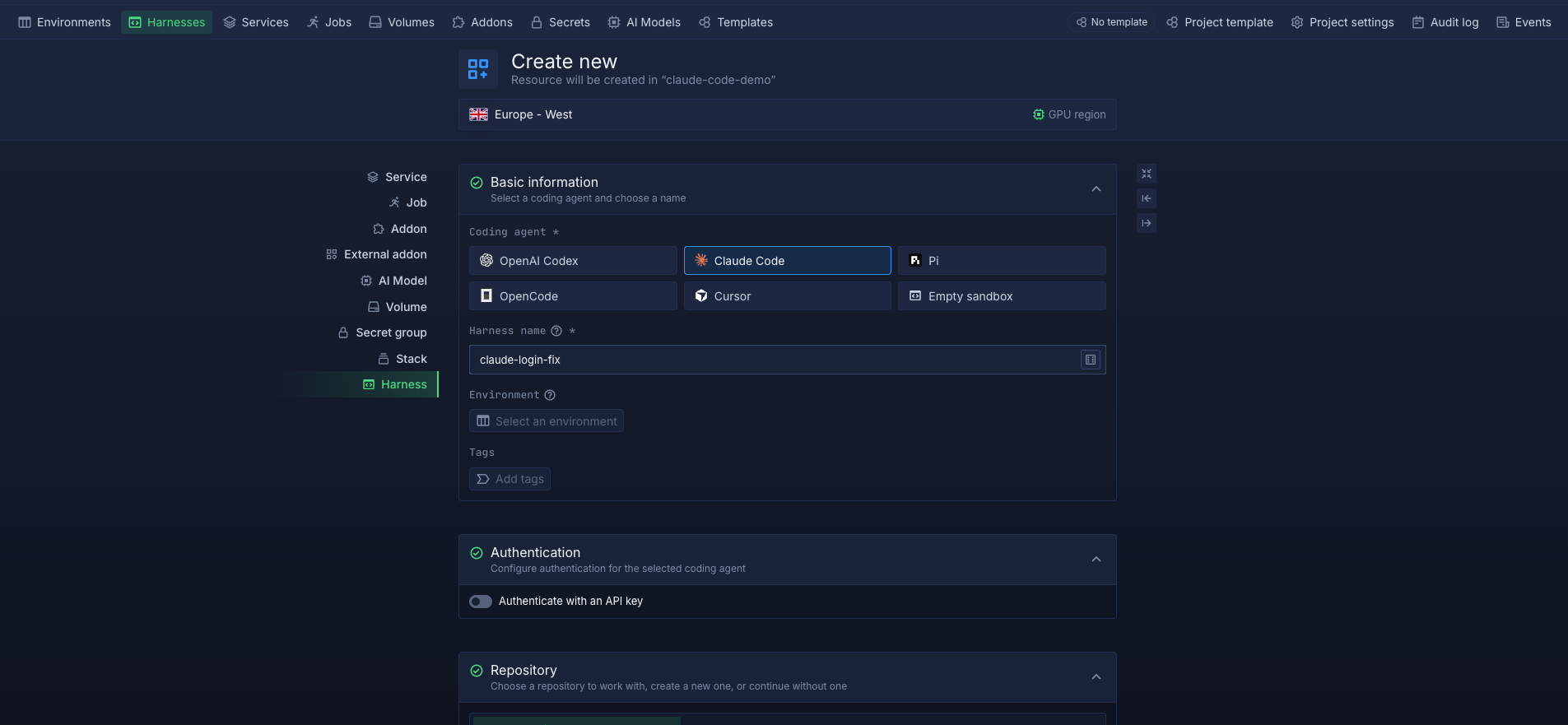
With BYOC on AWS, Northflank provisions and manages an EKS cluster inside your AWS account, and your Harnesses run on it. This puts the Harness workload and its workspace inside your AWS infrastructure, while letting the agent reach RDS databases and internal services over private networking when your VPC routing and security group configuration allows it. The underlying compute is billed by AWS.
Every Harness runs in an isolated microVM. When workspace persistence is enabled, files in the Harness workspace are retained across restarts. You can pause a Harness and resume it later, or delete it when the task is done. Teammates with access can connect to the same Harness through their own Northflank accounts.
For Claude Code, you can combine BYOC with Amazon Bedrock by setting CLAUDE_CODE_USE_BEDROCK, AWS_REGION, and the required AWS credentials or Bedrock API key as environment variables on the Harness. This lets Claude Code make model requests through Amazon Bedrock while the coding environment runs in your AWS infrastructure.
Create your first Harness on Northflank, or follow How to run a coding agent in the cloud for the full Harness setup.
Let your coding agent build its own environment
You don't even have to configure everything manually. With the Northflank Skill, you can give your coding agent a single command and let it create and configure the Northflank resources it needs.
- Connect your AWS account. In the Northflank dashboard, create a provider link to your AWS account.
- Create a cluster. Northflank provisions an EKS cluster in your AWS account, in the region you choose.
- Add node pools. Configure the node pools that will run your workloads, including the instance types and availability zones.
- Deploy workloads. Your cluster is ready for projects and Harnesses.
See Integrate your Amazon account for the full steps and required AWS permissions. If you already run an EKS cluster, you can also import an existing cluster for Northflank to manage.
- Create a project on your AWS cluster. When you create a project, choose your AWS cluster as where its resources deploy instead of Northflank's cloud.
- Create a Harness in that project. Select your agent, environment, authentication, and the repository and branch to work on. Add any other secrets the task needs, such as Bedrock settings for Claude Code.
- Connect and run the agent. Open the Harness in the web terminal, or connect over SSH with the Northflank CLI, and start the agent:
bash northflank dev ssh --projectId your-project-id --harnessId your-harness-id claude
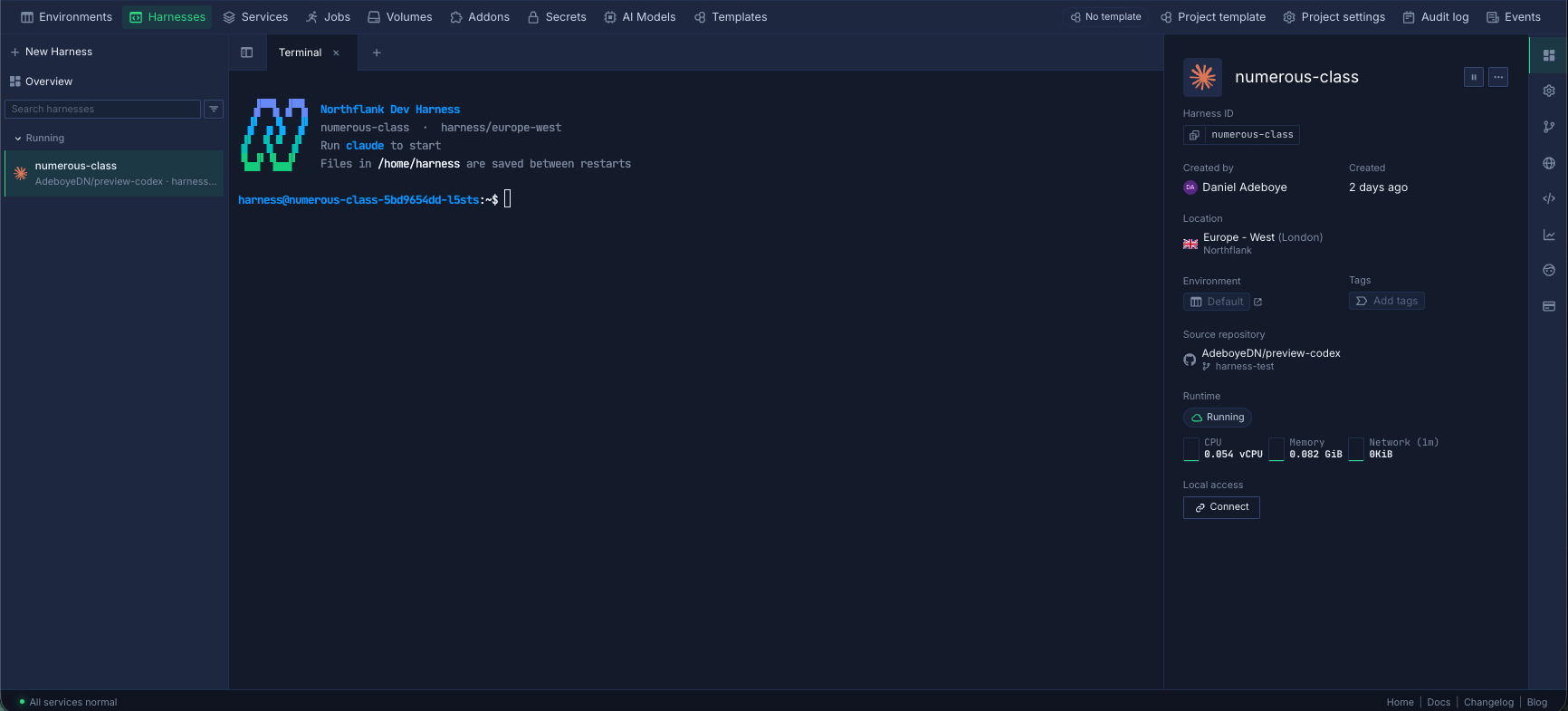
The Harness runs as a microVM on your EKS cluster, inside your AWS account.
With Northflank BYOC on AWS, the Harness runs on an EKS cluster in your own AWS account, so the repository clone and agent workspace run in your infrastructure. Northflank manages the cluster and Harness configuration. Where the agent sends model requests depends on its configuration: Claude Code with Amazon Bedrock sends model requests through AWS, while an agent using a model provider's API sends requests to that provider.
Yes. Claude Code supports Amazon Bedrock as a model provider. Set CLAUDE_CODE_USE_BEDROCK=1 and AWS_REGION, and provide AWS credentials through the configured AWS credential chain or a Bedrock API key. The identity needs permission to invoke Claude models in Bedrock, and your AWS account needs Anthropic model access enabled in Bedrock.
Yes, if the network allows it. With Northflank BYOC, Harnesses run on an EKS cluster in your VPC, so they can reach private resources when your VPC routing and security groups permit it. Give the agent a scoped database user rather than an application or admin user.
With BYOC, the compute resources running in your AWS account are billed by AWS, so they count toward your AWS spend and commitments. Model usage through Amazon Bedrock is also billed through AWS. See Northflank pricing for the BYOC platform pricing.
Yes. Northflank can provision a new EKS cluster in your account, or you can import an existing Kubernetes cluster for Northflank to manage. See Import an existing cluster.



