
Best AI deployment platforms in 2026
AI deployment platforms bridge the gap between trained models and production applications, handling infrastructure, scaling, and model serving so teams like yours can focus on building AI features.
This guide covers the technical features, GPU support, pricing models, and deployment workflows of 7 platforms to help you choose based on your workload requirements and team structure.
See this quick list that compares the 7 AI deployment platforms this article covers:
-
Northflank – Full-stack AI deployment platform for production and enterprise use. Deploy both AI workloads (LLMs, models, agents, inference APIs) and non-AI workloads (databases, caching, job queues, APIs) together with Git-to-production workflows and transparent pricing.
You can deploy AI workloads (GPUs) on Northflank's managed cloud or in your own cloud (AWS, Azure, GCP, Oracle, Civo, CoreWeave, bare-metal) while keeping the same workflow. Northflank offers built-in GPU support for production-grade reliability without DevOps overhead.
*Get started with the free sandbox tier or* request access to high-performance GPU clusters for AI workloads.
-
Google Vertex AI – ML platform with AutoML and custom training. Best for teams already using GCP extensively. Complex pricing structure, GCP lock-in considerations.
-
AWS SageMaker – End-to-end ML platform with established tooling. Suitable for large AWS deployments. Steep learning curve, costs scale quickly with usage.
-
Azure Machine Learning – Enterprise-focused with Microsoft integration. Best for organizations with existing Azure infrastructure.
-
Hugging Face Inference – Pre-built models with simple API access. Ideal for prototyping and inference-only workloads. Limited customization for production requirements.
-
Replicate – One-line deployment for community models. Suitable for experimentation and production use cases with official models that avoid cold starts.
-
Railway – Developer-friendly platform for straightforward deployments. Limited GPU support and scaling capabilities make it unsuitable for demanding AI workloads.
An AI deployment platform handles the infrastructure required to serve machine learning models in production, including model serving, scaling, monitoring, and API management.
Training a model in a Jupyter notebook is one thing. Serving it reliably at scale is another. Deployment platforms bridge this gap by providing inference optimization, load balancing, auto-scaling, version management, and monitoring capabilities that development environments don't include.
Our guide on AI infrastructure and how to build your stack covers how deployment infrastructure fits into the broader AI stack.
Once you understand what AI deployment platforms do, the next question is what capabilities separate production-ready platforms from basic hosting solutions.
Look for platforms that handle GPU scheduling and resource allocation automatically. Modern AI models (transformers, computer vision, generative models) require GPUs like A100s or H100s, and you don't want to manage Kubernetes clusters or GPU drivers yourself. The right platform, like Northflank, abstracts this complexity while giving you access to the compute you need.
Your traffic won't be constant, so you need both horizontal scaling (adding more instances) and vertical scaling (increasing instance size) based on actual demand. Platforms should scale automatically based on CPU/memory utilization or custom metrics like request queue depth, preventing both downtime during spikes and wasted spend during low traffic.
Deployment friction kills velocity. Look for Git-push deployments with automatic Docker builds and instant rollbacks. This means you can ship model improvements quickly, and if something breaks, you can revert to the previous version immediately without complicated procedures.
You need visibility into what's happening with your models in production. Real-time metrics (latency percentiles, throughput, error rates), structured logs, and distributed tracing let you debug issues fast and understand how your system performs under real-world conditions.
AI applications aren't just model endpoints. You need vector databases for RAG systems, Redis for caching, PostgreSQL for application data, and job queues for async processing. Platforms that let you deploy all these services together with private networking eliminate integration headaches and reduce operational complexity.
Platforms like Northflank provide these capabilities out of the box: GPU orchestration without Kubernetes complexity, Git-push deployments with automatic rollbacks, and the ability to deploy models alongside vector databases, caching, and APIs on a unified platform.
Request GPU access for high-performance clusters or see our comparison of GPU hosting platforms for infrastructure considerations.
These seven platforms represent different approaches to AI deployment, from full-stack solutions to specialized inference services.
Northflank is a full-stack AI deployment platform for production and enterprise environments. Deploy AI workloads (LLMs, models, agents, inference APIs) and non-AI workloads (databases, caching, job queues, APIs) together on one unified platform with built-in GPU support, without managing Kubernetes or multiple platforms.
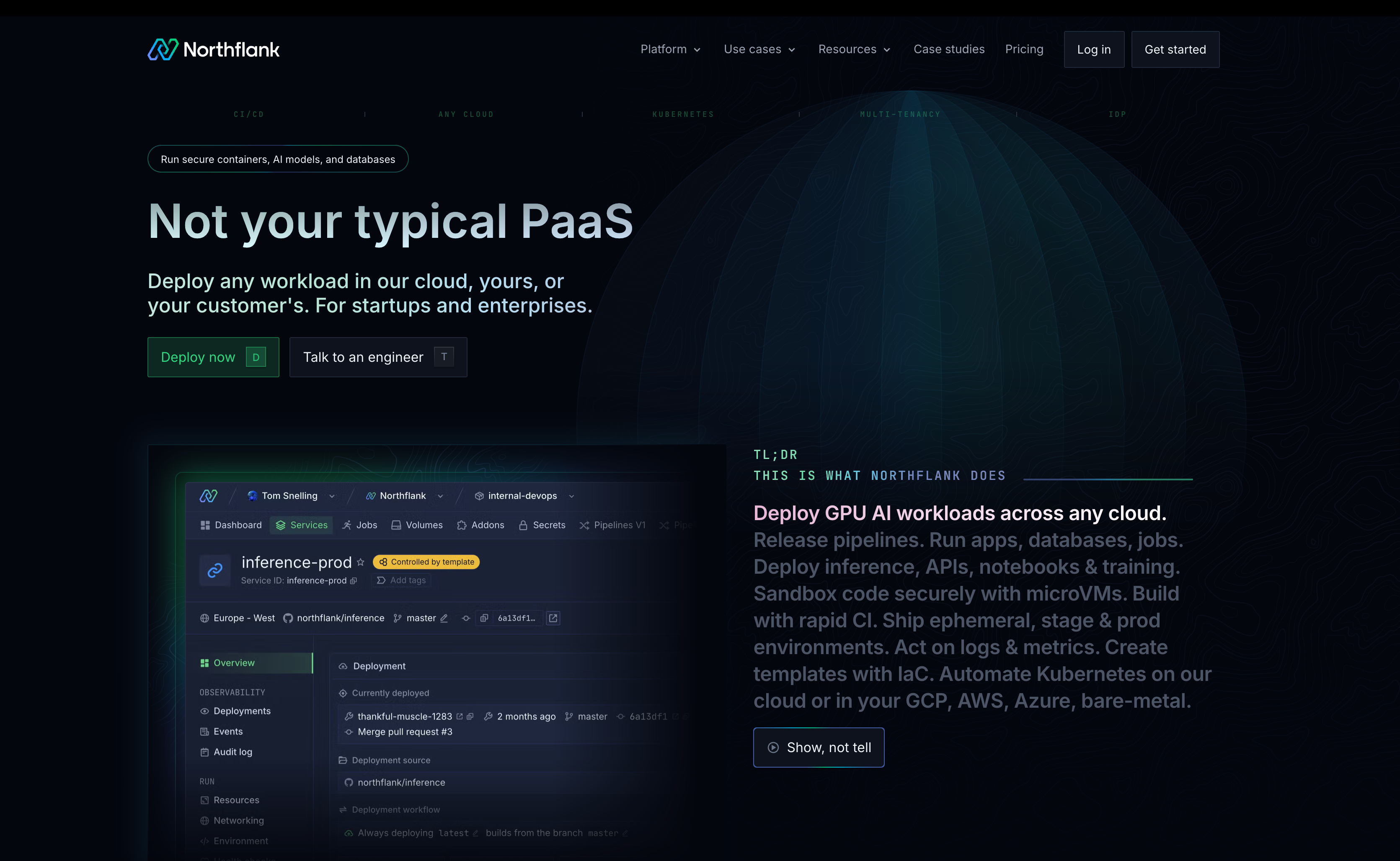
What Northflank offers:
- Native GPU support: Access high-performance GPUs, including B200, H200, H100, A100, L40S, A10, V100, and other NVIDIA accelerators for both training jobs and persistent model serving. Transparent per-hour pricing with no unexpected costs, so you know exactly what you're paying for compute.
- Multi-cloud flexibility: Deploy on Northflank-managed infrastructure or your own cloud accounts (AWS, GCP, Azure, Oracle, Civo, CoreWeave, bare-metal). Same platform and workflows regardless of where your infrastructure runs. (Deploy GPUs on Northflank's managed cloud or deploy GPUs in your own cloud)
- One-click AI stack templates: Deploy complete AI applications instantly with pre-configured stacks including LLMs (Qwen, DeepSeek, Ollama), AI tools (Open WebUI, Langflow, n8n), and infrastructure (vector databases, observability). Browse AI stack templates.
- Transparent pricing: Per-resource costs with clear pricing for compute, memory, storage, and networking. No hidden fees. Track spending per service and environment. (See the pricing calculator to estimate costs upfront).
- Enterprise-ready infrastructure: Deploy on your own cloud accounts with full control over data residency and compliance requirements, or use Northflank's managed infrastructure with transparent SLAs.
- Git-to-production workflow: Push to your repository, and Northflank handles the build and deployment. Works with Dockerfiles or detects your stack automatically. Most deployments go live in under 10 minutes.
- Instant rollback capability: Every deployment is versioned. Roll back to any previous release with one click to revert your pipeline stage to its earlier state. Zero downtime. (See Roll back a release)
- Auto-scaling: Scales horizontally by adding instances automatically based on CPU, memory, RPS, or custom metrics. Scales vertically when you upgrade compute plans for more CPU and memory per instance. (See Scale on Northflank)
- Multi-service orchestration: Deploy your model alongside databases, caching layers (Redis), job queues, and APIs. Services can communicate over private networking.
- Infrastructure as code: Template-based infrastructure management with GitOps support. Define your entire stack (integrations, resources, deployments) in templates that can be version-controlled and reproduced across environments via UI or API. (See Infrastructure as code on Northflank)
- Built-in observability: Real-time logs and metrics for all deployments, health monitoring, audit logs, and alerting (Slack, Discord, Teams, webhooks). Integrate with external log aggregators when needed. (See Observability on Northflank)
- Preview environments: Automatically create isolated environments for each pull request or branch. Test changes before production without affecting your live system.
Learn more in our GPU documentation or request access to high-performance GPU clusters.
Pricing
Sandbox tier
- Free resources to test workloads
- 2 free services, 2 free databases, 2 free cron jobs
- Always-on compute with no sleeping
Pay-as-you-go
- Per-second billing for compute (CPU and GPU), memory, and storage
- No seat-based pricing or commitments
- Deploy on Northflank's managed cloud (6+ regions) or bring your own cloud (600+ BYOC regions across AWS, GCP, Azure, Civo)
- GPU pricing: NVIDIA A100 40GB at $1.42/hour, A100 80GB at $1.76/hour, H100 at $2.74/hour, H200 at $3.14/hour, B200 at $5.87/hour
- Bulk discounts available for larger commitments
Enterprise
- Custom requirements with SLAs and dedicated support
- Invoice-based billing with volume discounts
- Hybrid cloud deployment across AWS, GCP, Azure
- Run in your own VPC with managed control plane
- Secure runtime and on-prem deployments
- Audit logs, Global back-ups and HA/DR
- 24/7 support and FDE onboarding
Use the Northflank pricing calculator for exact cost estimates based on your specific requirements, and see the pricing page for more details
Best suited for: Teams deploying production AI applications requiring more than model serving, enterprises needing compliant infrastructure without sacrificing deployment speed, and organizations pursuing multi-cloud strategies.
Deployment types supported: Real-time inference APIs, batch processing jobs, background workers, scheduled tasks, e.t.c. For workload-specific guidance, see our breakdown of 5 types of AI workloads and how to deploy them.
Related resources:
If you're getting started with AI deployments on Northflank, these resources can help:
Stack templates (one-click deployments):
- Deploy Qwen3 models with vLLM
- Deploy DeepSeek R1-70B
- Deploy Ollama for local LLMs
- Deploy Open WebUI for LLM interfaces
- Deploy Langflow for visual AI workflows
- Browse all AI stack templates
Guides and documentation:
Google Vertex AI provides an integrated ML platform for teams operating within the GCP ecosystem, handling model training, deployment, and monitoring through GCP-native services.
Capabilities of Vertex AI:
- AutoML: Automated model training for classification, regression, and forecasting tasks
- Vertex AI Workbench: Development environment integrated with GCP services
- Feature Store: Centralized feature management and serving at scale
- Online prediction endpoints: Auto-scaling inference endpoints with managed infrastructure
- GCP integration: Native connections to BigQuery, Cloud Storage, Dataflow, and other GCP services
Considerations: Works best for teams already invested in GCP with existing data in BigQuery or Cloud Storage. Pricing model includes compute, storage, API calls, and predictions. Vertex AI-specific tooling and concepts require time to learn effectively.
Best suited for: Teams with significant GCP investment, organizations needing managed AutoML capabilities, projects already using GCP data services.
AWS SageMaker offers end-to-end ML platform capabilities for organizations operating within AWS infrastructure, from experimentation to production deployment.
Capabilities of SageMaker:
- SageMaker Studio: Integrated development environment for ML workflows with team collaboration
- Built-in algorithms: Pre-configured algorithms and pre-trained model zoo
- Model registry: Versioning and lineage tracking for deployed models
- Real-time endpoints: Auto-scaling inference with managed hosting
- AWS integration: Deep connections to S3, Lambda, Step Functions, and EventBridge
Considerations: Platform includes many sub-services that take time to understand and configure properly. Cost structure across instance hours, data transfer, and endpoint hosting requires careful planning. Works best for organizations already operating within AWS.
Best suited for: Large enterprises invested in AWS infrastructure, teams with dedicated ML platform engineers, organizations requiring deep AWS service integration.
Azure Machine Learning provides ML capabilities for organizations operating within Microsoft and Azure ecosystems.
Capabilities of Azure ML:
- Azure ML Studio: Browser-based environment for model development and deployment
- Automated ML: Automated model selection and hyperparameter tuning
- MLOps features: Pipelines, model registry, and monitoring with Azure DevOps integration
- Real-time endpoints: Managed inference endpoints with auto-scaling
- Microsoft integration: Native connections to Power BI, Azure Synapse, and other Microsoft tools
Considerations: Works best when your data and infrastructure already exist within Azure. Platform includes many Azure-specific concepts and abstractions. Pricing spans compute, storage, and inference costs.
Best suited for: Organizations already using Azure infrastructure, teams requiring Microsoft tool integration, and enterprises with existing Azure investments.
Hugging Face Inference specializes in deploying transformer models and other pre-trained architectures, focusing specifically on NLP and generative AI workloads.
Capabilities of Hugging Face:
- Model library: Access to thousands of pre-trained models, including transformers and diffusion models
- Inference API: Single-line deployment for supported models from the Hugging Face Hub
- Serverless inference: Automatic scaling based on request volume
- Custom models: Support for deploying proprietary models in Hugging Face format
- GPU acceleration: Access to GPUs for large model inference
Considerations: Focused specifically on model inference without infrastructure for building complete applications. Teams need separate solutions for APIs, databases, caching, and business logic. Custom models require conversion to Hugging Face format.
Best suited for: LLM prototyping, inference-only requirements, teams already using Hugging Face models and workflows.
Replicate focuses on making community-contributed models accessible through simple APIs, prioritizing ease of use for experimentation.
Capabilities of Replicate:
- Community models: Deploy any public model from Replicate's library with minimal configuration
- API access: Simple REST API for running predictions
- Automatic scaling: Transparent GPU allocation and scaling
- Custom deployment: Package and deploy your own models following Replicate's format
Considerations: Suitable for experimentation and production use cases with official models that avoid cold starts. Limited control over infrastructure and performance optimization for community models.
Best suited for: Prototyping, demonstrations, exploratory projects, and evaluating different models before committing to deployment infrastructure.
Railway provides straightforward deployment for web applications, with AI model serving as one of many supported workload types rather than the primary focus.
Capabilities of Railway:
- Git deployment: Simple workflow directly from Git repositories with automatic builds
- Multi-framework: Support for multiple languages and frameworks
- Basic scaling: Auto-scaling for web services based on traffic
- Workload types: Web services, background workers, and scheduled jobs
- Managed databases: PostgreSQL, MySQL, Redis, and MongoDB hosting
Considerations: Platform doesn't include native GPU support, which limits capabilities for modern AI workloads. Designed primarily for web applications rather than ML-specific infrastructure.
Best suited for: Simple applications with minimal AI requirements, side projects, and applications where AI features are supplementary to core functionality.
Selecting a platform requires matching its capabilities to your workload requirements, team structure, and budget constraints.
| Platform | Best for workload | GPU support | Full-stack deployment | Best for team type | Deployment speed | Pricing model | Key advantage |
|---|---|---|---|---|---|---|---|
| Northflank | Both AI and non-AI workloads - production AI applications (LLM serving, RAG systems, inference APIs) plus databases, caching, and job queues | Native support (B200, H200, H100, A100, L40S, A10, V100, and more) | Yes - models, APIs, databases, vector DBs, caching, queues | Startups to enterprises, platform teams, ML engineers needing full infrastructure | Fast (Git-push to production) | Transparent per-resource pricing, no hidden fees | Deploy complete AI stack (both AI and non-AI workloads) on one platform, multi-cloud flexibility |
| Google Vertex AI | Teams with data in BigQuery, GCP-native ML workflows | Yes (GCP GPUs) | Limited - focused on ML lifecycle | Large teams with GCP expertise | Moderate (requires GCP setup) | Complex (compute + storage + API calls + predictions) | Deep GCP integration, AutoML |
| AWS SageMaker | Large-scale ML with AWS integration | Yes (AWS GPUs) | Limited - focused on ML lifecycle | Enterprise teams with AWS infrastructure | Moderate (many sub-services to configure) | Complex (instance hours + data transfer + endpoints) | Comprehensive AWS integration |
| Azure Machine Learning | Microsoft-heavy organizations | Yes (Azure GPUs) | Limited - focused on ML lifecycle | Enterprise teams using Microsoft tools | Moderate (Azure-specific concepts) | Complex (compute + storage + inference) | Microsoft ecosystem integration |
| Hugging Face Inference | Pre-trained model deployment, LLM prototyping | Yes (managed GPUs) | No - inference only | Individual developers, researchers, small teams | Very fast (one-line deployment) | Pay-per-inference or subscription | Massive model library, simple API |
| Replicate | Experimentation, prototyping, community models | Yes (managed GPUs) | No - model inference only | Developers, researchers, prototyping teams | Very fast (community models) | Pay-per-prediction | Easy access to community models |
| Railway | Simple web apps with minimal AI | No native GPU support | Yes - general web services | Small teams, side projects | Fast (Git deployment) | Simple per-resource pricing | Easy to use for web apps |
Quick selection guide:
- Need GPUs + full application stack? → Northflank
- Already deep in GCP? → Vertex AI
- Already deep in AWS? → SageMaker
- Already deep in Azure? → Azure ML
- Just need to deploy a Hugging Face model? → Hugging Face Inference
- Prototyping with community models? → Replicate
- Simple web app without AI compute? → Railway
Different workload types have distinct infrastructure needs. Our guide on AI workloads and deployment strategies covers the technical requirements for each category.
Production AI applications need more than just model serving. Northflank lets you deploy your complete stack: models, inference APIs, vector databases, caching, and job queues on one platform with Git-push workflows.
You can access GPUs (B200, H200, H100, A100, and more) without managing Kubernetes or drivers. Scale automatically based on traffic, roll back instantly when needed, and track spending per service with transparent pricing.
Start on Northflank's managed cloud or deploy to your own cloud accounts (AWS, GCP, Azure, Oracle, Civo, CoreWeave, bare-metal) while keeping the same workflows.
Get started with the free sandbox tier or request GPU access for production workloads or book a demo to discuss enterprise requirements with an engineer