
Best VMware alternatives in 2026
Since Broadcom's acquisition of VMware in late 2023, organisations have been reassessing their virtualisation infrastructure. Perpetual licences are gone, products are now sold in subscription bundles, and per-core pricing has raised costs for many deployments.
- Proxmox VE: Best for Linux-savvy teams that need an open-source hypervisor with KVM and LXC support, without a licence fee.
- Microsoft Hyper-V: Best for organisations already running Windows Server that need a built-in hypervisor integrated with the Microsoft ecosystem.
- Nutanix AHV: Best for organisations looking to consolidate compute, storage, and networking under a single hyperconverged platform.
- OpenStack: Best for large organisations with cloud operations teams that need open-source private cloud infrastructure at scale.
If you are moving off VMs entirely rather than replacing the hypervisor, Northflank provides a cloud-native platform with built-in CI/CD, managed Kubernetes, managed databases, and BYOC support, covering the operational layer that teams would otherwise need to build on top of Kubernetes themselves.
The right path depends on how closely tied your workloads are to VMs, your team's operational capacity, and whether you want to migrate incrementally or move to a cloud-native model.
Broadcom completed its acquisition of VMware in November 2023. Since then, the licensing model has changed significantly. Organisations evaluating VMware alternatives are typically responding to one or more of the following changes.
- Perpetual licences eliminated: From January 2024, no new perpetual licences for any VMware product are available. All new purchases are subscription-based on one, three, or five-year terms.
- Product catalogue consolidated: VMware's catalogue of over 160 products has been reduced to a small number of subscription bundles, including VMware Cloud Foundation (VCF) and vSphere Foundation (VVF). Standalone components such as vSAN, NSX, and the Aria Suite are no longer available as individual purchases.
- Per-core pricing: Infrastructure products are now licensed per physical CPU core, replacing the previous per-socket model.
- Essentials Plus discontinued: The vSphere Essentials Plus kit was replaced by higher-tier subscription offerings in late 2024. Smaller deployments that do not require the full bundle feature set are now required to purchase components they may not use.
- Forced bundle purchasing: New purchases must include a full bundle. Teams that only need the hypervisor are required to purchase vSAN, NSX, and management tooling as part of the package.
Teams leaving VMware generally have two paths: replacing the hypervisor with an alternative that preserves existing VM-based workflows, or moving off VMs entirely and adopting container-based infrastructure. If your workloads are tightly coupled to virtual machines and a full re-architecture is not currently feasible, the following platforms provide hypervisor alternatives
Proxmox VE is an open-source server virtualisation platform built on KVM and LXC. It provides a web-based management interface, live migration, clustering, integrated backup, and high availability support. The software is available at no licence cost, with optional paid enterprise support subscriptions available from Proxmox.
Proxmox VE supports both full virtualisation via KVM and container-based virtualisation via LXC on the same platform. Storage options include local storage, NFS, iSCSI, Ceph, and ZFS. The cluster manager supports multi-node deployments with shared storage.

Key capabilities:
- KVM-based full virtualisation and LXC container support on the same host.
- Web-based management interface with live migration and HA clustering.
- Integrated backup and snapshot support.
- No licence fee; enterprise support subscriptions available from Proxmox.
Considerations: Proxmox VE requires hands-on system administration. Its ecosystem of integrations and third-party tooling is smaller than VMware's. Teams without existing Linux infrastructure experience will need to factor in operational onboarding time.
Hyper-V is Microsoft's hypervisor technology built into Windows Server and Windows. It is a type-1 hypervisor that runs directly on hardware and supports a wide range of guest operating systems including Windows, Linux, and FreeBSD. It is included with Windows Server licences at no additional hypervisor cost.
Hyper-V in Windows Server supports live migration, high availability via Windows Server Failover Clustering, Hyper-V Replica for disaster recovery, and shielded virtual machines for sensitive workloads. It integrates with Azure Local for hybrid cloud scenarios and supports management via Windows Admin Center and System Center Virtual Machine Manager.

Key capabilities:
- Type-1 hypervisor included with Windows Server licences.
- Supports Windows, Linux, and FreeBSD guest operating systems.
- Live migration, HA clustering, and Hyper-V Replica for disaster recovery.
- Integration with Azure Local for hybrid cloud management.
- Shielded VMs with Secure Boot and TPM 2.0 support.
Considerations: Hyper-V's advanced enterprise features are primarily designed for Windows Server environments. Teams running primarily container-first workloads or needing tight integration with non-Microsoft tooling should evaluate whether Hyper-V meets their requirements.
Nutanix AHV is the hypervisor component of the Nutanix Cloud Infrastructure platform. It is built on KVM and managed through the Prism interface, which provides a unified control plane for compute, storage, and networking across Nutanix clusters. AHV is included with Nutanix licences.
AHV integrates with Nutanix's broader platform including AOS Storage, Flow Network Security, Nutanix Disaster Recovery, and the Nutanix Kubernetes Platform. Organisations adopting AHV are typically also adopting the broader Nutanix stack.

Key capabilities:
- KVM-based hypervisor managed through the Prism UI.
- Integrated with Nutanix AOS Storage, Flow networking, and disaster recovery products.
- Nutanix Kubernetes Platform available for container workloads.
- Included with Nutanix infrastructure licences.
Considerations: AHV is not available as a standalone product. Adopting AHV means adopting Nutanix's hardware and software ecosystem. Licensing is subscription-based and tied to Nutanix infrastructure.
OpenStack is an open-source cloud computing platform that provides compute, storage, networking, and identity services through APIs and a dashboard. It is developed and maintained by the OpenInfra Foundation. The most recent release is OpenStack 2026.1 (Gazpacho).
OpenStack controls compute, storage, and networking resources across large infrastructure deployments. It is deployed in telco, public cloud, and private cloud environments. The OpenStack project reports over 40 million cores running on OpenStack infrastructure globally.
OpenStack does not include a managed service layer. Deploying and operating it requires a team with cloud infrastructure engineering experience, or a managed service provider such as Red Hat, Mirantis, or Canonical.

Key capabilities:
- Open-source compute, storage, networking, and identity services via APIs and dashboard.
- Supports virtual machines, bare metal, and container workloads.
- Multi-tenancy, role-based access control, and project isolation.
- Active upstream development with bi-annual releases.
Considerations: OpenStack requires significant operational investment. Deployment, upgrades, and day-to-day operations need a team with dedicated cloud infrastructure experience. Managed distributions from Red Hat, Mirantis, or Canonical reduce this burden but add licence costs.
The table below compares each hypervisor alternative to VMware vSphere across licensing model, best fit, and key considerations.
| Platform | Type | Licensing | Best for | Considerations |
|---|---|---|---|---|
| VMware vSphere (Broadcom) | Enterprise hypervisor | Per-core subscription bundle | Existing VMware deployments | Perpetual licences no longer available; bundle purchasing required |
| Proxmox VE | Open-source hypervisor | Free; paid support available | Teams needing KVM and LXC without a licence fee | Requires Linux administration experience |
| Microsoft Hyper-V | Windows hypervisor | Included with Windows Server | Windows Server environments | Advanced features tied to Windows Server ecosystem |
| Nutanix AHV | Hyperconverged platform | Subscription (per node) | Organisations consolidating compute, storage, and networking | Requires adoption of the full Nutanix platform |
| OpenStack | Open-source private cloud | Free; paid distributions available | Large organisations with cloud infrastructure teams | High operational overhead; requires dedicated engineering capacity |
For teams that are not constrained to VM-based workflows, containers and Kubernetes provide a different operational model. Instead of managing virtual machines and guest operating systems, teams manage containerised workloads declaratively.
Containers run application processes without requiring a full guest OS per workload. Kubernetes provides orchestration across container workloads, covering scheduling, scaling, networking, and health management.

Containers are not a direct replacement for every VM-based workload. Applications that require full OS-level isolation, specific kernel versions, or persistent low-level system configuration may not be suitable for containerisation without application changes. Teams should assess workload compatibility before planning a migration off VMs.
For workloads that are compatible with containers, Kubernetes provides declarative workload management, horizontal autoscaling, rolling deployments and rollbacks, integration with CI/CD pipelines, and portability across cloud providers and on-premises infrastructure.
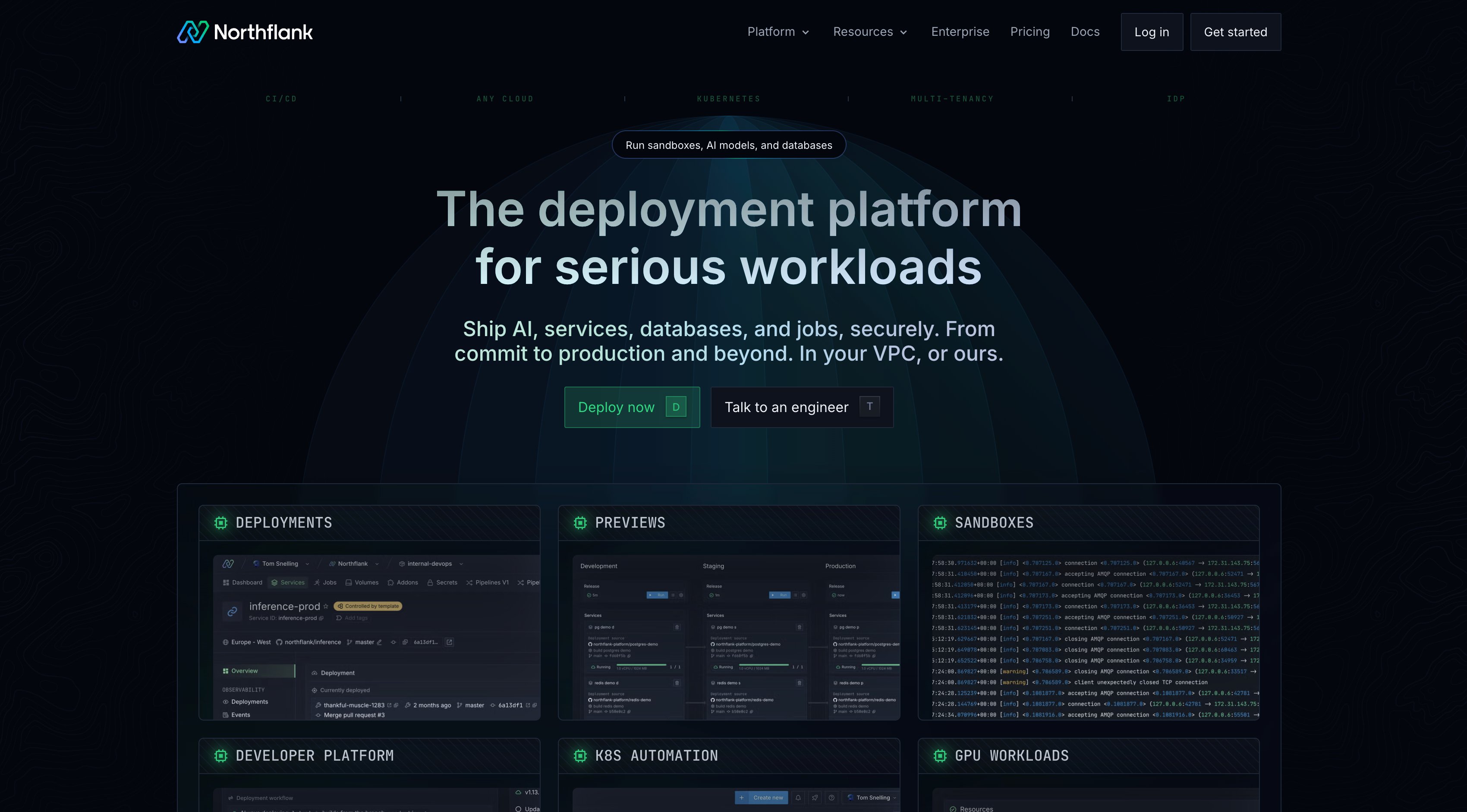
Northflank is a developer platform built on Kubernetes that provides CI/CD pipelines, managed databases, preview environments, GPU workload support, and Bring Your Own Cloud (BYOC) from a single control plane. It provides a managed abstraction layer over Kubernetes, removing the need to configure cluster components, write infrastructure manifests, or assemble observability tooling independently.
For teams migrating off VMware towards containerised workloads, BYOC support allows Northflank's orchestration layer to run on their own AWS, GCP, Azure, Oracle, or on-premises infrastructure. This is relevant for teams migrating from on-premises VMware who want to retain infrastructure control during the transition.
Key capabilities:
- Built-in CI/CD pipelines with Git-based deployment triggers supporting GitHub, GitLab, and Bitbucket.
- Managed Kubernetes across EKS, GKE, AKS, and bare-metal clusters.
- BYOC support across AWS, GCP, Azure, Oracle, and on-premises infrastructure.
- Managed databases including PostgreSQL, MySQL, MongoDB, and Redis.
- GPU workload support for inference, model serving, and AI training jobs.
- Secure sandboxes and microVMs for running untrusted or AI-generated code with hardware-level isolation.
- Secrets and config management, RBAC, and audit logging.
Best for: Teams moving off VMware and adopting container-based infrastructure who want managed Kubernetes and CI/CD without building platform tooling from scratch.
See how Clock uses Northflank to manage 30,000 deployments for a production example.
Get started with a free plan, follow the getting started guide, or book a session with an engineer if you have specific infrastructure or compliance requirements. See the pricing page for full details on compute, database, and GPU workload costs.
Migrating off VMware requires planning across licensing, workload compatibility, tooling, and team readiness. The core steps are:
- Audit your current VMware environment. Identify all vSphere hosts, virtual machines, storage configurations, and network dependencies. Note which workloads are candidates for containerisation and which require a VM-based replacement.
- Assess your licence position. Determine your current subscription status and renewal dates. Understand which Broadcom bundles your existing workloads map to and what the cost difference is compared to alternatives.
- Choose a migration path. For VM-based workloads, evaluate Proxmox VE, Hyper-V, Nutanix AHV, or OpenStack based on your team's capabilities and infrastructure requirements. For workloads suitable for containers, evaluate managed Kubernetes platforms such as Northflank.
- Pilot with non-critical workloads. Run the target platform in parallel with VMware on a subset of workloads before committing to a full migration.
- Migrate data and configurations. Use provider-specific migration tooling or manual export/import processes to move VM images, storage volumes, and network configurations.
- Validate and cut over. Run tests on the target environment before decommissioning VMware infrastructure.
- Workload compatibility: Some applications depend on specific VMware features such as vSAN storage policies or NSX microsegmentation. These need to be mapped to equivalent capabilities on the target platform.
- Operational skill gaps: Proxmox VE and OpenStack require Linux and infrastructure administration experience. Nutanix AHV reduces operational overhead but requires familiarity with the Prism platform.
- Licence transition timing: Broadcom subscription renewals are time-limited. Teams need to plan migration timelines against upcoming renewal dates to avoid committing to additional subscription terms on the outgoing platform.
- Storage migration: Moving VM disk images and storage configurations is typically the most time-consuming part of a hypervisor migration.
Proxmox VE is a widely adopted open-source alternative to VMware vSphere. It is built on KVM and LXC, provides a web-based management interface, and includes HA clustering, live migration, and backup capabilities at no licence cost. Enterprise support subscriptions are available from Proxmox. OpenStack is an alternative for organisations that need a full private cloud platform rather than a standalone hypervisor.
Proxmox VE provides core hypervisor and VM management capabilities, including live migration, clustering, and backup. It does not replicate every feature in the broader VMware stack, such as NSX-level network virtualisation or vSAN's storage policy management. For teams that used vSphere primarily as a hypervisor without heavy reliance on vSAN or NSX, Proxmox VE covers the core use case.
Hyper-V is a viable replacement for organisations running Windows Server workloads. It is included with Windows Server licences, supports live migration, HA clustering, and disaster recovery via Hyper-V Replica, and integrates with Azure Local for hybrid scenarios. Teams should evaluate Hyper-V against their specific guest OS and tooling requirements.
Broadcom eliminated perpetual licences from January 2024. All new VMware purchases are subscription-based on one, three, or five-year terms. The product catalogue was consolidated from over 160 products to a small number of bundles including VMware Cloud Foundation and vSphere Foundation. Standalone products including vSAN, NSX, and the Aria Suite are no longer available as individual purchases. Per-core pricing replaced per-socket pricing for infrastructure products.
No. Proxmox VE, Hyper-V, Nutanix AHV, and OpenStack all provide VM-based infrastructure and allow teams to migrate workloads without re-architecting applications. Moving to containers is an option for teams whose workloads are compatible with containerisation, but it is not a requirement for leaving VMware.
The most recent release is OpenStack 2026.1, codenamed Gazpacho. OpenStack follows a bi-annual release schedule coordinated by the OpenInfra Foundation.
The right path off VMware depends on your workloads, your team's operational capacity, and how much of your infrastructure you want to continue managing at the VM level.
For teams that need to preserve VM-based workflows, Proxmox VE provides a direct open-source replacement with no licence fee. Hyper-V is the appropriate choice for Windows Server environments. Nutanix AHV suits organisations looking to consolidate infrastructure under a single managed platform. OpenStack fits large organisations with dedicated cloud operations teams.
For teams moving to container-based infrastructure, Northflank provides a managed Kubernetes platform with built-in CI/CD, databases, and BYOC support.
Get started with a free plan, follow the getting started guide, or book a session with an engineer if you have specific infrastructure or compliance requirements. See the pricing page for full details on compute, database, and GPU workload costs.