
How non-technical employees can build and ship internal apps with AI, securely
Non-technical employees can now generate working internal apps from natural language descriptions using AI coding tools like Claude Code, Codex, Cursor, and many others. The code generation problem is largely solved. The deployment and security gap is not.
In 2026, non-technical employees can build internal apps with AI from natural language prompts. A product manager with years of Excel data, a designer without engineering support, a program manager copying data between systems.
AI tools have changed what is possible. The bottleneck is no longer writing code, but deploying internal tools securely, connecting them to real data, and ensuring they do not introduce risk in production. In large enterprises, this problem is compounded: dozens or hundreds of employees may be experimenting with AI-generated apps simultaneously, and the IT or engineering team has no visibility into what is running, who built it, or what data it touches. This article covers what teams are building with AI, where the real security risks lie, and how to deploy AI-generated apps securely using platforms like Northflank.
- AI coding tools like Lovable, Bolt, and Claude Code let non-technical employees generate working internal apps from natural language descriptions. No coding background required.
- The security risks are not in the generated code. They emerge at deployment: hardcoded credentials, admin database access, no environment isolation, no access controls on the deployed URL, and no sandboxing for AI-generated code that executes at runtime.
- Secure deployment requires secrets management, scoped database credentials, environment isolation, TLS by default, access controls, and sandbox execution for any app that runs user-submitted or AI-generated code.
- Most non-technical builders do not know these controls exist. The right platform applies them by default without requiring the builder to understand the infrastructure layer.
Northflank is a full-stack cloud platform that handles the infrastructure non-technical teams need to ship internal apps securely. Secrets management, managed databases, environment isolation, TLS, preview environments, sandboxes for AI-generated code execution, and access controls configured by default. No infrastructure code required. Sign up to get started or book a demo.
The range of internal apps non-technical teams build with AI tools has expanded significantly. Ops teams and finance managers generate dashboards that pull from internal databases and display real-time metrics without waiting on BI team backlogs. HR teams and program managers build workflow automation tools that pull from one system, transform data, and push to another. Teams build internal request forms, approval workflows, and customer-facing intake tools connected to existing databases. Analysts build internal search interfaces on top of company documentation and knowledge bases. Data processing scripts that previously required a developer to write get generated in minutes.
What all of these have in common is that they move beyond a prototype the moment they connect to real data or allow user interaction. That is where the security questions start, and where most non-technical builders have no frame of reference for what controls are needed.
The code generation step is not where AI-generated internal apps create risk. A prototype is safe until it touches real data and gets deployed somewhere accessible. The risks emerge at deployment.
Non-technical builders often hardcode API keys, database connection strings, and passwords directly into application code because they do not know about environment variables or secrets management. When that code is pushed to a repository or deployed to a shared platform, those credentials are exposed. An internal app that connects to a production database with admin credentials can read and write far more than it needs to, and a bug becomes a data breach. An app deployed to a public URL with no authentication exposes personal data, financial figures, and internal metrics to anyone who finds the link.
A separate risk emerges for apps that execute code at runtime. AI coding assistants embedded in internal tools, code interpreter features, and agentic workflows all involve executing code that was not written or reviewed by a developer. Without sandbox isolation, that code runs with the same privileges as the application itself and has access to the same network and filesystem. The execution boundary needs to be enforced at the infrastructure level, not assumed from the code.
In large enterprises, the scale of this problem is significantly harder to manage. When many employees across different teams are building and deploying AI-generated apps independently, the attack surface grows with every new tool that goes live. Without a centralized deployment platform, IT and engineering teams have no way to audit what apps are running, what credentials they use, or what data they access. A single misconfigured app in one department can expose data that belongs to another.
Shipping an AI-generated internal app securely requires the same infrastructure controls that any production application needs. The difference is that non-technical builders need those controls to be available without requiring them to understand the infrastructure layer.
- Secrets management: API keys, database credentials, and environment variables should be stored in a secrets manager and injected at runtime. They should never appear in code or logs.
- Scoped database credentials: Internal apps should connect with the minimum permissions they need, not shared admin accounts.
- Environment isolation: Development and production should be separated so that testing changes do not affect live data or live users.
- Access controls: Internal tools should only be accessible to the intended audience, not anyone with the URL.
- TLS by default: Any app handling company data should serve over HTTPS automatically, not as a manual configuration step.
- Sandbox execution: Any app that executes AI-generated or user-submitted code at runtime needs isolated execution environments. Without sandbox isolation, one bad execution can affect the host system and other users.
- Preview environments: Every change should be testable in an isolated environment before it affects production.
Northflank gives non-technical teams a deployment platform that handles all of these controls without requiring them to understand the infrastructure layer underneath. If you built your app with Claude Code, it can push the code to a GitHub repository for you. From there, connect the repository to Northflank, and the platform detects the framework, builds the app, and deploys it with TLS and health checks configured automatically.
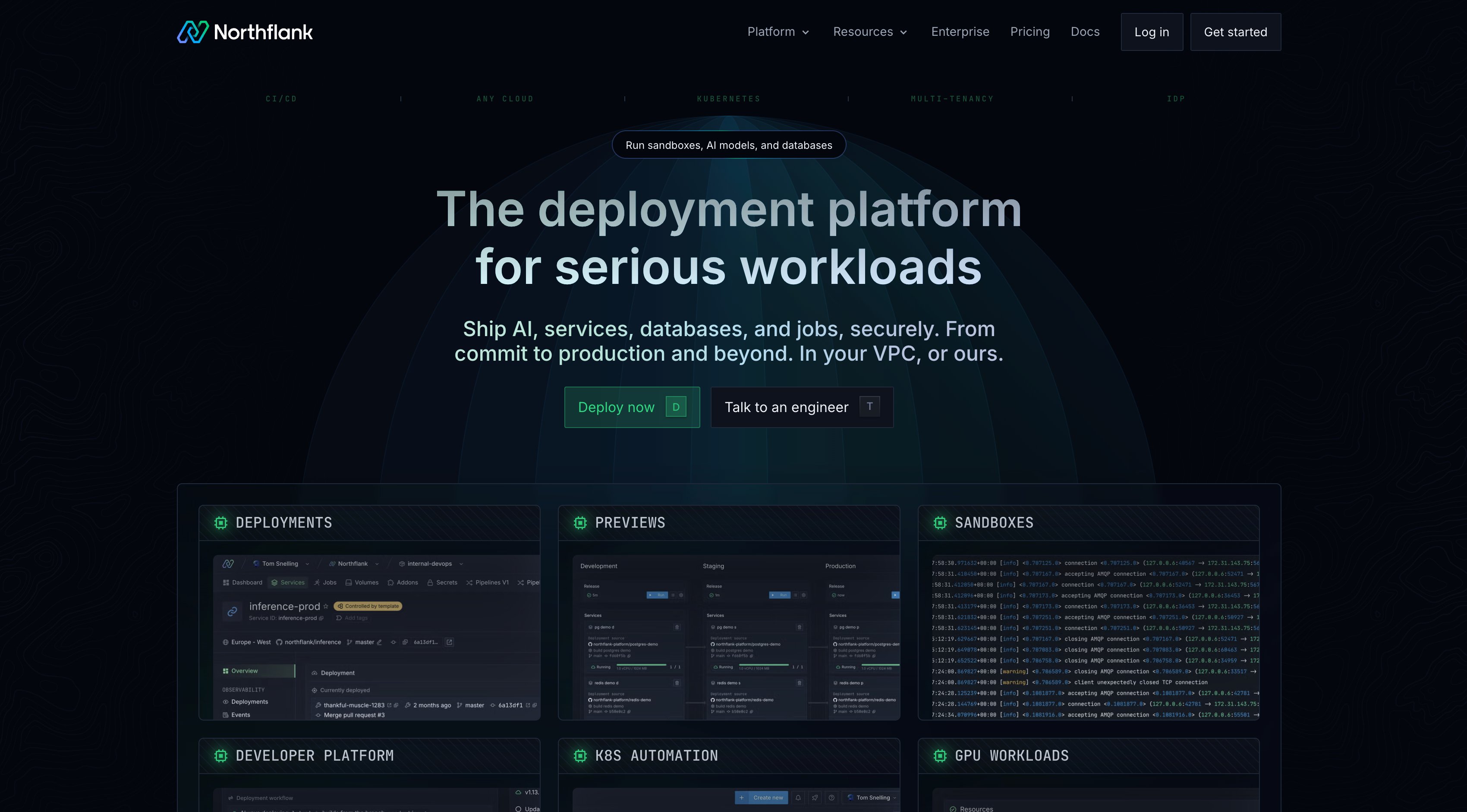
Secrets are stored in secret groups and injected at build and runtime, never exposed in logs or code. Managed databases (PostgreSQL, MySQL, MongoDB, Redis) provision in minutes and connect via scoped credentials injected through the same mechanism. For apps that execute AI-generated or user-submitted code, Northflank's sandbox infrastructure runs isolated microVM environments so execution cannot affect the host application or other users. Preview environments spin up per pull request and tear down on merge. For teams that need execution inside their own cloud account, BYOC is self-serve into AWS, GCP, Azure, Oracle, CoreWeave, Civo, on-premises, or bare-metal. Your data never leaves your own VPC.
For enterprise teams, Northflank also provides the organizational visibility that IT and engineering teams need when non-technical employees are building and shipping independently. RBAC at the project and environment level means every deployment is tied to a user, every secret access is logged, and every environment is visible to the people responsible for security. Non-technical employees get self-service. The IT or engineering team gets oversight.
For a step-by-step walkthrough of the full deployment process, see How to deploy vibe-coded apps to production on Northflank.
Get started on Northflank (self-serve, no demo required). Or book a demo with an engineer to walk through your requirements.
The code generation problem is largely solved. Non-technical employees can describe what they need and have working code in minutes. The infrastructure gap is what prevents those apps from shipping securely, the sandbox gap is what prevents apps that execute AI-generated code from being safe to run, and the visibility gap is what prevents enterprise IT teams from knowing what is running and who built it. Northflank closes all three. Secrets management, managed databases, sandbox execution, environment isolation, TLS, RBAC, and preview environments configured by default, without writing infrastructure code.
Sign up for free or book a demo to see how Northflank handles secure deployment for your team's internal apps.
With the right infrastructure in place, yes. The risks come from deployment without proper controls: hardcoded credentials, no access controls, no environment isolation, and no sandbox execution for AI-generated code. Platforms like Northflank handle these by default, removing most risks without requiring the builder to understand the underlying infrastructure.
Lovable, Bolt, and v0 generate full-stack applications from natural language descriptions. Claude Code and Cursor are better suited for users who want to iterate on generated code directly. For simpler internal tools with direct database connections, Retool and Superblocks provide visual builders with AI assistance. The right tool depends on how much custom logic the app requires.
Store database connection strings in a secrets manager and inject them as environment variables at runtime. Never hardcode credentials in application code. Use scoped database users with minimum permissions, not admin accounts. Northflank handles this through secret groups that inject credentials automatically at build and runtime.
Any app that executes code at runtime rather than just running pre-written application code needs sandbox execution. This includes apps with AI coding assistant features, code interpreter functionality, agentic workflows, or any feature that executes user-submitted input as code. Without isolation, a single bad execution can compromise the host application.
Yes, with Northflank BYOC. Deploy into your existing AWS, GCP, Azure, or on-premises infrastructure, self-serve. The managed deployment experience is identical to Northflank's managed cloud, but your apps and data run inside your own infrastructure.
- How to deploy vibe-coded apps: A step-by-step walkthrough of taking a vibe-coded app from localhost to a live HTTPS URL on Northflank.
- Best deployment platforms for vibe coders in 2026: A comparison of Northflank, Vercel, Render, Railway, and Fly.io for teams shipping AI-generated apps without infrastructure overhead.
- Top internal developer portals in 2026: How platform teams give developers and non-technical employees self-service access to infrastructure without managing Kubernetes directly.
- What is sandbox infrastructure?: The full stack required to run isolated workloads safely at scale, covering isolation technology, orchestration, and lifecycle management.