
10 best DigitalOcean alternatives in 2026
Teams consider alternatives to DigitalOcean when they need stronger CI/CD tooling, more advanced Kubernetes features, multi-cloud flexibility, or different pricing for their specific workload profile.
- Northflank (cloud-native platform, not VPS): Best for teams that need built-in CI/CD, managed Kubernetes, and Bring Your Own Cloud (BYOC) support from a single control plane, without managing separate infrastructure tooling.
- Linode (Akamai Cloud): Best for teams running standard VPS workloads with private instance networking requirements.
- Vultr: Best for global compute with bare metal and high-frequency instance options.
- AWS: Best for enterprises needing a broad managed services catalogue and compliance certifications.
- Google Cloud Platform (GCP): Best for Kubernetes-native and AI/ML workloads at scale.
- Microsoft Azure: Best for organisations running Windows Server or hybrid cloud deployments.
- Hetzner: Best for teams running self-managed VPS workloads that require dedicated server options alongside cloud compute.
- Kamatera: Best for teams that need custom cloud server configurations with independent resource allocation.
- Cloudways: Best for managed hosting without direct server administration.
- Render: Best for Git-based web app and API deployments with minimal infrastructure overhead.
The right alternative depends on your workload type, required managed services, geographic coverage, and pricing model.
DigitalOcean is a cloud platform offering virtual machines (Droplets), managed Kubernetes (DOKS), managed databases, object storage, and an App Platform for Git-based deployments.
This article covers the best DigitalOcean alternatives in 2026, including their key capabilities, pricing, and ideal use cases.
Teams typically look for a DigitalOcean alternative when they need more advanced CI/CD pipelines, enterprise-grade Kubernetes features, hybrid cloud support, or better pricing for their workload profile.
- Limitations of DigitalOcean Kubernetes (DOKS): DOKS provides a managed control plane with worker nodes billed at standard Droplet rates, but does not include native multi-cluster networking or advanced node pool configurations.
- CI/CD on DigitalOcean: The App Platform supports Git-based deployments but does not cover canary or blue/green strategies, and advanced pipelines typically require external tooling.
- Logging and monitoring on DigitalOcean: Basic resource monitoring and Managed OpenSearch are included, but distributed tracing and cross-cluster observability require third-party tools.
- Scalability limits on DigitalOcean: Autoscaling is available through DOKS node pools and load balancers, but native multi-cluster management and advanced traffic routing are not provided.
- Bring Your Own Cloud (BYOC): DigitalOcean supports VPC networking and VPN connections, but does not provide a fully integrated BYOC solution for teams that need tight on-premises and cloud integration.
The table below compares all 10 DigitalOcean alternatives across best fit, starting price, and key tradeoffs to help your team identify the right platform for your workload.
| Alternative | How it compares to DigitalOcean | Best for | Starting price | Drawbacks |
|---|---|---|---|---|
| Northflank | Supports BYOC (DigitalOcean does not); cloud-native CI/CD and Kubernetes; single-pane developer experience | Teams needing CI/CD, Kubernetes, and multi-cloud deployments from one platform | Free tier; pay-as-you-go from $2.70/month | No traditional VPS hosting |
| Linode (Akamai Cloud) | Akamai CDN integration and advanced networking; free DDoS protection included | Teams running standard VPS workloads with private networking requirements | $5/month | Limited managed services compared to hyperscalers |
| Vultr | Multiple global regions; bare metal and high-frequency instance options | Teams needing global compute coverage with a range of instance types | From $2.50/month | Fewer advanced managed services |
| AWS | Broader managed services catalogue; more compliance certifications | Enterprises needing scalable infrastructure with compliance requirements | Free tier available, then pay-as-you-go | Higher complexity and less predictable pricing |
| Google Cloud Platform (GCP) | Advanced AI/ML tooling; mature managed Kubernetes (GKE) | Teams running Kubernetes-native or AI/ML workloads | Free tier available, then pay-as-you-go | Steeper learning curve |
| Microsoft Azure | Hybrid and enterprise cloud focus; Microsoft ecosystem integration | Organisations running Windows workloads or hybrid deployments | Free tier available, then pay-as-you-go | Can be expensive for smaller teams |
| Hetzner | Cloud VPS and dedicated servers; EU and US data centres | Teams running self-managed VPS with European or US data residency requirements | From €3.79/month | Limited managed service variety compared to DigitalOcean |
| Kamatera | Configurable CPU, RAM, and storage per instance | Teams needing custom cloud server configurations with independent resource allocation | $4/month | Fewer pre-built integrations |
| Cloudways | Managed hosting layer on top of DigitalOcean, Vultr, Linode, AWS, and GCE | Teams managing web applications that want managed server operations | From $14/month | Limited low-level infrastructure control |
| Render | Developer-focused PaaS; Git-based deployment | Developers deploying web apps, APIs, and background jobs | Free tier available | Limited infrastructure control |
The following sections break down each alternative by what it provides, how it compares to DigitalOcean, and when it is the right choice for your workload.
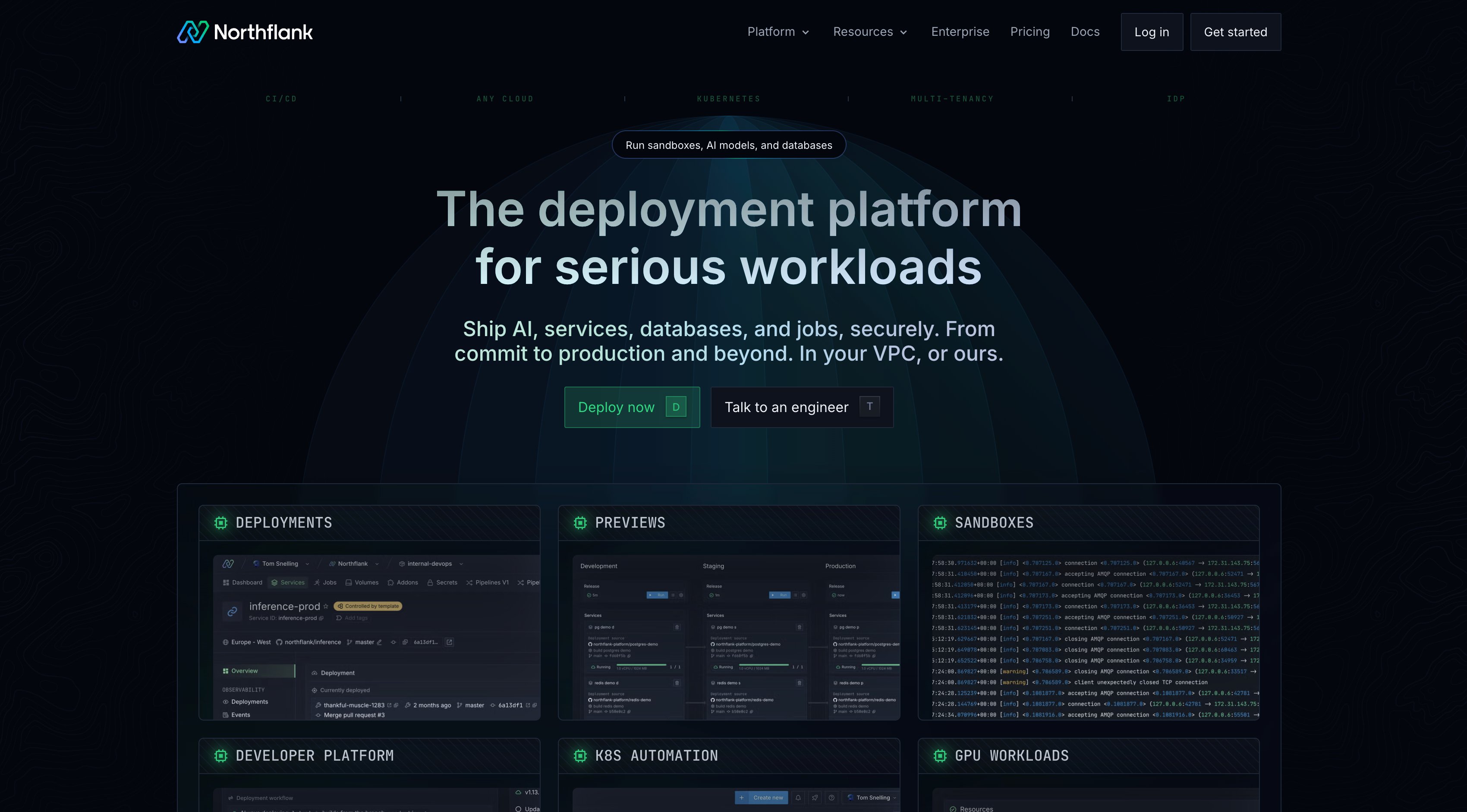
Northflank is a developer platform that provides CI/CD pipelines, managed Kubernetes, managed databases, and Bring Your Own Cloud (BYOC) support from a single control plane. Northflank is designed around cloud-native workloads rather than traditional VPS hosting.
BYOC support allows teams to run Northflank's orchestration layer on their own cloud accounts across AWS, GCP, Azure, and other providers, including bare-metal and on-premises infrastructure, so workloads are not tied to a single cloud. CI/CD is built directly into the platform, with deployments triggered from Git push without requiring external pipeline configuration.
Key capabilities:
- Built-in CI/CD pipelines with Git-based build and deployment triggers, supporting GitHub, GitLab, and Bitbucket.
- Managed Kubernetes with a managed abstraction layer that handles orchestration across EKS, GKE, AKS, and bare-metal clusters.
- BYOC support across AWS, GCP, Azure, Oracle, and on-premises infrastructure.
- Managed databases including PostgreSQL, MongoDB, MySQL, and Redis, with automated backups and point-in-time recovery.
- Preview and release environments with pipeline-based promotion from development through to production.
- GPU workload support for inference, model serving, and AI training jobs across cloud and imported clusters.
- Secure sandboxes and microVMs for running untrusted or AI-generated code with hardware-level isolation.
- Secrets and config management, role-based access control, and audit logging for production environments.
Best for: Teams deploying services, databases, and AI workloads that need CI/CD, managed Kubernetes, and multi-cloud or on-premises flexibility from a single platform.
Get started with a free plan, follow the getting started guide, or book a session with an engineer if you have specific infrastructure or compliance requirements. See the pricing page for full details on compute, database, and GPU workload costs.
Linode, now operating under the Akamai Cloud brand, provides VPS instances, managed Kubernetes (LKE), managed databases, and object storage. Pricing starts at $5/month for a 1 GB shared CPU Nanode instance.

Key capabilities:
- Akamai edge CDN integration for content delivery and DDoS protection.
- VLAN support for private instance networking.
- Managed Kubernetes (LKE) and managed databases.
Best for: Teams running standard VPS workloads that require private instance networking.
Vultr provides cloud compute across multiple global data centre locations. Instance types include standard shared compute, high-frequency compute, bare metal, and cloud GPU.

Key capabilities:
- Multiple global data centre locations.
- High-frequency compute instances.
- Bare metal servers for workloads requiring direct hardware access.
Best for: Teams that need broad geographic coverage and a range of compute instance types, including bare metal.
AWS provides a broad set of cloud services covering compute, storage, databases, AI/ML, networking, and security. Compared to DigitalOcean, AWS provides more configuration options, compliance certifications, and global infrastructure.

Key capabilities:
- Compute, storage, database, and AI/ML services across a large catalogue.
- Enterprise security and compliance certifications across multiple frameworks.
- Global infrastructure across multiple regions.
Best for: Enterprises needing scalable infrastructure with compliance requirements and a broad range of managed services.
Google Cloud Platform provides managed Kubernetes through Google Kubernetes Engine (GKE), which includes autopilot mode, automatic node repair, and multi-cluster management. It also provides AI/ML tooling including Vertex AI and access to tensor processing units (TPUs).

Key capabilities:
- GKE with autopilot mode, automatic node repair, and multi-cluster support.
- Global networking infrastructure.
- AI/ML services including Vertex AI and TPUs.
Best for: Teams running Kubernetes-native applications or AI/ML workloads that require managed infrastructure at scale.
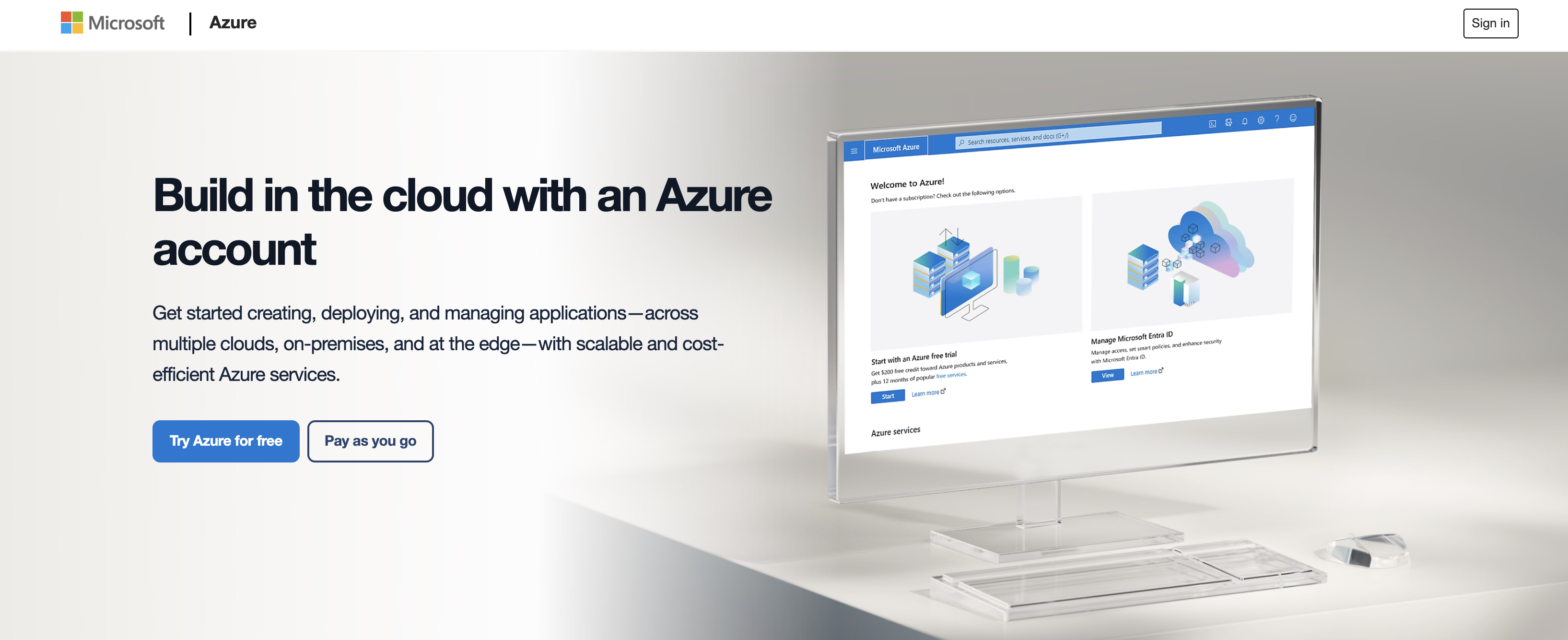
Azure integrates with the Microsoft ecosystem, covering Windows Server, Active Directory, SQL Server, and Microsoft 365 workloads. Hybrid cloud capabilities are available through Azure Arc, which extends Azure management to on-premises and third-party cloud environments.
Key capabilities:
- Integration with Windows Server, Active Directory, and Microsoft 365.
- Hybrid cloud management through Azure Arc.
- Compliance tooling for regulated industries.
Best for: Organisations running Microsoft-dependent workloads or requiring hybrid cloud management with on-premises infrastructure.
Hetzner provides cloud VPS instances and dedicated servers. Additional services include object storage, load balancers, and managed servers.

Key capabilities:
- Cloud VPS instances and dedicated servers.
- Object storage and load balancer services.
- Managed server options available.
Best for: Teams running self-managed VPS workloads that require dedicated server options alongside cloud compute.
Kamatera provides cloud server instances where CPU, RAM, and storage are configured independently. It also offers load balancers, block storage, a cloud firewall, and a virtual private cloud product.

Key capabilities:
- Configurable CPU, RAM, and storage per instance.
- Cloud firewall, load balancers, and block storage available as add-ons.
- Managed cloud services available as an optional layer.
Best for: Teams that need custom cloud server configurations with independent resource allocation.
Cloudways is a managed cloud hosting platform that deploys on top of infrastructure from DigitalOcean, Vultr, Linode, AWS, or Google Compute Engine. It handles server management, security patching, and caching configuration.

Key capabilities:
- Managed hosting layer on top of DigitalOcean, Vultr, Linode, AWS, and Google Compute Engine.
- Handles server patching and caching setup.
- Supports WordPress, Magento, Laravel, WooCommerce, and PHP applications.
Best for: Teams managing web applications that want managed server operations without building DevOps tooling in-house.
Render is a PaaS platform for deploying web apps, APIs, background workers, and static sites from Git. It provides built-in autoscaling, DDoS mitigation, and managed TLS certificates. Deployment is triggered from Git push, with no container or server configuration required.

Key capabilities:
- Git-based deployments for web services, APIs, and static sites.
- Built-in autoscaling and managed TLS certificates.
- Free static site hosting with DDoS mitigation.
Best for: Developers deploying web apps and APIs who want platform-managed infrastructure and minimal operational overhead.
The right DigitalOcean alternative depends on four main factors: workload type, required managed services, geographic reach, and pricing model.
For teams running standard VPS workloads, Linode and Hetzner both provide self-managed compute with multiple region options. For teams building containerised applications with CI/CD pipelines, Northflank provides built-in pipelines and managed Kubernetes without requiring separate tooling.
For enterprise-scale workloads requiring compliance certifications, high availability SLAs, or a large catalogue of managed services, AWS, GCP, and Azure are the appropriate choices. For compute without pre-packaged fixed plans, Kamatera and Vultr both support custom instance configurations.
Key factors to evaluate:
- Compute options: Check instance types, dedicated versus shared vCPU availability, and whether bare metal is available.
- Managed services: Confirm whether the provider offers managed Kubernetes, databases, and object storage natively.
- Pricing model: Providers use different billing models; check each provider's pricing page for current rates.
- Geographic coverage: Match available regions to your latency and data residency requirements.
- CI/CD support: Determine whether the platform provides built-in pipelines or requires external tooling.
Migrating cloud providers requires planning to avoid downtime or data loss. The core steps are:
- Audit your current setup. List all services, databases, networking configuration, and third-party integrations currently running on DigitalOcean. See how to send logs from Northflank to DigitalOcean Spaces for an example of running Northflank alongside DigitalOcean infrastructure during a migration.
- Select a new provider. Match your workload requirements against the alternatives covered in this article.
- Provision the new environment. Set up compute, networking, databases, and security policies on the new provider before moving workloads.
- Migrate data. Use database export/import, snapshot tools, or provider-specific migration utilities to move your data.
- Test in the new environment. Run functional and load tests before cutting over production traffic.
- Update DNS and switch traffic. Once validation passes, update DNS records to point to the new provider.
- Downtime risk: Run workloads on both platforms in parallel during the migration window to reduce exposure.
- Configuration differences: Networking features like VPC peering, firewall rules, and load balancer configuration may differ between providers and need to be adapted.
- Egress and bandwidth costs: Check the outbound data transfer pricing on your new provider, as models vary significantly between providers.
The answer depends on your workload. Northflank provides built-in CI/CD and BYOC support that DigitalOcean does not offer. Linode provides VPS infrastructure that may suit smaller workloads. AWS, GCP, and Azure provide more managed services and compliance tooling for enterprise requirements. Northflank's BYOC offering allows teams to run workloads across multiple cloud providers from a single control plane.
The main competitors include Northflank, Linode (Akamai Cloud), Vultr, AWS, Google Cloud, Microsoft Azure, Hetzner, Kamatera, Cloudways, and Render. Each targets a different segment of the market.
AWS provides more services, global infrastructure, and compliance certifications. DigitalOcean provides a simpler interface and more predictable pricing. For small to mid-sized projects, DigitalOcean is easier to manage. For enterprise workloads at scale, AWS provides more depth.
DigitalOcean Droplets start at $4/month for a basic shared CPU instance. As of January 2026, Droplets are billed per second with a 60-second minimum charge. Managed Kubernetes has no control plane fee; you pay for worker node Droplets.
Northflank provides a free tier for developers to deploy and test projects. AWS and Google Cloud both provide free tier allocations with usage limits. Render provides free static site hosting on its Hobby plan.
DigitalOcean Droplets are unmanaged virtual machines, meaning teams are responsible for server administration, patching, and backups. For teams that want managed web hosting on DigitalOcean infrastructure, Cloudways provides a managed layer on top of DigitalOcean without requiring direct server access.
The best DigitalOcean alternative depends on what your team needs from cloud infrastructure.
For teams that need CI/CD, managed Kubernetes, and multi-cloud flexibility from one platform, Northflank provides these from a single control plane.
Get started with a free plan, follow the getting started guide, or book a session with an engineer if you have specific infrastructure or compliance requirements. See the pricing page for full details on compute, database, and GPU workload costs.