
Best platforms for on-demand preview environments in 2026
Most teams trigger preview environments from a Git pull request. But a growing category of use cases (internal developer platforms, CI orchestration, AI agent pipelines, and programmatic testing workflows) requires spinning up isolated environments on demand, programmatically, outside the PR lifecycle.
This article compares the best platforms for on-demand preview environments in 2026: how they handle API-driven provisioning, full-stack scope, lifecycle control, and cost at scale.
Platforms covered:
- Northflank: Full-stack on-demand preview environments via API, CLI, UI, GitOps, or Git triggers. Supports databases, jobs, and secrets; managed or BYOC (Bring Your Own Cloud).
- Okteto: Kubernetes developer environments with per-branch previews triggered through GitHub Actions or GitLab CI.
- Uffizzi: Open-source platform for ephemeral environments with virtual cluster support and CI integration.
- Bunnyshell: Template-driven ephemeral environments for multi-service setups.
- Codefresh: CI/CD platform with preview environment capabilities built around its pipeline and GitOps systems.
A preview environment is an isolated, ephemeral copy of your application stack provisioned for a specific event and destroyed when that event resolves. Most developers are familiar with PR-triggered previews: a pull request opens, an environment spins up, the PR merges, and the environment tears down.
On-demand preview environments take that further. Instead of waiting for a Git event, you provision environments programmatically (via API call, CLI command, CI step, or workflow trigger) and control their lifecycle independently of any Git event.
This is relevant for a distinct set of use cases:
- Internal developer platforms (IDPs): Platform teams building self-service environment provisioning for product engineers
- AI agent pipelines: Agents that need isolated execution environments created and destroyed between runs
- Load and integration testing: CI systems that spin up environments to test against before merging
- Stakeholder reviews: Marketing or product teams requesting environments for specific builds without needing a PR
The distinction from standard PR previews is important. PR-triggered environments are tied to a Git event and managed by the platform's Git integration. On-demand environments can be triggered by anything that can make an API call: a CI script, a Slack bot, an internal tool, or an AI orchestration layer.
The infrastructure problem here is non-trivial. Spinning up a single container per branch is straightforward. Spinning up a reproducible, production-like environment with databases, seeded data, background workers, secrets, and isolated networking (on demand, at scale, with automatic teardown) requires a platform with considerably more depth.
Common failure modes teams run into:
- Environments that provision a frontend or API but leave out the database, making them useless for real integration testing
- No secret injection, so credentials must be hardcoded or manually configured per environment
- No lifecycle control beyond manual deletion, leading to environment sprawl and growing cloud costs
- Environments that take 10 or more minutes to provision, blocking the workflow that triggered them
- No proper API surface, meaning environments can only be created from a UI or a Git event
The platforms below differ in their triggering model, stack scope, infrastructure ownership model, and level of API control. The right one depends on what your environments need to include and how your team triggers them.
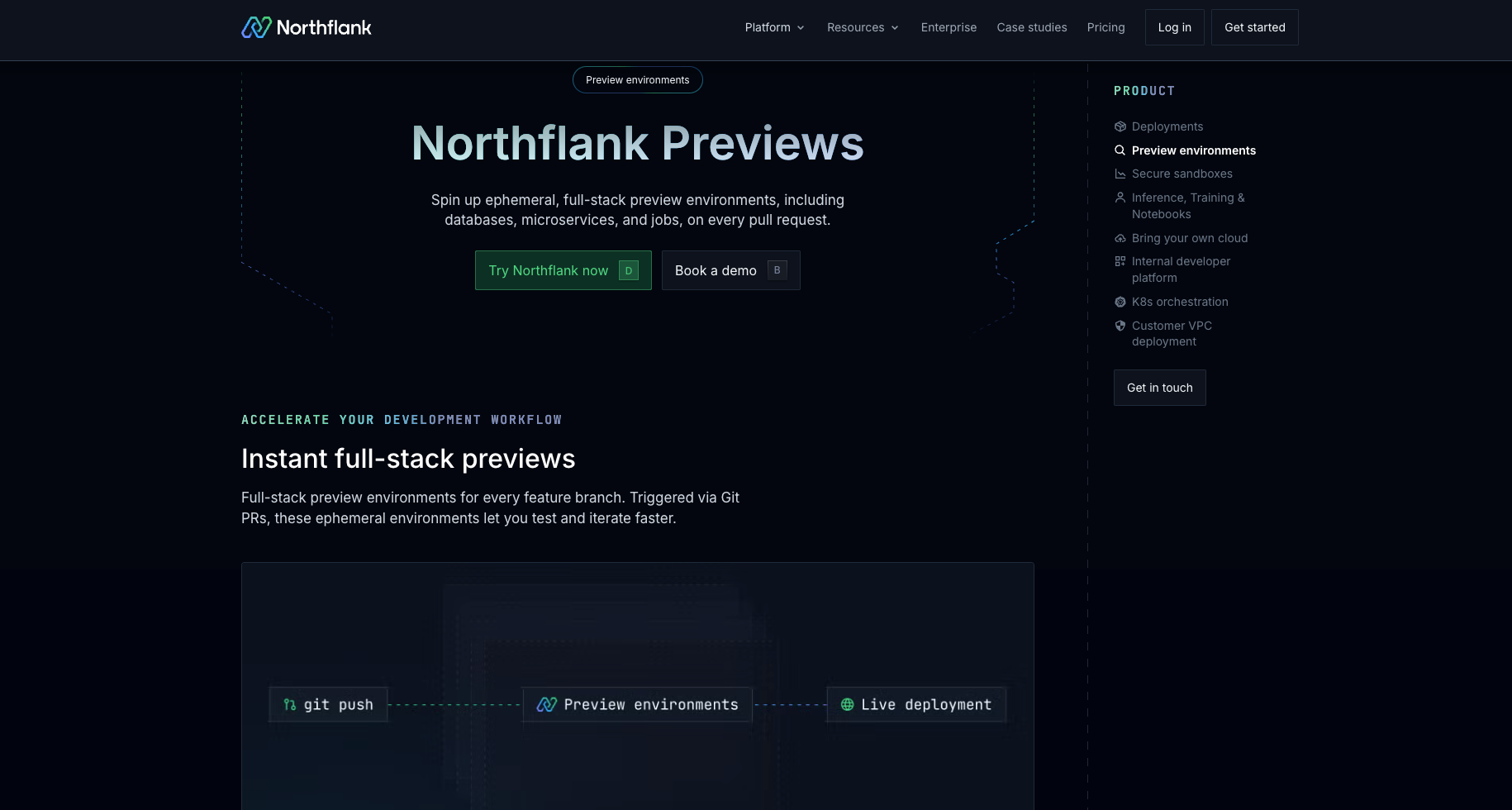
Northflank is a full-stack deployment platform with native support for on-demand preview environments via API, CLI, UI, GitOps, and Git triggers. You define a preview environment template (specifying the services, databases, jobs, secrets, and lifecycle rules) and trigger it however fits your workflow: by opening a PR, running a CLI command, calling the API from a CI step, or invoking it from an AI agent pipeline.
What sets Northflank apart for on-demand use cases is the combination of a complete REST API for programmatic provisioning and full-stack scope. Most platforms that expose an API provision containers only. Northflank provisions managed databases (PostgreSQL, MySQL, MongoDB, Redis), background jobs, and encrypted secrets alongside your services, all from a single template, on every trigger.
Key features:
- Multiple trigger modes: Environments can be triggered by Git pull requests, branch pushes, manual UI actions, CLI commands, or direct API calls. You are not locked into the PR lifecycle.
- Full-stack scope: Each preview environment can include services, managed database addons (PostgreSQL, MySQL, MongoDB, Redis), scheduled jobs, and encrypted secret groups. Containers alone are not the limit.
- API-first provisioning: The Run preview blueprint API lets you trigger a full environment from any CI system, script, or orchestration layer. Arguments can be passed at run time to parameterize each environment.
- Lifecycle controls: Configure a duration after which the environment tears down, and an idle shutdown policy per blueprint. Once configured, environments clean up without manual intervention. Active hours (restricting automatic environment creation to specific days and times) are available for BYOC projects.
- Managed or bring your own cloud (BYOC): Deploy on Northflank's managed infrastructure or run preview environments inside your own infrastructure via BYOC. BYOC supports AWS, GCP, Azure, Oracle, CoreWeave, Civo, on-premises, and bare-metal (self-serve).
- GitOps-compatible: Preview environment templates can be version-controlled and managed via GitOps.
- SOC 2 Type 2 certified: Relevant for teams with compliance requirements or regulated infrastructure. See Northflank's security page for details.
Best for: Startups and growing engineering teams who want self-serve, full-stack preview environments without infrastructure overhead. Platform engineering teams building IDPs. Enterprise teams that need BYOC, compliance controls, and per-environment lifecycle automation at scale.
Why Northflank fits on-demand workflows:
Northflank supports multiple entry points: UI, CLI, API, and GitOps. The API covers run, list, pause, resume, and delete. Lifecycle controls include duration policies, idle shutdown, and active hours on BYOC projects.
If you want to see how the full setup works in practice, the guide on how to auto-create preview environments on every PR walks through the template configuration step by step.
Get started on Northflank (self serve - no demo required). Or book a demo with an engineer if you want to walk through your architecture first.
Okteto provides Kubernetes-based developer environments with per-branch preview deployments triggered through GitHub Actions or GitLab CI/CD pipelines.
Key features:
- PR-triggered preview environments via GitHub Actions and GitLab CI/CD
- Namespace isolation per preview environment on Kubernetes
- Global and personal scope options: previews can be visible to the full team or restricted to the creator
- Garbage collection with configurable sleep and delete periods, set by admins in the Admin Dashboard
Best for: Teams on Kubernetes who need per-branch CI-triggered previews and want namespace-isolated environments managed through GitHub Actions or GitLab CI.
Uffizzi is an open-source platform for ephemeral environments built around virtual clusters and Docker Compose definitions.
Key features:
- Ephemeral virtual clusters per environment, each with its own lightweight Kubernetes cluster
- Docker Compose-based environment definitions for multi-service setups, with support for existing Helm charts, Kustomize configurations, and Kubernetes manifests
- CI pipeline integration via GitHub Actions and GitLab CI; environments can be triggered from pipeline steps as well as PR events
- Automatic cleanup on PR close or merge, or via configurable TTL
Best for: Teams that need multi-service ephemeral environments using Docker Compose or virtual clusters, and platform teams who want a self-hostable or open-source option.
Bunnyshell provides template-driven ephemeral environments deployable to external Kubernetes clusters.
Key features:
- YAML-based environment definitions that specify all services, databases, and dependencies together; supports Docker Compose, Helm, Kubernetes manifests, and Terraform components
- Git integration with GitHub, GitLab, and Azure DevOps for PR-triggered environments with teardown on merge
- API and SDK available for programmatic environment lifecycle operations, including start, stop, deploy, and destroy
Best for: Engineering and QA teams that need multi-service environments across their own Kubernetes cluster, and teams that want API-driven lifecycle control alongside Git triggers.
Codefresh provides CI/CD with environment capabilities built around its pipeline and GitOps systems.
Key features:
- On-demand environment launch from Docker images within the Codefresh pipeline UI, generating a shareable URL for demos and quick feature reviews
- Dynamic preview environments triggered by pull requests, using Helm and Kubernetes, with per-PR namespace isolation
- GitOps-native environment promotion through ArgoCD ApplicationSets, with Codefresh's hosted GitOps runtime as an option for teams who do not want to self-manage ArgoCD
- Codefresh API for pipeline and environment operations
Best for: Teams already in the Codefresh ecosystem who want preview environments without adopting a separate platform; not a standalone preview environment solution.
The right platform depends on where your trigger lives, how much of your stack needs to spin up, and who owns the infrastructure. These four factors separate the platforms most clearly.
| Factor | What to consider | Platform |
|---|---|---|
| API-driven provisioning | Can you trigger an environment from any CI step, script, or external system outside a Git event? | Northflank: REST API covers run, pause, resume, and delete; environments include databases, jobs, and secrets. |
| Bunnyshell: API and SDK for lifecycle operations. | ||
| Uffizzi: REST API and CLI. | ||
| Okteto / Codefresh: Primarily Git and CI-triggered. | ||
| Full-stack scope | Does the environment include databases and jobs alongside containers? | Northflank: Services, databases, jobs, and secrets. |
| Bunnyshell: Multi-service with database containers. | ||
| Uffizzi: Multi-service; database containers supported, no managed cloud databases. | ||
| Okteto / Codefresh: Container-focused. | ||
| Infrastructure model | Managed SaaS, BYOC, or self-hosted? | Northflank: Managed or BYOC (AWS, GCP, Azure, Oracle, CoreWeave, Civo, on-prem, bare-metal). |
| Okteto: Managed SaaS, BYOC, or self-hosted. | ||
| Uffizzi: Managed SaaS, self-hosted, or open-source. | ||
| Bunnyshell: Managed or BYOC. | ||
| Codefresh: SaaS or on-premises. | ||
| Lifecycle controls | Can environments shut down on a schedule, idle timeout, or TTL? | Northflank: Duration and idle shutdown per template; active hours to restrict environment creation to specific days and times (BYOC projects). |
| Bunnyshell: Start/stop schedules; auto-destroy on PR close or merge when configured. | ||
| Uffizzi: Auto-cleanup on PR close or set TTL. | ||
| Okteto: Admin-configured garbage collection. |
A PR preview environment is triggered by opening a pull request and tied to that PR's lifecycle. An on-demand preview environment is triggered programmatically via API, CLI, or CI step, outside the Git event lifecycle. This matters when environments need to be created by automation, AI agents, or internal tools that don't map to a PR.
Northflank, Bunnyshell, and Uffizzi all expose REST APIs for managing environments programmatically. Northflank's preview blueprint API covers the full lifecycle: run, list, pause, resume, and delete. Okteto is primarily triggered through GitHub Actions or GitLab CI.
Support varies. Northflank provisions managed databases (PostgreSQL, MySQL, MongoDB, Redis) as part of a preview environment template. Bunnyshell supports database containers via its YAML environment definition. Uffizzi supports database containers via Docker Compose but does not provision managed cloud databases. Okteto and Codefresh are container-focused and require external services for databases.
The key controls are automatic teardown on PR close or idle timeout, duration policies, and scheduled active hours. Northflank exposes duration and idle shutdown controls per template; active hours, which restrict automatic environment creation to specific days and times, are available on BYOC projects. See how Northflank handles preview environment lifecycle for the full configuration reference.
For managed Kubernetes with BYOC flexibility and full-stack scope including databases and jobs, Northflank is the most complete option. Uffizzi supports open-source virtual cluster isolation per environment. Okteto is designed for per-branch previews triggered through CI pipelines. See the Kubernetes preview environments comparison for a deeper breakdown.
Yes. You can sign up and start deploying without a sales conversation. BYOC is also available self-serve across all supported clouds and on-premises infrastructure.
The articles below cover adjacent angles, from foundational concepts to platform-specific comparisons and setup guides.
- 10 best preview environment platforms (frontend, backend & GitOps): Broader comparison of 10 platforms across frontend, backend, and GitOps use cases, including Vercel, Render, and Netlify alongside full-stack options.
- How to auto-create preview environments on every PR: Step-by-step guide to configuring Northflank preview blueprints with Git triggers, naming conventions, and lifecycle rules.
- Top 5 Kubernetes preview environments comparison: Infrastructure-focused comparison covering cluster architecture, isolation strategy, and workload support for Kubernetes-native teams.
- The what and why of ephemeral preview environments on Kubernetes: Foundational guide to how ephemeral preview environments work on Kubernetes and why they improve delivery workflows.
- Ephemeral execution environments for AI agents: Covers on-demand environment use cases for AI agent pipelines that require isolated execution environments per run.
- How to set up a preview environment on Northflank: Full configuration reference for preview blueprints, Git triggers, secrets, active hours, and lifecycle controls.
- Northflank preview environments: Overview of Northflank's preview environment capabilities including full-stack scope, managed infrastructure, and BYOC options.