
What are ephemeral environments? How they work and when to use them
Ephemeral environments are short-lived, isolated deployments that are created on demand, used for a specific purpose, and destroyed once that purpose is complete.
This article covers what ephemeral environments are, how they work, the different types used in production, the key challenges teams run into when implementing them at scale, and how platforms like Northflank support them in production.
- Ephemeral environments are temporary, isolated deployments tied to a specific task (a pull request, a test run, or an AI agent session) and torn down once that task is complete.
- The main types used in production are preview environments, continuous integration (CI) test environments, sandbox environments, and AI execution environments.
- The ephemeral pattern is not limited to developer workflows. Sandbox environments and AI execution environments follow the same ephemeral pattern (created on demand, destroyed after use) but require stronger isolation models because the workloads or code running inside cannot be fully trusted.
- Lifecycle automation (trigger, create, run, teardown) is what makes ephemeral environments practical at scale. The more of the lifecycle you leave unautomated, the more time your team spends managing environments instead of shipping code.
Platforms like Northflank support full-stack preview environments triggered by Git pull requests, including databases, microservices, and background jobs, with configurable automated provisioning and teardown, alongside microVM-isolated execution environments for sandboxed and agent workloads.
An ephemeral environment is a short-lived, isolated deployment created on demand for a specific task and destroyed when that task is complete. In DevOps, "ephemeral" describes infrastructure with a lifecycle tied to a task rather than a calendar. The environment exists for as long as it is needed, then it is gone.
This contrasts with the traditional model of maintaining a small number of long-lived shared environments (dev, QA, staging) that persist indefinitely and are shared across the team. Those environments accumulate stale state, diverge from production over time, and create bottlenecks when multiple engineers need to test simultaneously.
The types of ephemeral environments in active use today reflect different triggers, audiences, and isolation requirements. Understanding the differences helps you pick the right model for your use case.
A preview environment is a deployment of your application tied to a pull request or feature branch. It gives developers, QA, and product stakeholders a way to review changes in an isolated environment before code is merged. The environment is typically torn down when the PR is closed or merged.
For a deeper look at implementation challenges, see the what and why of ephemeral preview environments on Kubernetes.
These environments are created to run automated tests (integration tests, end-to-end tests, or smoke tests) against an isolated environment. They are typically torn down once testing is complete.
Sandbox environments are used when the workload running inside cannot be fully trusted: third-party integrations, user-submitted code, or anything requiring a hard security boundary between the workload and your host infrastructure. The right isolation model depends on your threat model and workload requirements.
For a full breakdown of isolation models, see the ephemeral sandbox environments guide.
AI agents generate and execute code at runtime without a human reviewing each run. The code is produced by a model dynamically, which changes the threat model compared to standard developer workflows. Each agent session or task gets an isolated runtime created per session and scoped to that session.
For a detailed look at the implementation challenges, see ephemeral execution environments for AI agents.
The table below maps each type to its common triggers and primary user.
| Type | Common triggers | Primary user |
|---|---|---|
| Preview environment | Pull request opened, branch push | Developers, QA, product |
| CI/CD test environment | Pipeline run, commit, scheduled run | CI systems, engineering teams |
| Sandbox environment | API call, developer request, pipeline step | Engineering teams running security-sensitive or multi-tenant workloads |
| AI execution environment | Agent task, webhook, queue event | Engineering teams running AI agent workloads |
The lifecycle runs through four stages. The specific details vary by type, but the pattern holds across the environment types described above:
- Trigger: an event initiates environment creation. This could be a PR being opened, a pipeline starting, an agent calling a tool, or a developer requesting a sandbox.
- Create: the environment is provisioned. Containers or VMs start, networking is configured, and services are deployed.
- Run: the environment serves its purpose. A team member reviews a feature, tests execute, or an agent runs code.
- Teardown: the environment is destroyed and resources are released. If teardown requires manual intervention, environments may accumulate and consume resources beyond their intended lifetime.
Lifecycle automation is what separates a working ephemeral environment strategy from a theoretical one. Without automating the full lifecycle, managing environments becomes an increasing operational burden.
For a practical implementation walkthrough for preview environments, see how to auto-create preview environments on every PR.
Kubernetes is a common substrate for running ephemeral environments at scale. Each environment typically maps to one or more namespaces, with services and deployments provisioned per environment within those namespaces.
Teams running preview environments across parallel feature branches can generate many concurrent environments quickly. Cluster resource limits, namespace sprawl, and reliable teardown when environments are no longer needed all become operational concerns that compound as team size grows.
If you are evaluating how different approaches handle this, the Kubernetes preview environments comparison covers the main options in detail.
Ephemeral environments introduce operational complexity that grows with team size and environment volume. The following are common challenges teams encounter.
Ephemeral environments are stateless by design, but the workflows that use them often are not. The state each environment needs (credentials, dependencies, data) may have to be reproduced on every creation, which can require upfront investment in automation.
An ephemeral environment is only useful if it behaves like production. The more services your application has, the harder this becomes. Microservices architectures can require many services per environment depending on the application. Each service needs correct configuration, service discovery, and data to behave like production. Partial environments that skip dependent services can produce misleading test results.
Environments that outlive their intended purpose consume resources unnecessarily. Without teardown automation, tracking and cleaning up environments becomes a manual operational burden.
Container-based environments start faster but share a kernel with the host. MicroVM-based environments provide a kernel boundary but add startup latency relative to containers. The right model depends on your threat model, not just your latency target.
For a broader look at how platforms handle these trade-offs, see best platforms for on-demand preview environments.
Northflank provides infrastructure for ephemeral environments across both development workflows and sandbox or agent execution workloads.
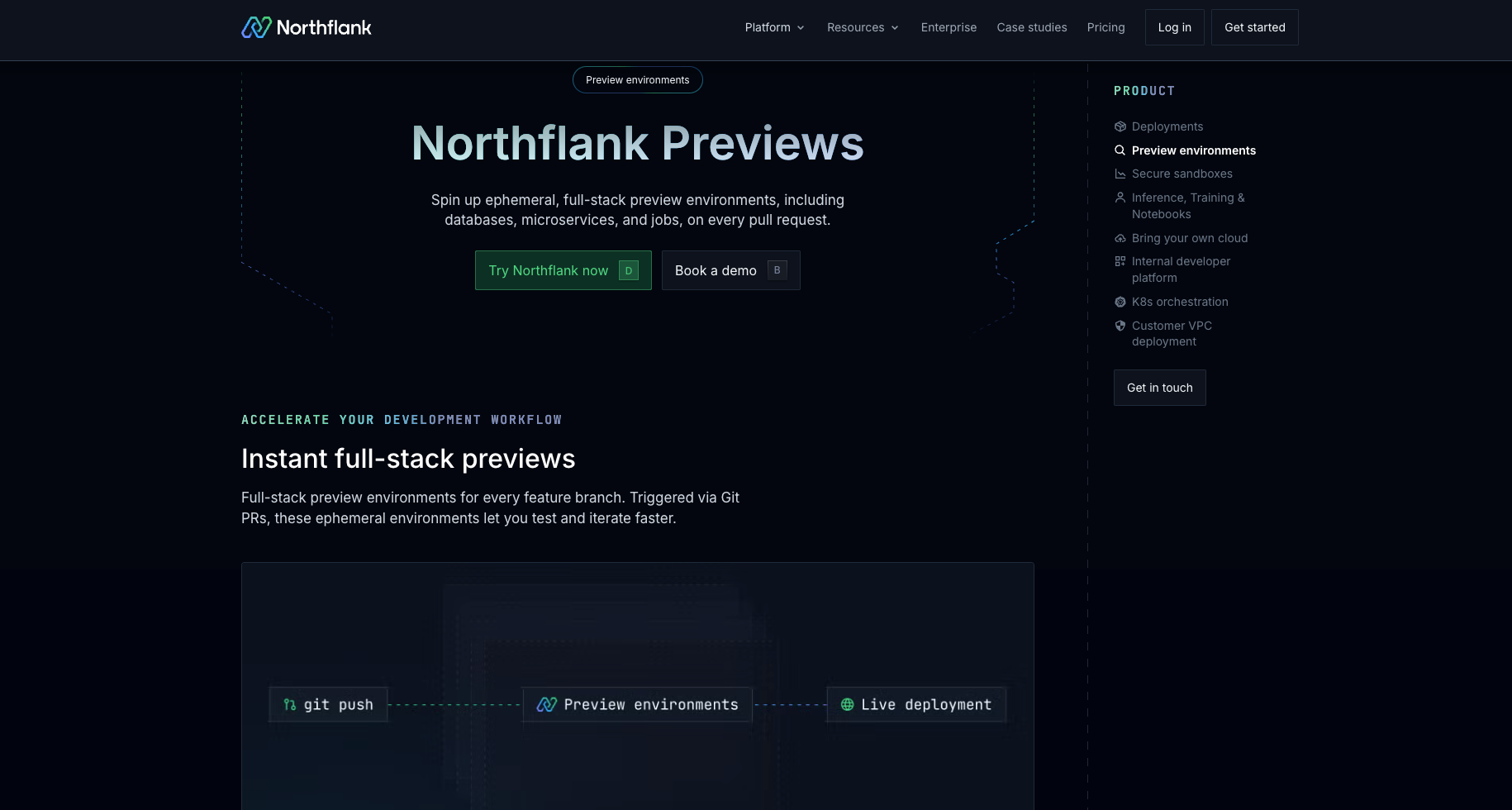
For development workflows, Northflank preview environments spin up full-stack environments on pull requests. Each environment includes:
- databases, microservices, and background jobs as configured in your pipeline
- Git-triggered creation managed through Northflank's UI or IaC templates
- configurable automated teardown based on policies you set
- snapshots and caching to reduce build times for teams running high volumes of concurrent environments
For sandbox and agent execution workloads, Northflank supports microVM-based isolation using Firecracker, gVisor, and Kata Containers. Environments can be created via the Northflank API, CLI, or UI, with lifecycle management tied to external triggers. Northflank runs across AWS, GCP, Azure, on-premises, and bare-metal infrastructure through bring-your-own-cloud support.
Northflank is used across a range of organisations, from early-stage startups to public companies and government deployments.
Get started:
- Preview environments on Northflank: product overview of how Northflank handles full-stack preview environment creation, teardown, and lifecycle management.
- Set up a preview environment: step-by-step documentation for configuring preview environments on Northflank.
- Try Northflank: create a free account and spin up your first environment.
- Book a demo: talk to the team about your infrastructure requirements.
Ephemeral environments are temporary, isolated deployments created on demand for a specific task and destroyed once that task is complete. Each environment is created fresh and carries no state from previous runs.
In software infrastructure, ephemeral describes a resource with a short, task-scoped lifecycle. An ephemeral environment exists only as long as it is needed, then is torn down and its resources are released.
Staging is a long-lived, shared environment maintained continuously. Ephemeral environments are short-lived and per-task. Multiple ephemeral environments can run in parallel, each tied to a specific branch, test run, or request. Staging persists; ephemeral environments do not.
When the code running inside is not authored by your own engineers (user-submitted code, third-party integrations, or AI-generated code), container-based isolation may not be sufficient. MicroVM-based runtimes like Firecracker or gVisor provide a kernel boundary that containers do not.
The articles below go deeper on specific aspects of ephemeral environments covered in this guide:
- The what and why of ephemeral preview environments on Kubernetes: a detailed look at how preview environments work in practice, the challenges of matching production for full-stack applications, and Kubernetes-specific implementation considerations.
- Ephemeral sandbox environments guide: covers isolation models in depth, including containers, microVMs, and full VMs, with guidance on when each applies and the trade-offs at each level.
- Ephemeral execution environments for AI agents: covers why AI agent workloads benefit from ephemeral isolated runtimes, how to implement them, and the operational challenges at scale.
- How to auto-create preview environments on every PR: a step-by-step implementation guide for automating preview environment creation from pull requests.
- Kubernetes preview environments comparison: compares the main approaches to running preview environments on Kubernetes clusters.
- Best platforms for on-demand preview environments: a platform comparison for teams evaluating tooling options for preview environment management.
- Preview environment platforms: a broader look at the platform landscape for teams getting started with preview environment tooling.
- Code execution environments for autonomous agents: covers the infrastructure requirements for running agent-generated code safely in isolated runtimes.