
How to run AI coding agents in Azure
- You can run AI coding agents such as Claude Code, Codex, or OpenCode in Azure using Azure VMs, Container Apps jobs, AKS, or a managed environment in your own Azure subscription. Running agents in Azure gives you control over their execution environment and lets them access private resources such as Azure databases and internal services in your virtual network.
- Claude Code can call Claude models through Microsoft Foundry, with model requests authenticated through Azure and usage billed through your Azure subscription. Running agents on a VM yourself works for one developer, but you take on isolation, patching, credentials, idle costs, and team access.
- Northflank Cloud Harnesses provide the infrastructure to run coding agents in isolated cloud environments inside your own Azure subscription through self-serve BYOC, with support for Claude Code, Codex, Cursor, OpenCode, Pi, or a bring your own agent. Harnesses also run on Northflank's managed cloud, with microVM isolation, persistent storage, configurable compute and networking, a web terminal, and SSH access.
Run AI coding agents in your own Azure subscription with Northflank Cloud Harnesses, or book a demo to discuss your setup.
Organizations standardized on Microsoft Azure tend to have strict rules about where code and credentials can go. Identities live in Microsoft Entra ID, secrets live in Key Vault, databases sit behind private endpoints, and access is granted through Azure RBAC. A coding agent running on a developer laptop works outside those controls.
Running coding agents in your own Azure subscription gives you more control over their execution environment, network access, and identity permissions. The agent can work alongside your Azure infrastructure, authenticate with a managed identity, and call Claude through Microsoft Foundry. This guide covers the ways to run AI coding agents in Azure, how to set one up on an Azure VM with Microsoft Foundry, where that approach breaks down, and how to run coding agents in your Azure subscription with Northflank Cloud Harnesses.
Running coding agents in your Azure subscription gives you more control over source code, credentials, and agent activity under the governance you already apply to your other workloads. The agent can reach Azure Database for PostgreSQL, Azure SQL, and internal services through private endpoints in your virtual network, so it can run integration tests against real dependencies without exposing them to the internet. Managed identities and Azure RBAC control what the agent can access, and the Azure Activity Log records management operations on your resources.
Compute runs on your Azure bill, so it counts toward existing Azure commitments and shows up in Cost Management alongside your other workloads. With Microsoft Foundry, Claude Code's model requests can authenticate with Entra ID or a resource key and are billed through your Azure subscription.
| Azure virtual machine | Azure Container Apps job | Northflank Cloud Harnesses with BYOC on Azure | Self-built platform on AKS | |
|---|---|---|---|---|
| Setup effort | Medium for one VM, grows with each developer | Medium: container image, job definition, networking | Low: connect your Azure subscription, then create Harnesses | High: build and operate the platform yourself |
| Isolation | One VM shared by every task on it | Container per job execution | Isolated microVM per Harness | Whatever you build, often containers on shared nodes |
| Interactive access | SSH or Azure Bastion | Limited, designed for batch runs | Web terminal and SSH | Whatever you build |
| Persistence | Managed disk on the VM | Ephemeral by default | Persistent workspace when enabled | Whatever you build |
| Team access | Entra ID login or SSH keys you manage | Through the Azure portal or CLI | Teammates connect with their own Northflank accounts | Whatever you build |
| Supported agents | Any agent you install | Any agent in your image | Claude Code, Codex, Cursor, OpenCode, Pi, or your own agent | Any agent in your images |
| Ongoing maintenance | Patching, tooling, cleanup | Images and job definitions | Northflank manages the Harness platform layer | The whole platform |
An Azure VM is the most direct starting point. Container Apps jobs suit automated agent runs triggered by a schedule or event, but are designed primarily for batch workloads rather than interactive coding sessions. Building your own platform on AKS gives full control and turns into a product your team has to maintain. Northflank Cloud Harnesses run on an AKS cluster that Northflank provisions and manages, giving each coding agent an isolated environment without requiring you to build the platform yourself.
- Create a resource group and a VM with a system-assigned managed identity:
az group create --name coding-agents --location westeurope

az vm create \
  --resource-group coding-agents \
  --name coding-agent \
  --image Ubuntu2404 \
  --size Standard_D4s_v5 \
  --assign-identity \
  --admin-username azureuser \
--generate-ssh-keys- Grant the VM's identity access to the secrets it needs in Key Vault:
PRINCIPAL_ID=$(az vm show -g coding-agents -n coding-agent \
  --query identity.principalId -o tsv)

az role assignment create \
  --assignee "$PRINCIPAL_ID" \
  --role "Key Vault Secrets User" \
--scope $(az keyvault show --name your-vault --query id -o tsv)- Connect and install Git, tmux, the Azure CLI, Node.js, and the agent CLI:
ssh azureuser@your-vm-ip

sudo apt-get update && sudo apt-get install -y git tmux
curl -sL https://aka.ms/InstallAzureCLIDeb | sudo bash
# Install Node.js using your preferred method, then:
npm install -g @anthropic-ai/claude-code- Sign in with the managed identity and read the Git credential from Key Vault at runtime instead of writing it to disk:
az login --identity
export GITHUB_TOKEN=$(az keyvault secret show \
  --vault-name your-vault --name github-token \
--query value -o tsv)- Clone the repository, create a branch, and start the agent inside tmux so the terminal session remains available when you disconnect:
git clone https://github.com/your-org/your-repo.git
cd your-repo && git checkout -b task-142
tmux new -s task-142
claude- Detach with
Ctrl+B, thenD, and reattach later with:
tmux attach -t task-142tmux keeps the terminal session available after an SSH disconnect. It does not protect the agent process from an Azure VM reboot or failure, so long-running tasks should also commit and push progress regularly.
| Problem | What happens on an Azure VM | On Northflank Cloud Harnesses in your Azure account |
|---|---|---|
| Isolation between tasks | Every task on the VM shares the same environment unless you provision separate VMs | Each Harness runs in its own isolated microVM |
| Idle cost | The VM continues consuming Azure resources while it is running unless you deallocate it | Pause or delete a Harness when its task is done |
| Patching and tooling | You patch the OS and keep agent CLIs, the Azure CLI, and runtimes up to date | The configured agent CLI comes pre-installed |
| Credentials | You manage Git, model, Azure, and application credentials on the VM | Credentials can be configured per Harness |
| Team access | Sharing means managing Entra ID VM login roles or SSH keys per developer | Teammates connect with their own Northflank accounts |
| Scaling to more agents | More developers and tasks mean more VMs to create, configure, and clean up | Create additional Harnesses in the same cluster |
| Persistence and recovery | You manage managed disks and what happens when the VM restarts | Persistent workspace can preserve files across restarts |
Think of a Harness as a dedicated cloud environment for your coding agent, without the infrastructure work normally required to build one.
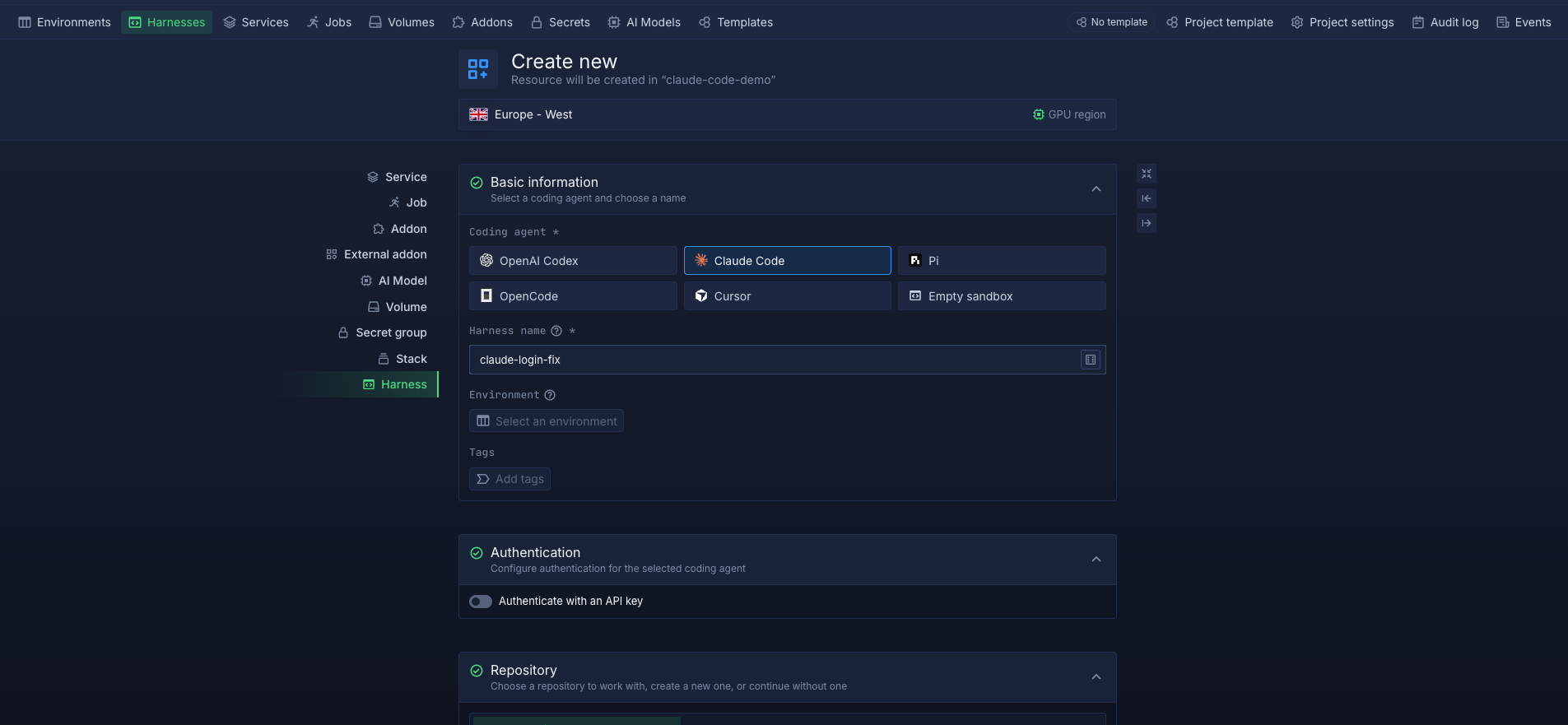
Northflank Cloud Harnesses are cloud workspaces built for coding agents. Each Harness is configured for one agent at creation, whether Claude Code, Codex, Cursor, OpenCode, Pi, or bring your own agent. The configured agent CLI comes pre-installed, and you can configure the credentials it needs for the Harness. A Harness can clone a connected Git repository and branch on start, and you can work in it through the web terminal in the Northflank dashboard or over SSH from your local terminal.
With BYOC on Azure, Northflank provisions and manages an AKS cluster inside your own Azure subscription, and your Harnesses run on it. The compute runs on your Azure bill, while the Harnesses can access Azure databases and internal services through your virtual network, subject to your network and security configuration.
Every Harness runs in an isolated microVM, giving each agent task its own isolation boundary from other Harnesses and the rest of the cluster. When workspace persistence is enabled, files in the Harness workspace are retained across restarts, so you can pause a Harness and resume it later, or delete it when the task is done. Teammates can also connect to the same Harness using their own Northflank accounts.
For Claude Code, you can combine BYOC with Microsoft Foundry by configuring CLAUDE_CODE_USE_FOUNDRY, ANTHROPIC_FOUNDRY_RESOURCE, your model deployment, and the required Foundry credentials on the Harness. The workspace runs in your Azure subscription, while model requests go to your Microsoft Foundry resource.
Create your first Harness on Northflank, or follow How to run a coding agent in the cloud for the full Harness setup.
Let your coding agent build its own environment
You don't even have to configure everything manually. With the Northflank Skill, you can give your coding agent a single command and let it create and configure the Northflank resources it needs.
- Connect your Azure subscription: In the Northflank dashboard, create a provider link to your Azure account.
- Create a cluster: Northflank provisions an AKS cluster in your subscription, in the region you choose.
- Add node pools: Configure the node pools that will run your workloads, including VM sizes and availability zones.
- Deploy workloads: Your cluster is ready for projects and Harnesses.
See Integrate your Azure account for the full steps and required Azure permissions. If you already run an AKS cluster, you can also import an existing cluster for Northflank to manage.
- Create a Northflank project on your Azure cluster: When you create a project, choose your Azure cluster as where its resources deploy instead of Northflank's cloud.
- Create a Harness in that project: Select your agent, an environment size, authentication, and the repository and branch to work on. Add any other secrets the task needs, such as Microsoft Foundry settings for Claude Code.
- Connect and run the agent: Open the Harness in the web terminal, or connect over SSH with the Northflank CLI, and start the agent:
northflank dev ssh --projectId your-project-id --harnessId your-harness-id claude
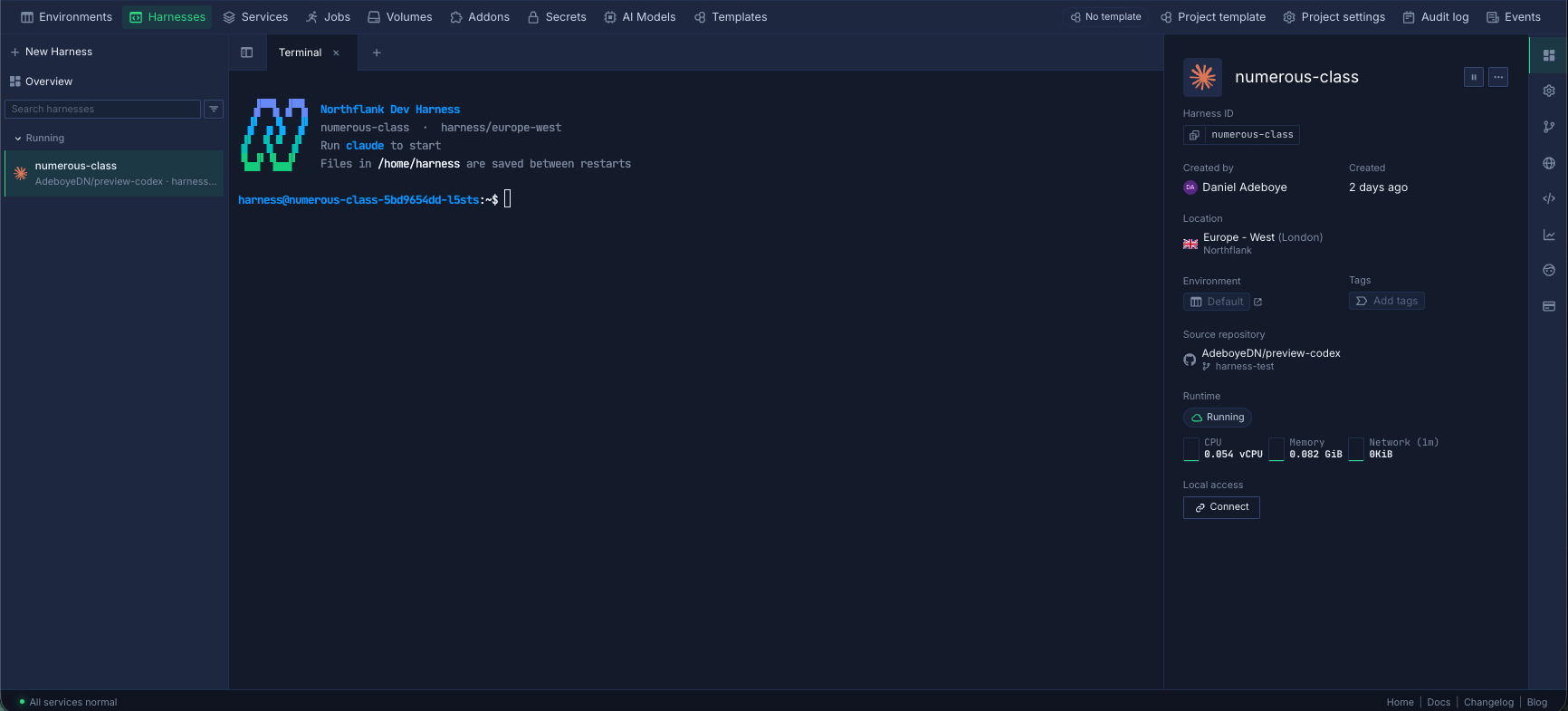
The Harness runs as an isolated microVM on your AKS cluster.
With Northflank BYOC on Azure, the Harness runs on an AKS cluster in your own Azure subscription, so the repository and agent workspace stay in your infrastructure. Northflank manages the cluster and Harness configuration. Where the agent sends model requests depends on its configuration: Claude Code with Microsoft Foundry sends requests to your Foundry resource, while an agent using a model provider's API sends requests to that provider.
Yes. Claude Code supports Microsoft Foundry as a model provider. Create a Foundry resource with Claude model deployments, give the agent's identity the Azure AI User or Cognitive Services User role, or use a resource API key. Then set CLAUDE_CODE_USE_FOUNDRY=1 and ANTHROPIC_FOUNDRY_RESOURCE, and configure the model variables to match your Foundry deployments.
Yes, if the network allows it. On a VM, place it in a virtual network that can resolve and reach the private endpoint. With Northflank BYOC, Harnesses run on an AKS cluster in your virtual network, so they can reach private resources when your virtual network, DNS, and network security groups permit it. Give the agent a scoped database user rather than an application or admin user.
With BYOC, the VMs behind your AKS cluster run in your Azure subscription and are billed by Microsoft, so they count toward your Azure spend and commitments. Claude usage through Microsoft Foundry is also billed through your Azure subscription. See Northflank pricing for BYOC platform pricing.
Yes. Northflank can provision a new AKS cluster in your subscription, or you can import an existing Kubernetes cluster for Northflank to manage. See Import an existing cluster.


