
How to deploy vibe-coded Lovable apps to production in minutes
You built an app in Lovable. It looks good in the preview. Now you need it running on a real URL, with HTTPS, automatic redeployments when you make changes, and infrastructure that does not break when someone actually uses it.
This article covers how to take a Lovable app from the Lovable editor to a live production URL on Northflank. The same workflow applies to most frontend and full-stack apps built in Lovable, regardless of their complexity.
Lovable gets your app built fast. Northflank gets it live just as fast.
- Connect your Lovable project to GitHub. Lovable syncs your code to a GitHub repository automatically.
- Connect the repository to Northflank. Framework detection handles the build configuration automatically.
- Northflank deploys the app, provisions TLS, and gives you a live URL in under two minutes.
- When your app needs a database, secrets management, or preview environments, the same platform covers all of these without changing your workflow.
What is Northflank? Northflank is a full-stack cloud platform that deploys Lovable apps with production-grade infrastructure underneath: managed databases, secrets management, TLS, CI/CD pipelines, preview environments per pull request, and BYOC into your own cloud. No infrastructure code. No DevOps background required. Sign up to get started or book a demo.
Lovable’s built-in hosting is optimized for fast previews and lightweight deployments. Northflank adds production infrastructure: managed databases, secrets management, autoscaling, preview environments, CI/CD pipelines, and BYOC support when your app grows beyond a simple frontend. You keep building in Lovable. Northflank handles everything underneath.
Northflank deploys from Git. The first step is getting your Lovable code into a GitHub repository.
Before you export, there is one small thing you need to ask Lovable to do. When Northflank runs your app, it needs a command to start a server. Lovable projects do not include this by default. Open the Lovable chat and paste this prompt exactly:
Add a start script to package.json that serves the build output on port 3000 using the serve package.
Lovable will make the change for you. You do not need to understand what it does, just confirm it looks like it was applied in the editor before moving on.
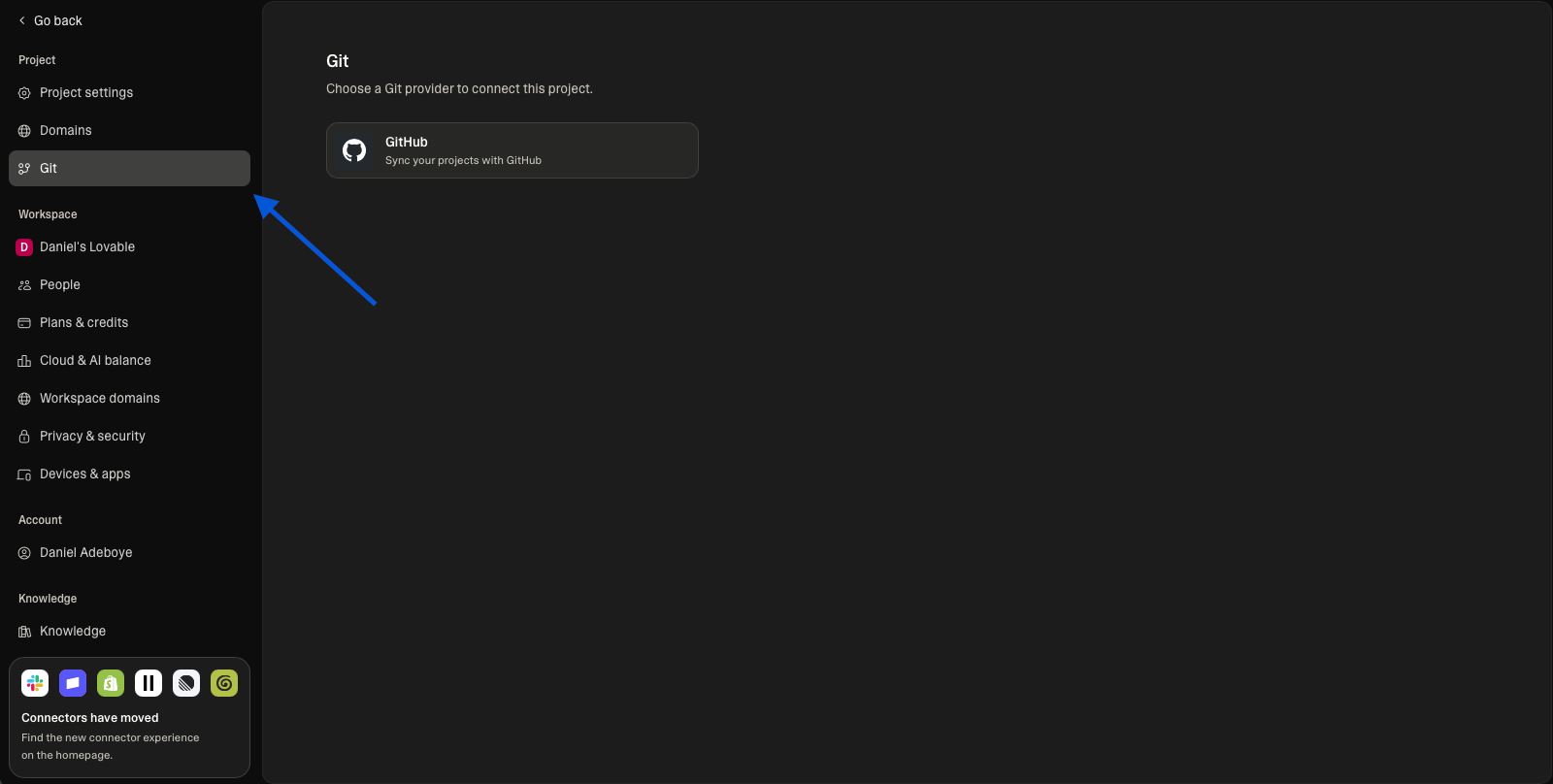
Once that is done, click the GitHub button in the top navigation bar of the Lovable editor. If you do not have a GitHub account, create one for free at github.com before continuing. GitHub is where your code lives so that Northflank can deploy it. Connect your GitHub account in Lovable, and select or create a repository. Lovable syncs your project to the repository and keeps it in sync automatically as you make changes in the editor.
Sign up for Northflank. The free tier includes two services, one database, and two cron jobs with always-on compute.
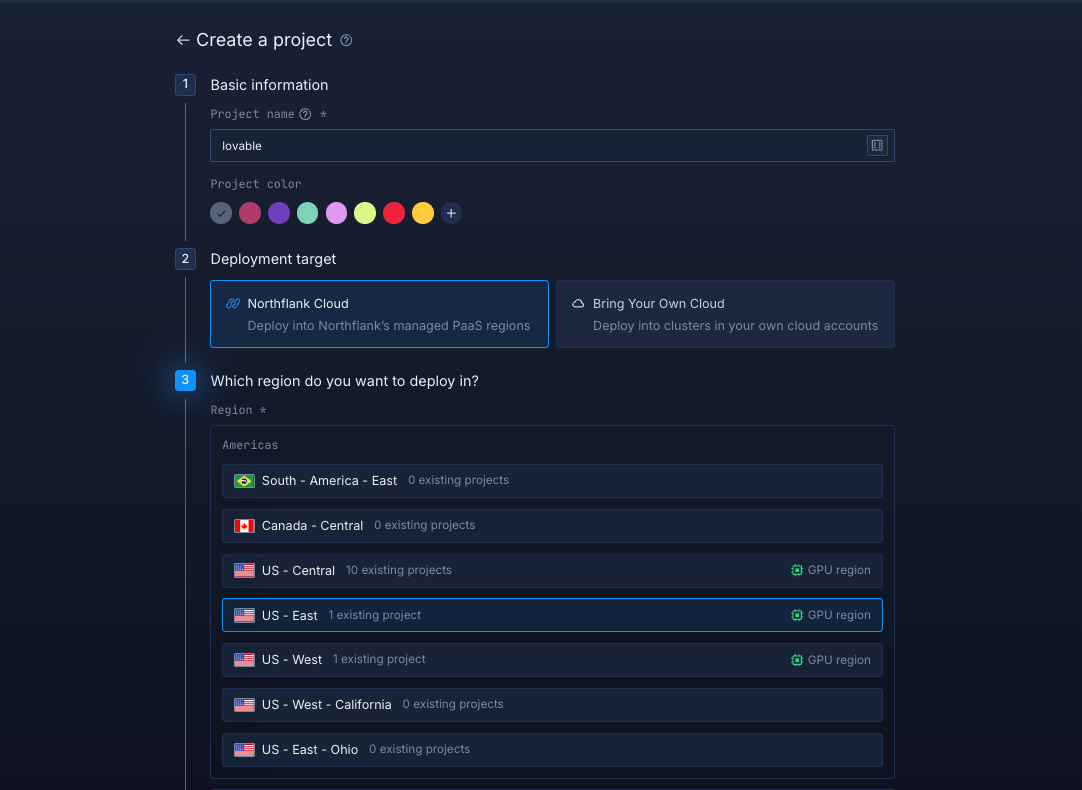
Once you are in the dashboard, link your git account and create a new project. A project is a container for all the resources that belong to your app: services, databases, secrets, and pipelines.
- Click Create project from the dashboard
- Give it a name matching your Lovable app
- Choose a deployment target (
Northflank Cloud) - Select a region closest to your users
- Click Create project
Tip: If you are using Claude Code, Codex, Gemini CLI, or Cursor, you can install the Northflank skill to deploy and manage your app directly from your agent workflow without switching to the Northflank dashboard.
- Open your project dashboard and go to the Services tab. Click ”Create service”
- Select Combined service and enter a name, for example
lovable-app - Select your repository from the dropdown and choose the branch to deploy from
- Under Build options, select Buildpack to let Northflank detect your framework and configure the build automatically
- Under Networking, add a public port. Set this to the same port specified in your
startscript inpackage.json. For this example, that is port3000. Northflank will provision a public HTTPS URL on this port automatically. - Under Environment variables, add your credentials if your app connects to a backend like Supabase. There are two types of variables: build arguments are injected during the build process, and runtime variables are injected when the app is running. If you are not sure which to use, ask Lovable: "Do my environment variables need to be available at build time or runtime?" and it will tell you. Add your variables in the correct section based on what Lovable tells you. For Supabase specifically, add
VITE_SUPABASE_URLandVITE_SUPABASE_ANON_KEYas build arguments. You can find both values in your Supabase project under Settings > API. - Leave resources at the default values. You can enable autoscaling from the resources panel at any time if traffic grows
- Click Create service
Tip: If your app has multiple services or you want to manage credentials in one place, secret groups are a better option than adding variables directly to each service.
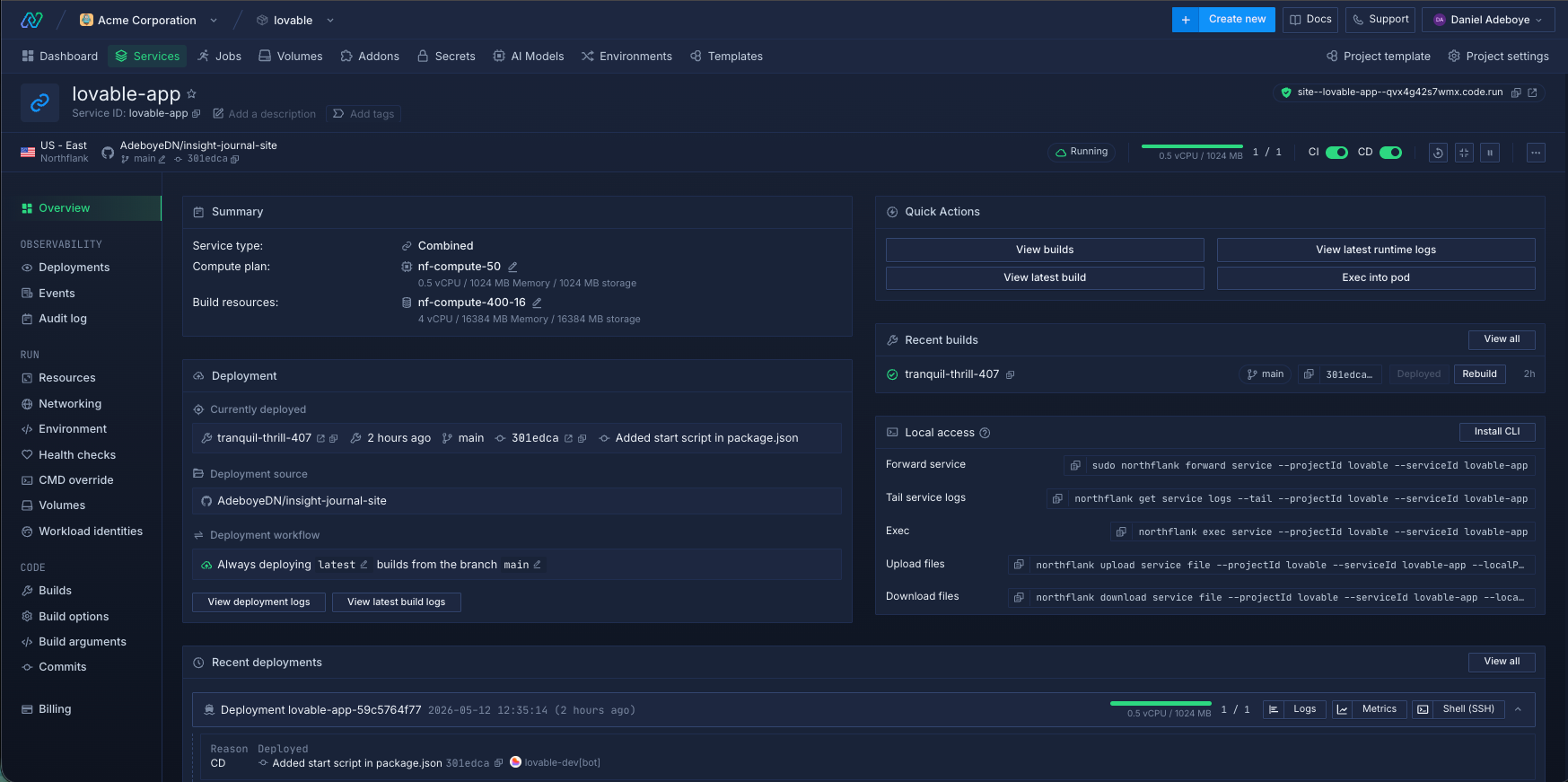
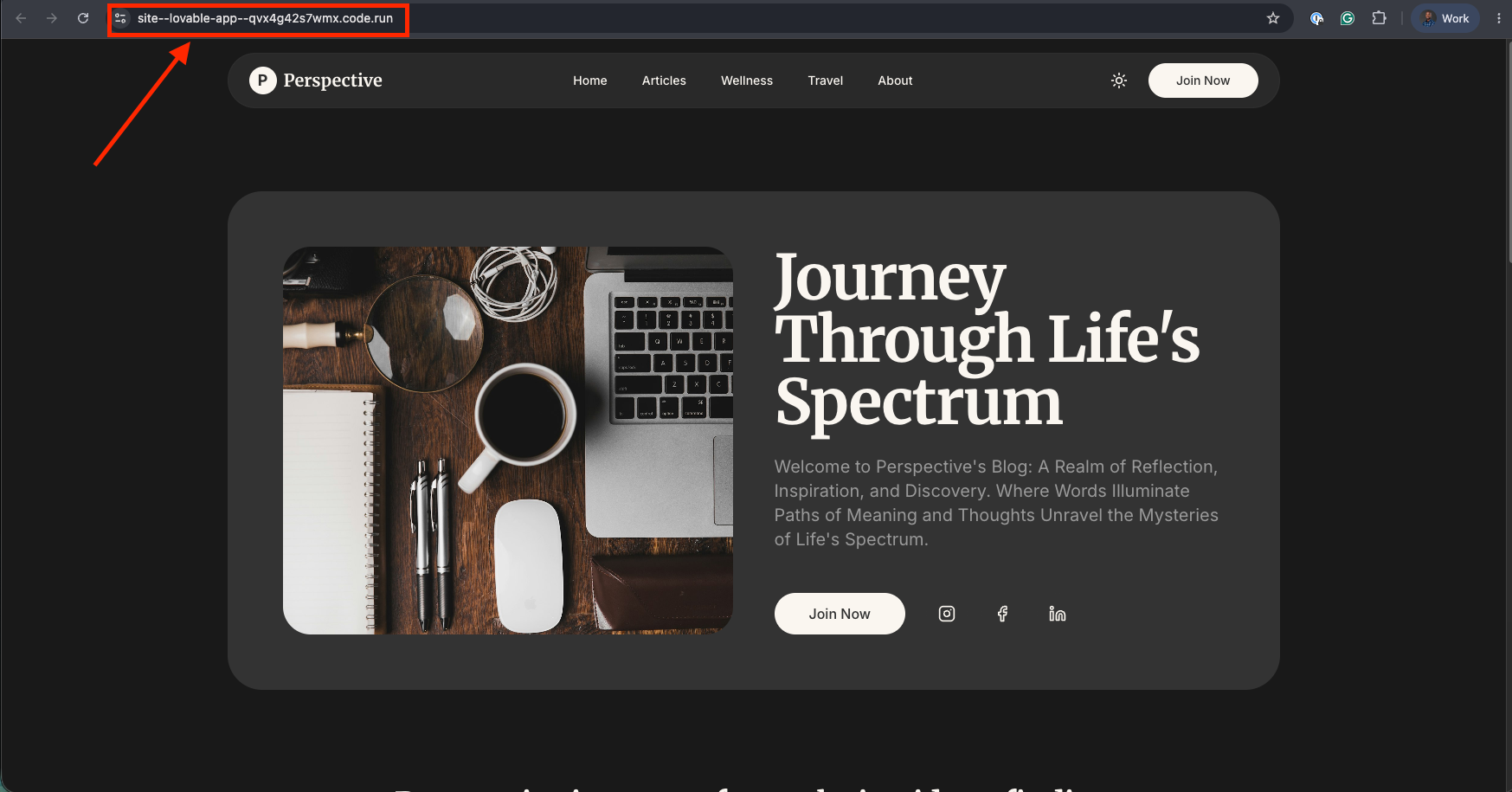
Northflank builds the app and deploys it. TLS is provisioned automatically. Your app is live on a *.code.run URL in under two minutes.
To use your own domain, first verify it in your Northflank account settings by adding a TXT record to your DNS provider. Once verified, add a subdomain and point it to your service port using the CNAME record Northflank provides. Northflank provisions a TLS certificate automatically.
For the full walkthrough, see Add and verify a domain in the Northflank docs.
By the end of this guide, the app will have:
- A live HTTPS URL on a
.code.runsubdomain or your own domain - Automatic redeployment on every push to
main, including from Lovable's editor - Secrets injected at runtime with no credentials in the source code
- Always-on compute on the free tier
When your Lovable app grows beyond a static frontend and needs a managed database, background workers, preview environments per pull request, or the ability to run inside your own cloud account, Northflank covers all of it from the same control plane without changing how you deploy.
No. You keep building in Lovable. Every change you make in the Lovable editor syncs to GitHub automatically. Northflank picks up the new commit and redeploys automatically. Your workflow stays in Lovable. The production infrastructure runs on Northflank.
Yes. Add your VITE_SUPABASE_URL and VITE_SUPABASE_ANON_KEY to a Northflank secret group and link it to your service. Northflank injects them at build time. Your Supabase backend works exactly as it does in the Lovable preview.
No. Northflank's buildpack detection identifies Vite and React projects automatically and configures the build without a Dockerfile. A Dockerfile is supported if you want more control, but it is not required.
Yes. Northflank provides managed PostgreSQL, MySQL, MongoDB, Redis, MinIO, and RabbitMQ as first-class addons. Provision a database from the project dashboard, and Northflank injects the connection string automatically via secret groups.
Lovable pushes the change to GitHub. Northflank detects the new commit and triggers a new build and deploy automatically. You do not need to do anything in Northflank after the initial setup.
Yes. Northflank preview environments spin up an isolated copy of the app per pull request and tear down automatically on merge. For a full walkthrough, see How to auto-create preview environments on every PR.
Lovable builds the app. Northflank keeps it running in production. Connect your Lovable project to GitHub, link the repository to Northflank, and your app is live with TLS, automatic redeployments, and room to grow.
Sign up for free and deploy your Lovable app in minutes. Or book a demo if you want to walk through your specific setup with an engineer.
- How to deploy vibe-coded apps to production: The general guide for deploying any vibe-coded app on Northflank, with a step-by-step walkthrough using a link-in-bio example.
- Best deployment platforms for vibe coders in 2026: A comparison of Northflank, Vercel, Render, Railway, and Fly.io on databases, secrets management, preview environments, and full-stack scope.
- How to auto-create preview environments on every PR: Step-by-step guide to setting up automatic preview environments on Northflank so every pull request gets its own isolated deployment.