
Runpod GPU pricing: A complete breakdown and platform comparison
When evaluating Runpod GPU pricing, you're likely comparing costs across GPU cloud providers. Runpod focuses on providing GPU compute infrastructure.
When deploying production AI applications, you need more than GPU compute; you also need databases, APIs, CI/CD pipelines, and monitoring tools to make your deployment work. Total infrastructure costs extend beyond GPU hourly rates.
This guide covers Runpod's pricing structure and compares it with platform alternatives like Northflank to help you evaluate the full picture.
When comparing Runpod and Northflank, you're looking at two different approaches: GPU-only pricing versus platform pricing that bundles everything you need.
| GPU model | Runpod community | Runpod secure | Northflank | What you're actually comparing |
|---|---|---|---|---|
| H100 SXM 80GB | $2.69/hr | $2.69/hr | $2.74/hr | GPU only vs GPU + full platform |
| H200 | $3.59/hr | $3.59/hr | $3.14/hr | Northflank more affordable here |
| A100 SXM 80GB | $1.39/hr | $1.49/hr | $1.76/hr | Lower GPU rate vs bundled infrastructure |
| A100 40GB | $1.19/hr | $1.39/hr | $1.42/hr | Comparable across platforms |
What this means for your total infrastructure costs:
With Runpod at $2.69/hr for H100 SXM, you still need to add:
- Database hosting (PostgreSQL, Redis, MongoDB)
- API server hosting for inference endpoints
- CI/CD platform for deployments
- Monitoring and observability tools
- Integration and management time
With Northflank at $2.74/hr for H100 SXM, these services are included in your platform. You pay $0.05/hr more for the GPU but get databases, APIs, CI/CD, and monitoring bundled, often resulting in lower total costs and faster shipping.
The key question: Which approach fits your team? GPU-only pricing (Runpod) or complete platform (Northflank)?
→ Request GPU access to compare total costs with your workloads
Runpod offers three ways to access GPU compute, each suited for different workload patterns. Let's break down each option.

Community Cloud connects you to GPUs through a marketplace model. You'll find options across three tiers:
| GPU tier | GPU model | VRAM | Price per hour |
|---|---|---|---|
| Enterprise | H200 | 141GB | $3.59/hr |
| B200 | 180GB | $5.98/hr | |
| H100 SXM | 80GB | $2.69/hr | |
| H100 PCIe | 80GB | $1.99/hr | |
| A100 SXM | 80GB | $1.39/hr | |
| A100 PCIe | 80GB | $1.19/hr | |
| Mid-range | L40S | 48GB | $0.79/hr |
| RTX 6000 Ada | 48GB | $0.74/hr | |
| Consumer | RTX 4090 | 24GB | $0.34/hr |
| RTX 3090 | 24GB | $0.22/hr |
You're billed per second, which works well when you're running training experiments or short development sessions.
If your production workloads need enterprise features, Secure Cloud adds $0.10-$0.40/hr for SOC2 compliance and dedicated infrastructure:
| GPU Model | Community Cloud | Secure Cloud |
|---|---|---|
| H100 PCIe | $1.99/hr | $2.39/hr |
| A100 PCIe | $1.19/hr | $1.39/hr |
| A100 SXM | $1.39/hr | $1.49/hr |
If you need GPUs that scale automatically based on demand, serverless offers two pricing tiers:
| GPU Model | Flex Workers | Active Workers (30% off) |
|---|---|---|
| H100 | $4.18/hr | $3.35/hr |
| A100 | $2.72/hr | $2.17/hr |
| 4090 | $1.10/hr | $0.77/hr |
You'll pay 2-3x more than pod pricing, but you get FlashBoot (sub-200ms cold starts) and automatic orchestration. This makes sense for inference APIs or workloads with variable traffic.
Runpod separates storage costs from GPU compute:
| Storage Type | Price |
|---|---|
| Pod volume (running) | $0.10/GB/month |
| Pod volume (idle) | $0.20/GB/month |
| Network volume (less than 1TB) | $0.07/GB/month |
| Network volume (greater than 1TB) | $0.05/GB/month |
You won't pay for data ingress or egress, which helps when moving large datasets.
When you deploy production AI applications, GPU compute is just the starting point. Your infrastructure stack will also require:
- Database hosting - PostgreSQL, Redis, or MongoDB for your application data
- API servers - Deploy and serve your model inference endpoints
- Frontend applications - User interfaces for your AI products
- CI/CD pipelines - Automated deployment and testing workflows
- Monitoring and observability - Track performance and debug issues
- Background job processing - Handle async tasks and data processing
Each of these means working with another vendor, managing separate billing, and building integrations. Your GPU cluster needs to connect with all these components to build a complete system.
Now that you've seen what Runpod offers and what else you'll need to build around it, let's look at how Northflank approaches this differently.
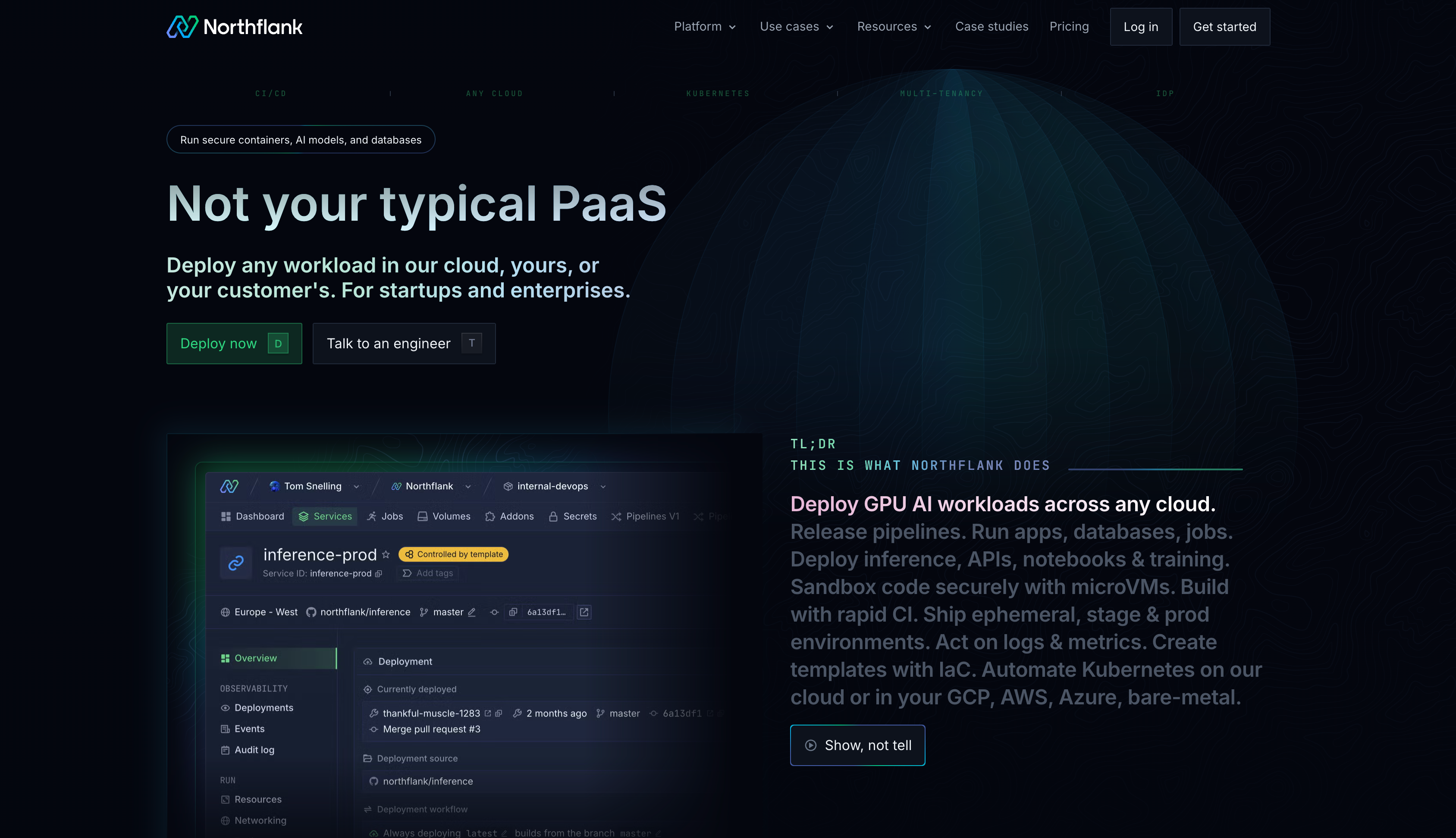
Northflank bundles GPU pricing with the complete development platform you need. Instead of paying for GPUs separately and then stitching together databases, APIs, and CI/CD from other vendors, you get GPU as a service plus all those infrastructure tools in one place.
Here's what you'll pay for GPU and CPU compute on Northflank:
GPU compute:
| GPU Model | VRAM | Price per Hour |
|---|---|---|
| A100 40GB | 40GB | $1.42/hr |
| A100 80GB | 80GB | $1.76/hr |
| H100 | 80GB | $2.74/hr |
| H200 | 141GB | $3.14/hr |
| B200 | 180GB | $5.87/hr |
CPU compute:
Your API servers, databases, and other services run on CPU instances priced at:
| Resource | Price |
|---|---|
| vCPU | $0.01667/vCPU/hour |
| Memory | $0.00833/GB/hour |
Fixed pricing (included in all plans):
These platform services are bundled into every deployment:
| Service | Price |
|---|---|
| Networking | $0.15/GB, $0.50/1M requests |
| Disk storage | $0.30/GB/month |
| Builds & backups | $0.08/GB/month |
| Logs & metrics | $0.20/GB |
You're billed per second with transparent pricing. No hidden fees or surprise charges for data transfer.
Want to see how this compares with your current infrastructure costs? Request GPU access to test your workloads, or talk to an engineer about your specific requirements.
Before we compare GPU hourly rates, remember what we covered earlier: Runpod focuses on GPU compute, while Northflank bundles GPUs with your complete infrastructure stack (databases, APIs, CI/CD, monitoring).
So when you're looking at these numbers, you're comparing GPU-only pricing against platform pricing.
Here's how the GPU rates stack up:
| GPU model | Runpod Community | Runpod Secure | Northflank | What you're actually comparing |
|---|---|---|---|---|
| H100 SXM 80GB | $2.69/hr | $2.69/hr | $2.74/hr | GPU only vs GPU + full platform |
| H200 | $3.59/hr | $3.59/hr | $3.14/hr | Northflank has competitive pricing here |
| B200 | $5.98/hr | $5.19/hr | $5.87/hr | Similar pricing, different scope |
| A100 SXM 80GB | $1.39/hr | $1.49/hr | $1.76/hr | Lower GPU rate vs bundled infrastructure |
| A100 40GB | $1.19/hr | $1.39/hr | $1.42/hr | Comparable across all platforms |
Here's what this means for your infrastructure costs:
If you go with Runpod at $2.69/hr for H100 SXM, you still need to add:
- Database hosting (PostgreSQL, Redis, MongoDB)
- API server hosting for inference endpoints
- CI/CD platform for deployments
- Monitoring and observability tools
- Integration and management time
With Northflank at $2.74/hr for H100 SXM, all of those services are included in your platform. You're paying $0.05/hr more for the GPU, but you get databases, APIs, CI/CD, and monitoring bundled together.
The question isn't just "which hourly rate is lower?" but "what's your total infrastructure cost?" For teams building production applications, having everything in one platform often costs less overall and ships faster.
Beyond GPU compute, Northflank provides a full-stack developer platform designed for teams building and deploying AI applications at scale:
| Category | Features |
|---|---|
| Complete application stack | GPU workloads (training, inference, fine-tuning), managed databases (PostgreSQL, MySQL, Redis, MongoDB), frontend and backend services, background jobs and cron scheduling, static site hosting |
| Developer workflow | Native Git integration (GitHub, GitLab, Bitbucket), automated CI/CD pipelines, preview environments for every pull request, buildpacks and custom Dockerfiles, Infrastructure as Code support |
| Production features | Real-time logs and metrics, auto-scaling based on CPU, memory, or custom metrics, secret management and environment variables, team collaboration with RBAC, audit logs and compliance tracking |
| Enterprise capabilities | Deploy in your own cloud (GCP, AWS, Azure, Oracle, CoreWeave, Civo, bare-metal), secure runtime with microVM isolation (gVisor, Kata, Firecracker), 24/7 support and SLA guarantees |
This comprehensive platform approach means you're comparing a focused GPU provider against a complete development ecosystem. Both approaches have merit depending on your team's needs.
The choice between focused GPU providers like Runpod and platform solutions depends on your infrastructure needs:
With focused GPU providers:
- GPU provider for training
- Separate API hosting service
- Different database service
- Another frontend service
- Additional monitoring tool
- Integration work between services
With platform approach: Deploy everything in one place. Auto-scaling, automated backups, unified logging. The cloud GPU infrastructure integrates seamlessly with other components.
Teams running several AI workloads benefit from unified deployment, consistent monitoring, shared configuration, and preview environments for testing.
Platform solutions can address this through BYOC capabilities, letting you deploy GPUs in your own cloud while maintaining platform benefits for data residency compliance and enterprise security integration.
Total cost of ownership includes more than hourly GPU rates. Consolidating multiple vendors can reduce operational complexity, billing relationships, and infrastructure integration time.
Your decision comes down to your infrastructure needs and team capabilities. Here's how to think about it:
| Runpod works well for teams that: | Northflank works well for teams that: |
|---|---|
| Need dedicated GPU access without additional services | Build production AI applications |
| Have experienced DevOps teams | Need databases, APIs, and GPU compute together |
| Already maintain separate infrastructure | Want to reduce infrastructure management |
| Run research projects or experiments | Have compliance or data residency requirements |
| Prioritize lowest per-hour GPU cost | Need to deploy in their own cloud |
| Want widest GPU hardware variety | Value total cost of ownership |
Your choice depends on your infrastructure needs and team structure.
Understanding total infrastructure costs means looking beyond headline GPU pricing.
Runpod provides competitive compute rates for teams focused on GPU access. Northflank combines GPU pricing with databases, APIs, CI/CD, and deployment tools in one platform.
Need to see how GPU infrastructure integrates with databases, APIs, and deployment tools? Request GPU access to test the platform with your workloads, or book a demo if you have specific organizational requirements.
How does Runpod GPU pricing compare to AWS or GCP?
Runpod typically runs 40-60% cheaper than AWS or GCP on-demand instances. Major clouds provide committed use discounts that narrow this gap. Platform solutions like Northflank bridge this by providing competitive GPU pricing while letting you deploy in your own cloud through BYOC.
Does Runpod charge for data transfer?
No, Runpod doesn't charge for ingress or egress data transfer, which helps when moving large datasets or model weights.
What's the difference between Community Cloud and Secure Cloud?
Community Cloud provides more GPU variety at lower prices through a marketplace model. Secure Cloud adds $0.10-$0.40/hr per GPU for SOC2 compliance, dedicated resources, and enhanced support.
Can I use spot instances to reduce costs?
Runpod operates on a marketplace model where prices reflect availability. Other platforms support spot GPUs when deploying in your own cloud for 60-90% savings on interruptible workloads.
Which GPU should I choose for deep learning?
The best GPU for AI depends on your workload. H100 or H200 for large language models and transformer training. A100 or L40S for inference or smaller models. Both Runpod and Northflank provide access to these options.
What's the difference between SXM and PCIe GPUs?
SXM GPUs offer higher performance with faster interconnect speeds (NVLink) and better thermal design, making them ideal for large-scale training. PCIe GPUs cost less but have lower bandwidth. Runpod offers both variants with clear pricing distinctions. When comparing providers, check which form factor is included in the quoted price.