
Top 6 Supabase Alternatives in 2026
Supabase alternatives offer different approaches to backend infrastructure, from traditional BaaS platforms to infrastructure solutions where you can deploy Supabase itself or build custom backends.
If you need different deployment options, more infrastructure control, or alternatives to Supabase's managed service, we'll cover six options.
We'll review them based on deployment flexibility, infrastructure control, pricing transparency, and production readiness to help you find the right fit for your project.
See a quick list of the top Supabase alternatives and what makes each one stand out:
-
Northflank – Infrastructure platform with Bring Your Own Cloud (BYOC) support and built-in CI/CD for deploying applications, databases, and workloads.
Northflank offers managed Postgres databases and enables you to deploy a complete Supabase stack via our one-click template in your own infrastructure.
Provides production-grade Kubernetes infrastructure, developer-friendly workflows, and multi-cloud deployment options (including AWS, GCP, Azure, CoreWeave, Civo, Oracle, and bare-metal) with no vendor lock-in.
Suitable for solo developers, startups, and enterprises that need infrastructure control for running backend services.
-
Firebase – Google's BaaS platform with real-time capabilities and mobile SDKs, supporting both NoSQL and relational databases.
-
Appwrite – Open-source, self-hostable backend platform with multi-language SDK support, particularly suited for mobile and cross-platform development.
-
Nhost – Open-source backend platform built on PostgreSQL and Hasura, providing GraphQL-first APIs with real-time subscriptions for JAMstack applications.
-
PocketBase – Lightweight, open-source backend delivered as a single executable file with SQLite database, requiring zero configuration for deployment.
-
Directus – Open-source data platform that connects to existing SQL databases and generates REST and GraphQL APIs with a no-code admin interface.
-
Backendless – Visual development platform combining backend services with low-code/no-code tools for building applications with minimal coding.
Here's a detailed look at each platform, what they offer, and who they're best suited for.
Northflank is a developer platform built on Kubernetes that enables teams to deploy and scale applications, databases, jobs, and AI workloads across any cloud, including Northflank's managed infrastructure or your own AWS, GCP, Azure, Oracle, Civo, CoreWeave, bare-metal, or on-premises accounts.
While Northflank is not a direct backend-as-a-service alternative to Supabase, it provides the infrastructure layer where you can either deploy a complete Supabase stack using our one-click template or build custom backends with managed Postgres databases. You get Git-based CI/CD pipelines, preview environments from pull requests, and the ability to run everything from APIs to GPU workloads, all without managing Kubernetes directly.
Key features:
- Deploy Supabase or build with managed Postgres – Use our one-click template to deploy a complete Supabase stack in your own infrastructure, or build custom backends with our managed Postgres, MySQL, Redis, and MongoDB databases.
- Bring Your Own Cloud (BYOC) – Deploy in your AWS, GCP, Azure, Oracle, Civo, CoreWeave, bare-metal, or on-premises accounts. Maintain data residency, use existing cloud credits, and avoid vendor lock-in. Available across all plans.
- Full-stack deployment – Run containers, databases (Postgres, MySQL, Redis, MongoDB), scheduled jobs, and GPU workloads on the same platform. No need to stitch together multiple services.
- Built-in CI/CD & GitOps – Connect your GitHub, GitLab, or Bitbucket repository and deploy automatically on every push. Create preview environments for each pull request.
- Multi-tenancy support – Securely isolate customer environments with sandbox containers and microVMs for code execution workloads (spin up a secure code sandbox & microVM in seconds with Northflank).
- GPU support – Deploy AI models, inference workloads, and ML training jobs with fractional GPU allocation and time slicing across multiple cloud providers (see GPU Workloads on Northflank or request your high-performance GPU cluster).
- Templates & Infrastructure as Code – Create reusable templates for your entire stack. Share configurations across teams and deploy complex architectures in seconds (see Infrastructure as code on Northflank).
- Preview environments – Automatically create isolated environments for each pull request to test changes before merging to production (see a guide on setting up a preview environment on Northflank).
- CI/CD pipelines – Build and deploy directly from your Git repository with automatic deployments on every push (see Continuous integration and delivery on Northflank)
- Observability tools – Built-in logs, metrics, and monitoring to track application performance and diagnose issues (see Observability on Northflank).
- Background workers and cron jobs – Run scheduled tasks and async job processing alongside your applications
- Autoscaling – Automatically adjust resources based on demand to handle traffic spikes and optimize costs
- Secrets management – Securely store and inject environment variables, API keys, and credentials into your applications
- Automated backups – Regular database backups with point-in-time recovery for data protection
- Health checks – Continuous monitoring of service health with automatic restarts for failed containers
- Rollbacks – Instantly revert to previous deployments when issues are detected
💰 Northflank pricing
Sandbox tier
- Free resources to test workloads
- 2 free services, 1 free database, 2 free cron jobs
- Always-on compute with no sleeping
Pay-as-you-go
- Per-second billing for compute (CPU and GPU), memory, and storage
- No seat-based pricing or commitments
- Deploy on Northflank's managed cloud (6+ regions) or bring your own cloud (600 BYOC regions across AWS, GCP, Azure, Civo, CoreWeave, Oracle, and bare-metal)
- GPU pricing: NVIDIA A100 40GB at $1.42/hour, A100 80GB at $1.76/hour, H100 at $2.74/hour, H200 at $3.14/hour, B200 at $5.87/hour
- Bulk discounts available for larger commitments
Enterprise
- Custom requirements with SLAs and dedicated support
- Invoice-based billing with volume discounts
- Hybrid cloud deployment across AWS, GCP, Azure
- Run in your own VPC with managed control plane
- Secure runtime and on-prem deployments
- Audit logs, Global back-ups and HA/DR
- 24/7 support and FDE onboarding
Use the Northflank pricing calculator for exact cost estimates based on your specific requirements, and see the pricing page for more details
Ideal for:
Teams that want to run Supabase in their own cloud infrastructure with full control over deployment and data residency. Organizations building custom backends who need managed Postgres databases alongside application hosting, CI/CD, and preview environments. Companies requiring BYOC for compliance or cost reasons. Startups and enterprises that want infrastructure flexibility without vendor lock-in while maintaining good developer experience.
Learn more about Northflank's platform capabilities and BYOC deployment options.
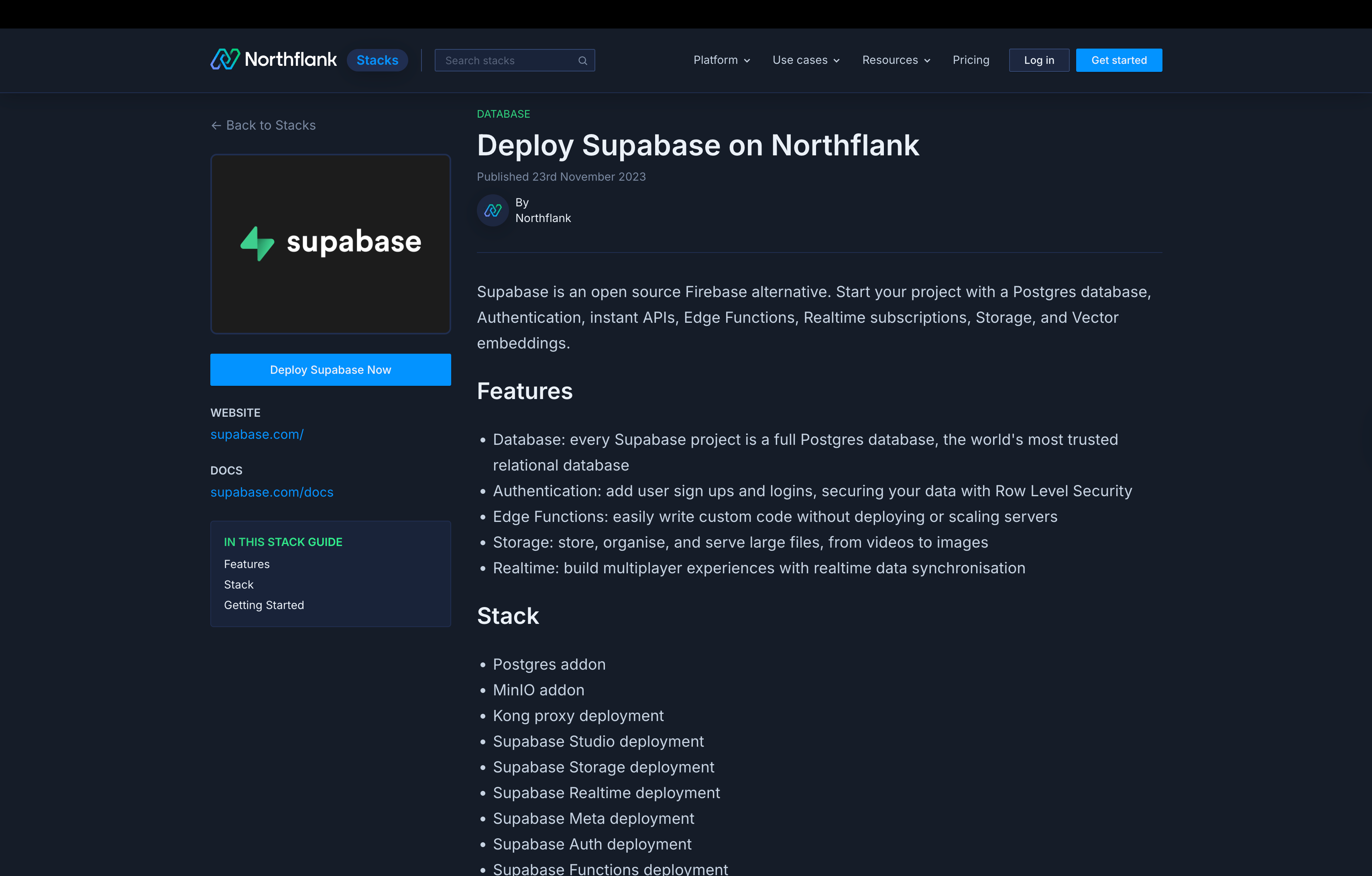
Deploy Supabase on Northflank Looking for Supabase's features with more infrastructure control? You can deploy a complete, production-ready Supabase stack on Northflank using our one-click template.
This includes Postgres database, authentication, storage, real-time, and edge functions, all deployed in your own cloud infrastructure with Northflank's BYOC support, integrated CI/CD, and multi-cloud flexibility.
Firebase is Google's backend-as-a-service platform. Built around a NoSQL database architecture (Firestore and Realtime Database), Firebase offers services including authentication, hosting, cloud functions, storage, and analytics.
Key features:
- NoSQL databases (Firestore and Realtime Database) optimized for document-based data structures
- Built-in authentication with support for email, OAuth, and custom providers
- Real-time data synchronization with automatic client-side caching and offline functionality
- Cloud Functions for serverless backend logic
- File storage and CDN delivery
- Built-in analytics and crash reporting
- Firebase Hosting for static and dynamic content
- Firebase Data Connect for relational use cases with Postgres and GraphQL
Ideal for:
Mobile-first applications requiring real-time synchronization. Teams already invested in the Google Cloud ecosystem. Projects that benefit from document-based data modeling. Applications requiring battle-tested infrastructure with extensive documentation and community support.
Appwrite is an open-source backend server designed for frontend and mobile developers. Built with Docker and supporting deployment on any infrastructure, Appwrite provides backend APIs for authentication, databases, storage, and functions while giving teams complete control over their data and hosting environment.
Key features:
- Self-hosted deployment via Docker with full infrastructure control
- Official SDKs for Web, Flutter, Apple, Android, and server-side languages
- Document-based database with collections and relationships
- User authentication with multiple providers and session management
- File storage with image manipulation and preview generation
- Cloud Functions supporting multiple runtimes (Node.js, Python, PHP, Ruby, Deno, .NET)
- Real-time API for live data updates
- Built-in web console for database, user, and storage management
Ideal for:
Mobile developers building with Flutter, Swift, or Kotlin who need backend services. Teams requiring full data sovereignty through self-hosting. Organizations with specific compliance requirements that necessitate on-premises or private cloud deployment. Developers who prefer working with document-based databases and want an open-source alternative.
Nhost is an open-source backend platform built on PostgreSQL and Hasura that provides a GraphQL-first approach to application development. The platform combines managed Postgres with automatic GraphQL API generation, making it particularly suited for teams building modern JAMstack applications and real-time features.
Key features:
- PostgreSQL database with automatic GraphQL API generation via Hasura
- Built-in authentication with support for multiple providers and custom claims
- File storage with image transformation and manipulation
- Serverless functions for custom backend logic
- Real-time subscriptions through GraphQL subscriptions
- Self-hosting option for complete infrastructure control
- Database migrations and schema management tools
- Integration with popular frontend frameworks
Ideal for:
Development teams that prefer GraphQL over REST APIs. Projects built with modern JavaScript frameworks that benefit from type-safe GraphQL queries. Applications requiring real-time data synchronization through GraphQL subscriptions. Teams familiar with Hasura who want a managed solution without configuring infrastructure.
PocketBase is a lightweight, open-source backend solution delivered as a single executable file. Built with Go and using SQLite as its database, PocketBase provides a complete backend including database, authentication, file storage, and real-time subscriptions without requiring complex deployment infrastructure.
Key features:
- Single binary deployment with no dependencies or configuration required
- SQLite database with automatic admin UI for data management
- Built-in authentication supporting email/password and OAuth providers
- File storage with direct S3-compatible API
- Real-time subscriptions via Server-Sent Events (SSE)
- JavaScript and Dart SDKs for client-side integration
- Extendable with custom Go code or JavaScript hooks
- Completely free and open-source under MIT license
Ideal for:
Solo developers and small teams building MVPs or prototypes. Projects that need a self-hosted backend without infrastructure complexity. Applications with modest scale requirements that benefit from SQLite's simplicity. Developers who want complete control over their backend code and data without cloud dependencies.
Deploy PocketBase on Northflank
You can deploy PocketBase on Northflank using our one-click template, giving you a lightweight backend with the added benefits of Northflank's infrastructure control and multi-cloud deployment options.
Directus is an open-source data platform that wraps around your existing SQL database and instantly provides REST and GraphQL APIs, along with an intuitive admin app for non-technical users. Unlike traditional BaaS platforms that provide their own database, Directus connects to your existing database and provides the tooling layer on top.
Key features:
- Connects to existing SQL databases (PostgreSQL, MySQL, MariaDB, SQLite, MS SQL, Oracle, CockroachDB)
- Automatic REST and GraphQL API generation from your database schema
- No-code admin app (Data Studio) for content management and data editing
- Granular role-based access control at collection and field levels
- File storage with digital asset management and on-the-fly image transformations
- Flows automation engine for custom business logic, webhooks, and event triggers
- White-labelable dashboard for branded data management interfaces
- Available under Business Source License (BSL) 1.1, free for organizations with less than $5 million in annual revenue
Ideal for:
Teams that want to layer a modern API and UI over existing or legacy databases without migrating data. Organizations building internal tools or content management systems where non-technical staff need to edit data. Projects requiring a headless CMS with traditional backend features like authentication, file storage, and task automation. SaaS and app development that needs production-ready, scalable backend infrastructure while avoiding vendor lock-in by using standard SQL.
Deploy Directus on Northflank
You can deploy Directus on Northflank using our one-click template, enabling you to run your data platform with full infrastructure control and BYOC support.
Backendless is a visual development platform that combines backend services with low-code/no-code tools. The platform provides database management, user authentication, serverless functions, and visual UI development, allowing teams to build complete applications with minimal coding while retaining the ability to extend functionality with custom code.
Key features:
- Visual database designer with graphical schema management and relational data modeling
- Codeless logic builder using a visual interface to define backend APIs and workflows
- User management and authentication with support for social logins (Google, Apple) and role-based access controls
- Real-time database with pub/sub messaging system for live updates
- File storage with CDN delivery
- Geolocation services for location-based applications
- Visual UI builder for creating responsive web applications that can be packaged for mobile (iOS/Android)
- Cloud Code for server-side logic in JavaScript (Node.js) and Java
- Self-hosting option available with Pro version for deployment on your own servers or private cloud
Ideal for:
Teams combining developers and non-technical users who need to collaborate on application development. Organizations building internal tools, admin panels, or portals that benefit from visual development. Projects requiring rapid prototyping and MVP delivery with advanced control over data and logic. Businesses that need low-code capabilities with the option to self-host for complete infrastructure control.
Use this decision framework to identify which platform aligns with your project requirements and organizational priorities.
| Your priority | Choose this platform | Why |
|---|---|---|
| Run Supabase in your own infrastructure | Northflank | Deploy complete Supabase stack via template with BYOC support across AWS, GCP, Azure, Oracle, Civo, CoreWeave, and bare-metal |
| Managed Postgres with full infrastructure control | Northflank | Managed databases with CI/CD, preview environments, and multi-cloud deployment options |
| Infrastructure control without vendor lock-in | Northflank | BYOC available across all plans, deploy in your own cloud, no proprietary lock-in, Kubernetes-based |
| Enterprise compliance and security | Northflank | RBAC, audit logs, and deployment in your own cloud for data sovereignty |
| Mobile-first with real-time sync | Firebase | Mobile SDKs, offline support, real-time architecture |
| Cross-platform mobile development | Appwrite | Official SDKs for Flutter, Swift, Kotlin with self-hosted control |
| GraphQL-first backend | Nhost | PostgreSQL with automatic GraphQL API generation via Hasura, real-time subscriptions |
| Lightweight self-hosted backend | PocketBase | Single binary deployment, SQLite-based, zero configuration required |
| Layer APIs over existing database | Directus | Connects to existing SQL databases, generates REST and GraphQL APIs, no-code admin interface |
| Visual development with low-code | Backendless | Codeless logic builder, visual database designer, suitable for mixed-skill teams |
| Self-hosting requirement | Appwrite, PocketBase, or Directus | Open-source platforms with complete infrastructure control |
| Predictable, transparent pricing | Northflank | Usage-based pricing with no per-user fees, no separate charges for CI/CD or observability |
Choosing the right option depends on what you need. If you're looking for a direct BaaS replacement for Supabase, Firebase and Appwrite offer similar feature sets. If you want to run Supabase in your own infrastructure with full control, or build custom backends with managed Postgres, Northflank provides the infrastructure layer with BYOC support, integrated CI/CD, and multi-cloud flexibility.
Ready to get started?
- Deploy your first project on Northflank – Free sandbox tier available
- Deploy Supabase on Northflank – Get Supabase running in your own infrastructure
- Talk to our team – Schedule a demo to discuss your infrastructure needs
Related resources: