
What is a deployment automation platform? Build, deploy, run, and scale
- A deployment automation platform automates the post-commit lifecycle: building artifacts, deploying them to target environments, managing runtime configuration, and scaling workloads in production. CI/CD pipelines are one component of this stack, not the whole of it.
- The scope of what a deployment automation platform covers varies significantly. More complete platforms include runtime types (services, jobs, cron jobs, workers), environment promotion workflows, scoped secrets management, observability, and autoscaling. Narrower tools may only handle build and delivery.
- Teams in regulated industries or with existing cloud commitments often need deployments to run inside their own cloud account (such as AWS, GCP, or Azure) rather than on shared vendor infrastructure. This model, known as Bring Your Own Cloud (BYOC), is supported on some deployment platforms and absent on others.
Northflank covers build, deploy, run, and scale in one platform: services, jobs, cron jobs, and workers; environments and release flows for promoting builds from preview to production; secrets management; autoscaling; IaC templates; and observability. Workloads can be deployed on Northflank's managed cloud or via BYOC inside your own cloud account across AWS, GCP, Azure, Oracle, Civo, CoreWeave, and on-premises and bare-metal infrastructure, with customer VPC deployments and GPU workloads supported alongside standard workloads on the same platform.
A deployment automation platform covers more than artifact delivery. CI/CD tools handle build triggering, test pipelines, and getting an artifact to a target, but runtime management, environment lifecycle, and production operations fall outside the scope of most CI/CD tools.
This article covers what a deployment automation platform is, what it covers beyond a CI/CD tool, what to evaluate when choosing one, and how Northflank implements the full stack.
A deployment automation platform is a system designed to manage the post-commit lifecycle of deploying software: building the artifact, deploying it to target environments, managing runtime configuration and secrets, observing its behaviour in production, and scaling it based on demand. The scope of what a given platform covers varies; some handle the full lifecycle while others cover only parts of it.
The distinction from a CI/CD tool is one of scope. A CI/CD tool handles build triggering, test pipelines, and delivering an artifact to a target. A deployment automation platform covers what happens after the artifact lands: how it runs, where it runs, how it scales, and how it behaves across environments from preview through to production. CI/CD is one component of that stack.
A PaaS (platform as a service) shares some of this surface area but typically constrains the runtime model and abstracts away configuration that teams with more complex workloads need direct control over.
Most teams start with a CI/CD tool and treat it as their deployment solution. Understanding where CI/CD stops is what surfaces the gap a deployment automation platform fills.
CI/CD tools handle build triggering, test pipelines, and artifact delivery to a target environment. Runtime management, environment lifecycle, secrets scoping, production observability, and autoscaling sit outside the scope of most CI/CD tools. These are not gaps that plugins consistently close across all tools and setups; they represent a different layer of the stack that a deployment automation platform is designed to own.
| Capability | CI/CD tool | Deployment automation platform |
|---|---|---|
| Build from Git | Core function | Included in most platforms; some delegate to an upstream CI tool |
| Test pipeline | Core function | Varies; some platforms integrate tests, others expect upstream CI to handle it |
| Deliver an artifact to a target | Core function | Included, and extends into runtime management post-deploy |
| Runtime types (services, jobs, cron, workers) | Generally out of scope | Core to the platform in more complete implementations |
| Environment promotion (preview to staging to production) | Requires custom scripting in most tools | A first-class workflow on more complete platforms |
| Secrets management | Basic variable injection in most tools | Scoped per environment with runtime and build-time controls on more complete platforms |
| Runtime logs and metrics | Build and pipeline logs only | Runtime logs, container metrics, and build history traceability |
| Autoscaling | Out of scope | Supported on most platforms, with varying degrees of configuration |
| BYOC (bring your own cloud) | Not applicable | Available on some platforms, absent on others |
| IaC and templates | Pipeline definitions only | Full resource definitions with GitOps sync on more complete platforms |
For teams that need a deployment automation platform covering the full post-commit lifecycle on managed cloud or inside their own cloud account, Northflank supports builds, runtime types, environments, secrets, observability, autoscaling, IaC templates, BYOC, and GPU workloads in one platform. Get started (self-serve) or book a demo if you have specific infrastructure or compliance requirements.
- Build and deploy your code: how to connect a Git repository and run your first build and deployment on Northflank
- Set up environments: how to configure environments, preview blueprints, and promotion workflows
- Autoscale deployments: configure autoscaling for your deployments on Northflank
Not every platform covers all of the following. These are the capabilities worth evaluating before committing to one.
- Build strategies: Platforms vary in how they produce container images. Dockerfile builds give teams direct control over the build environment. Buildpacks detect the language and runtime and produce an image without a Dockerfile. Supporting more than one approach is useful for teams with mixed stacks.
- Runtime types: Not all workloads are long-running services. Jobs run once and exit. Cron jobs run on a schedule. Workers process from a queue in the background. A platform that only models long-running services leaves the rest unmanaged.
- Environments and promotion: Environment promotion moves a build from preview through staging to production in a controlled way. Preview environments provision isolated environments per pull request with their own configuration and secrets, distinct from branch-based testing against a shared environment.
- Autoscaling: Horizontal scaling adds instances; vertical scaling increases resources per instance. Whether autoscaling is built into the platform or requires separate infrastructure configuration is worth checking.
- Infrastructure as code and templates: Versioned, reusable resource definitions let environments be reproduced consistently. GitOps sync and consistent state across UI, CLI, API, and Git is worth checking for.
- Bring Your Own Cloud (BYOC): BYOC is a model where the platform's control plane stays with the vendor but workloads run inside the customer's own cloud account. Relevant for teams with data residency requirements, regulatory constraints, or existing cloud commitments.
Northflank is a deployment automation platform that covers build, deploy, run, and scale across managed cloud and BYOC.
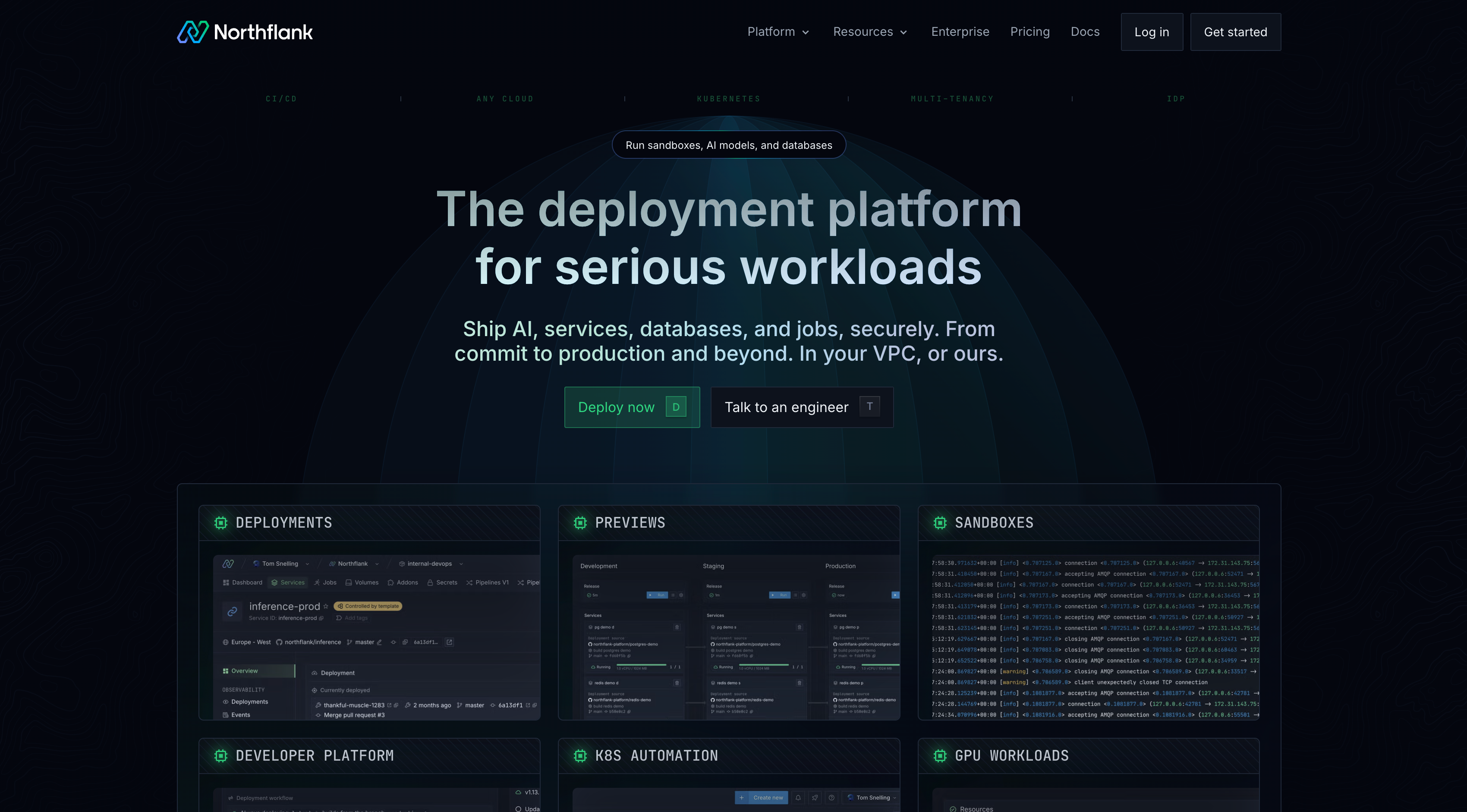
Northflank supports Dockerfile builds, Buildpacks, and deploying pre-built images from an external container registry. Builds connect to GitHub, GitLab, and Bitbucket repositories and can be triggered by branch pushes, pull requests, or commit filters.
For runtime types, Northflank supports deployment services for long-running workloads, jobs for one-off runs, cron jobs for scheduled execution, and workers for background processing. Each is configurable independently with its own resource allocation, scaling behaviour, and lifecycle rules.
Northflank uses environments as its recommended model for CI/CD workflows. Environments support preview blueprints that provision isolated environments per pull request, and workflows that define how builds promote from preview through to production.
Northflank supports secret groups that allow multiple resources within a project to inherit the same secrets, alongside per-resource build argument injection and runtime variable injection. Observability includes live and historical logs and metrics for builds, deployments, and jobs, with health checks, previous build history, and support for external log aggregators.
Autoscaling on Northflank supports horizontal scaling triggered by CPU usage, memory usage, requests per second, or custom Prometheus metrics, with configurable minimum and maximum instance counts.
Northflank provisions and manages Kubernetes clusters inside your own cloud account using the provider's native managed Kubernetes service: EKS on AWS, GKE on GCP, and AKS on Azure. Oracle, Civo, and CoreWeave are also supported, along with on-premises and bare-metal infrastructure via BYOK (Bring Your Own Kubernetes).
The same UI, CLI, API, and GitOps workflows operate across managed cloud and BYOC clusters. Customer VPC deployments are supported for teams deploying into customer-owned infrastructure.
GPU workloads run on the same platform as standard workloads. Northflank supports GPU-backed deployment services and training jobs on its managed cloud and on BYOC clusters with GPU node pools across supported providers.
Deploy on Northflank
- Introduction to Northflank: overview of the platform and how its components fit together
- Bring your own cloud: full overview of Northflank's BYOC model and supported providers
- Deploy workloads to your cluster: schedule services, jobs, and other workload types to specific node pools in your cluster
- Deploy GPUs on Northflank Cloud: GPU workloads on Northflank's managed cloud
- Deploy GPUs in your own cloud: GPU workloads on BYOC clusters
Get started (self-serve), or book a session with an engineer if you have specific infrastructure or compliance requirements.
CI/CD tools typically cover build triggering, test pipelines, and artifact delivery. A deployment automation platform includes CI/CD and extends into runtime management, environment lifecycle, secrets management, observability, and autoscaling. CI/CD is one component of a deployment automation platform, not a substitute for one.
Deployment stages vary by team and platform. A common model includes: build (produce the artifact), release (make the artifact available), deploy (run the artifact in a target environment), and operate (monitor and scale the running workload). Some models split these further or combine them differently.
BYOC (Bring Your Own Cloud) is a deployment model where the platform's control plane stays with the vendor but workloads run inside the customer's own cloud account. Teams use it to keep data within their own infrastructure boundary while still using a managed platform for orchestration and operations.
Kubernetes is a container orchestration system. It handles scheduling, scaling, and managing containerised workloads but does not provide a build system, environment promotion workflows, secrets management, or an interface for managing the full deployment lifecycle. Many deployment automation platforms run on top of Kubernetes and abstract its complexity.
Runtime type support varies by platform. More complete implementations cover long-running services, one-off jobs, scheduled cron jobs, and background workers. Each has different lifecycle and scheduling behaviour. Platforms that only support long-running services require teams to manage other workload types outside the platform.
- 16 best DevOps automation tools in 2026: overview of DevOps automation tools across CI/CD, infrastructure provisioning, container orchestration, and monitoring categories
- Customer deployment platform: how SaaS companies build and operate customer-facing deployment platforms on a container platform
- Multi-tenant SaaS platform deployment: deploying multi-tenant SaaS workloads and how platform architecture affects isolation and scaling
- What is continuous delivery?: what continuous delivery covers, how it relates to continuous deployment, and which tools support it
- Top AI tools for CI/CD pipeline automation: AI-assisted tools for automating CI/CD pipeline stages
- Global PaaS with multi-region deployments: deploying and managing workloads across multiple regions using a managed platform