
What is the easiest way to deploy AI-built apps?
- One of the easiest ways to deploy an AI-built app is to connect your Git repository to a platform that handles the build, infrastructure, secrets, and deployment for you, without requiring Kubernetes knowledge or DevOps experience.
- Most AI coding tools output to a Git repository. The deployment step is where teams get stuck: untrusted code, secrets management, databases, and access controls may all need to be handled depending on the app.
- Northflank is an easy way to deploy your AI-built app to production: it connects to your Git repository, builds the container, runs it in a sandboxed environment, provisions databases, injects secrets, gives you a live HTTPS URL, and supports custom domains, on managed cloud or in your own cloud account (BYOC), for teams of any size from solo developers and startups to enterprises, with little to no infrastructure or DevOps expertise required.
The hardest part of building an app used to be writing the code. AI coding tools have shifted that problem: apps built with Claude Code, Lovable, Bolt.new, Cursor, and Replit Agent can be functionally complete in minutes. Getting them running securely in production is where most teams hit friction.
This article shows you the easiest way to deploy your AI-built apps to production, with no infrastructure or DevOps expertise required.
If you are looking for the easiest way to deploy your AI-built apps and using any of these tools, these hands-on guides below cover deploying from Claude Code, Lovable, Bolt.new, Cursor, and Replit Agent to production step by step:
- How to deploy vibe-coded Claude Code apps to production
- How to deploy vibe-coded Lovable apps to production
- How to deploy vibe-coded Bolt.new apps to production
- How to deploy vibe-coded Cursor apps to production
- How to deploy vibe-coded Replit Agent apps to production
Start deploying your AI-built apps easily by following the Introduction to Northflank guide, see enterprise vibe coding: how to deploy AI-generated apps safely if you are deploying at enterprise scale, or see how non-technical teams can build and ship internal apps with AI securely if you are deploying without a dedicated engineering team.
Building an app with AI coding tools like Claude Code, Lovable, or Bolt.new takes minutes. Getting it running safely in production takes more thought.
- Untrusted code by default: Packages, dependencies, and runtime behaviour generated by AI coding tools may not have been reviewed by a human. Running that code on shared infrastructure without an isolation boundary introduces production risk that scales with the speed of AI-assisted development.
- The authorship shift: AI coding tools are used by engineers and non-engineers alike. A founder or product manager shipping an internal tool may have limited visibility into what the generated code does at the infrastructure layer, which means security should not rely solely on manual configuration.
- Production readiness requires more than a container: Secrets management, RBAC, sandboxing, databases, and preview environments are typically part of a production deployment for AI-built apps, depending on the use case.
For a full breakdown of deployment options and what to evaluate, see Where should you deploy your AI-built apps?
The easiest path is a platform that handles the infrastructure layer for you so you can focus on the app itself.
Most AI coding tools output to a Git repository. A platform like Northflank connects to that repository and takes it from there: it detects the stack or uses your Dockerfile to build the container, and runs it in a sandboxed environment using microVM isolation (Kata Containers or Firecracker) or gVisor syscall interception.
On Northflank, databases (PostgreSQL, MySQL, MongoDB, Redis) are provisioned alongside your app on the same platform, secrets are stored in a secrets manager and injected at runtime, and with preview environments configured, every pull request can get a full-stack isolated deployment with a shareable HTTPS URL so you can test on production-like infrastructure before merging.
Northflank offers two deployment paths. With managed cloud, you connect your repository and deploy directly; Northflank handles everything underneath. With BYOC (Bring Your Own Cloud), your workloads run inside your own AWS, GCP, Azure, Oracle, Civo, CoreWeave, or on-premises environment, which is useful if your team has existing cloud credits or needs workloads to stay within a specific cloud account.
Neither path requires writing infrastructure code or configuring Kubernetes.
For step-by-step deployment guides for AI coding tools, see the following:
- How to deploy vibe-coded Claude Code apps to production
- How to deploy vibe-coded Lovable apps to production
- How to deploy vibe-coded Bolt.new apps to production
- How to deploy vibe-coded Cursor apps to production
- How to deploy vibe-coded Replit Agent apps to production
Automate deployments from your AI agent. The Northflank Skills package lets Claude Code, Codex, Gemini CLI, and Cursor deploy services, manage databases, and configure environments via Northflank's API and CLI, directly from your agent session.
Northflank provides enterprise-grade infrastructure with a DX that makes it accessible to teams of any size, from solo developers and startups to scale-ups and enterprises, with little to no infrastructure or DevOps expertise required.
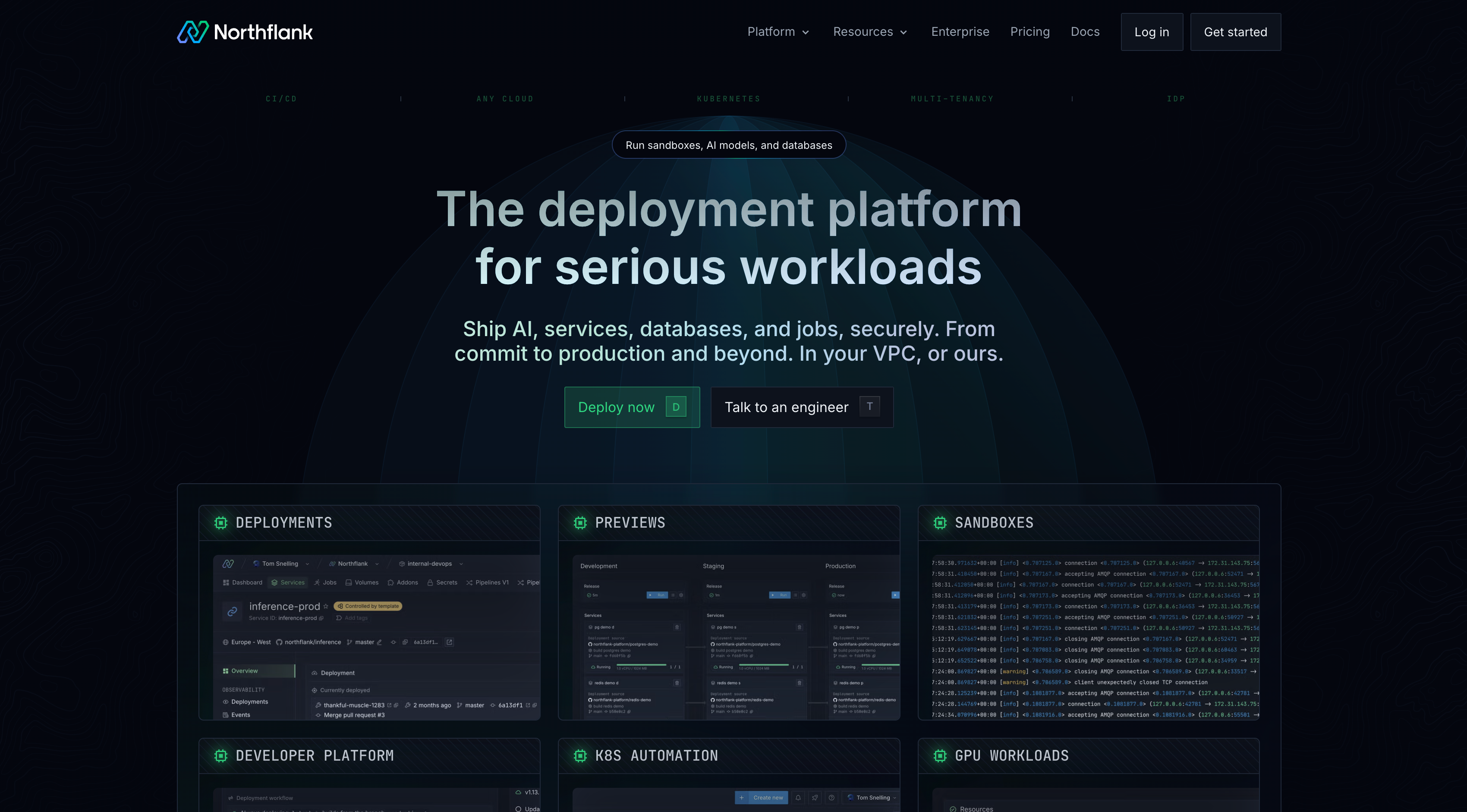
Northflank handles provisioning, secrets injection, database setup, access controls, custom domains, and deployment lifecycle management.
A team member with no infrastructure background can connect a Git repository, configure environment variables through the Northflank UI, and have a production deployment running on a live HTTPS URL with a custom domain, without writing infrastructure configuration files.
For teams that do have platform engineers, Northflank scales to handle high concurrency, multi-tenancy, GPU workloads, and BYOC into your own cloud account.
Northflank has run untrusted code at scale in production since 2021, across solo developers, startups, public companies, and government deployments. It is SOC 2 Type 2 certified.
Yavendio, an AI-powered WhatsApp commerce platform serving 7,000+ customers across Latin America, ran a team of 15 engineers with no dedicated DevOps. They used Northflank BYOC to deploy into their own AWS and GCP accounts while using startup credits and keeping full CI/CD automation, without the complexity of managing Kubernetes directly.
For non-technical teams deploying AI-built apps, see how non-technical employees can build and ship internal apps with AI, securely, or see enterprise vibe coding: how to deploy AI-generated apps safely if you are deploying at enterprise scale.
The easiest way to deploy your AI-built apps is with Northflank, a platform that handles sandboxing, secrets, databases, preview environments, and custom domains on managed cloud or in your own cloud account, with no infrastructure management required.
Follow the Introduction to Northflank guide to get started, get started (self-serve) to deploy your first app in minutes, or book a demo to walk through your specific setup with the team.
Claude Code outputs to a Git repository. Connect that repository to Northflank, and the platform handles the build, sandbox isolation, secrets management, database provisioning, and deployment, with little to no infrastructure expertise required. See the step-by-step guide for deploying Claude Code apps to production.
Yes. Both tools output to a Git repository that Northflank can connect to directly. Northflank detects the stack, builds the container, and runs it with sandbox isolation, secrets management, and a managed database if needed. See the guides for Lovable and Bolt.new.
Not necessarily. Northflank handles provisioning, secrets injection, database setup, and deployment lifecycle management through a UI that does not require deep infrastructure knowledge to operate. Teams with no dedicated DevOps have used Northflank to deploy production workloads at scale.
Connect your Git repository to Northflank, configure your environment variables, and Northflank provisions a live HTTPS URL on deployment. To add a custom domain, you add it in the Northflank UI, get the DNS record details, add them at your DNS provider, and verify back in Northflank. Northflank then generates TLS certificates for your domain automatically. The managed cloud option is the fastest path since Northflank handles all the underlying infrastructure. See Add and verify a domain for the full steps.
The following articles cover the topics in this guide in more depth.
- Where should you deploy your AI-built apps?: a full evaluation of deployment options for AI-built apps, covering sandboxing, BYOC, preview environments, and scale.
- Enterprise vibe coding: how to deploy AI-generated apps safely: the security risk profile of AI-generated apps and the infrastructure controls required at the deployment layer.
- How non-technical employees can build and ship internal apps with AI, securely: a guide for non-technical teams deploying AI-built apps safely without writing infrastructure code.
- Best PaaS platforms for AI-generated and vibe-coded apps: comparison of PaaS platforms on databases, secrets management, and preview environments for AI-built apps.
- How to vibe code securely: avoiding the most common security failures in AI-generated code at the deployment layer.
- Best deployment platforms for vibe coders: broader comparison of deployment platforms for teams shipping AI-built apps.