Billing thresholds trigger automatic billing when your usage reaches predefined spending limits, giving you better control over cash flow and preventing large monthly bills. New accounts start with a $50 billing threshold by default.
When your combined Northflank platform usage and BYOC usage reaches your threshold amount, Northflank automatically creates an invoice for your current usage period, applies any available credits to cover the invoice, charges your payment method for the remaining balance, and resets your billing cycle to start tracking toward the next threshold.
You may receive multiple invoices per month if you hit your threshold multiple times.
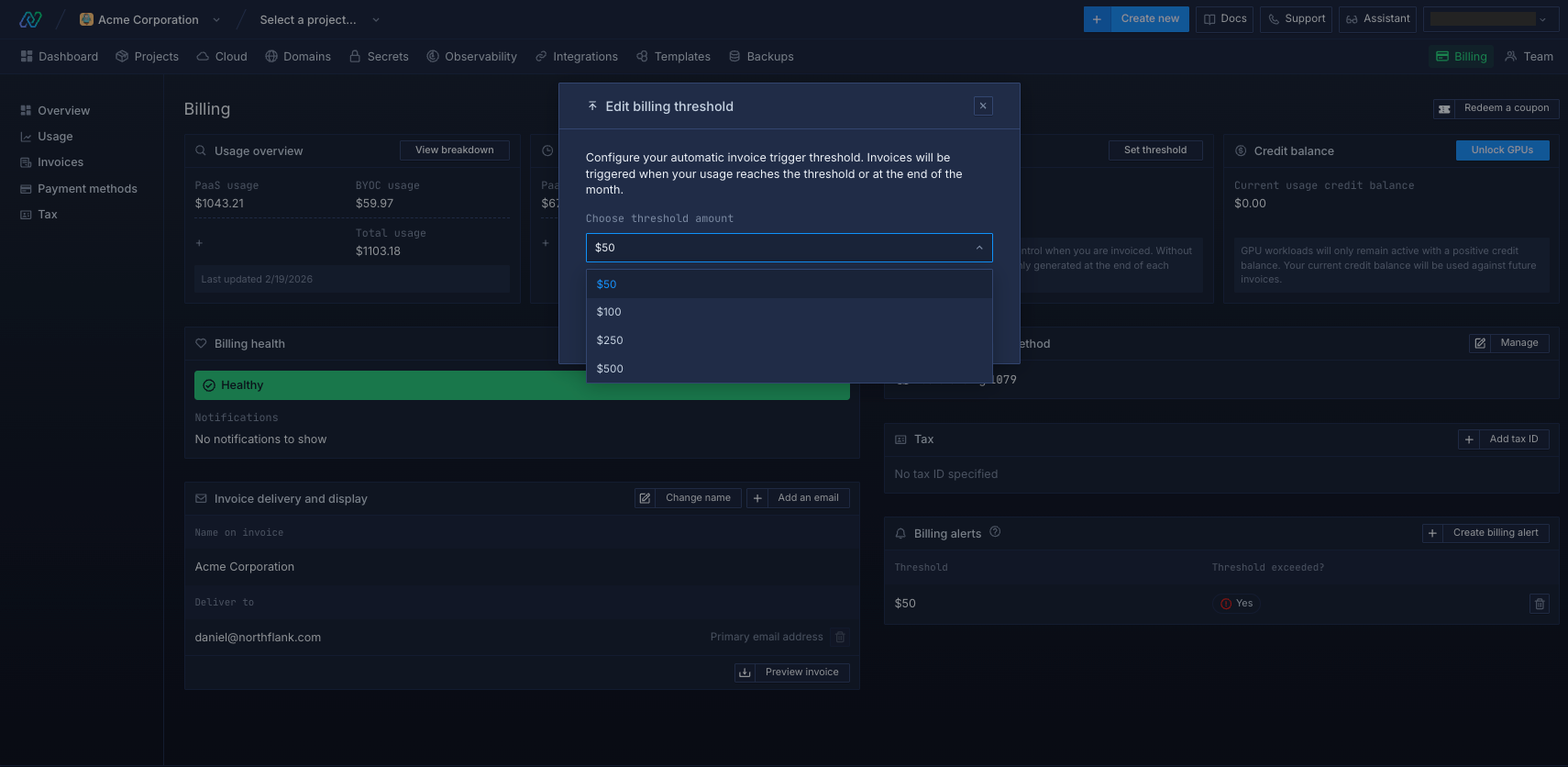
Setting your billing threshold
Available threshold options:
- $50 (default for new accounts)
- $100
- $250
- $500
You can only set a threshold up to the maximum amount of credits you have previously purchased.
If you prefer traditional monthly billing without thresholds, contact support to disable threshold billing on your account.
Suspension
Northflank platform services are suspended when threshold invoices cannot be paid, and you can restore them by paying outstanding invoices or purchasing credits. GPU workloads are blocked immediately when your credits cannot cover your current spending, requiring you to purchase credits to restore access.
Account status
| Status | Message |
|---|---|
| Approaching Threshold | "You're approaching your billing threshold. Ensure you have a working payment method or add credits to keep your services running." |
| PaaS Suspended | "CPU deployments are disabled due to insufficient credits. Please purchase credits to re-enable CPU workloads." |
| GPU Suspended | "GPU deployments are disabled due to insufficient credits. Please purchase credits to enable GPU deployments." |
Next steps
Add a card
Add a credit or debit card to your user or team account, and select the card to charge.
Monitor spending
Monitor your current resource usage across services.
View invoices
View your monthly Northflank invoices with detailed breakdowns of usage and cost.
Configure billing alerts
Set up alerts to notify you if your spend exceeds a specified amount.