Credits are prepaid balances that automatically cover usage charges when invoices are generated. Purchase credits to manage cash flow, unlock GPU deployments, and ensure payment coverage for your services.
Credits remain in your account until invoices are created. When billing thresholds are reached or at month-end, credits automatically apply to cover invoice charges. Any remaining amount after credit coverage is charged to your payment method.
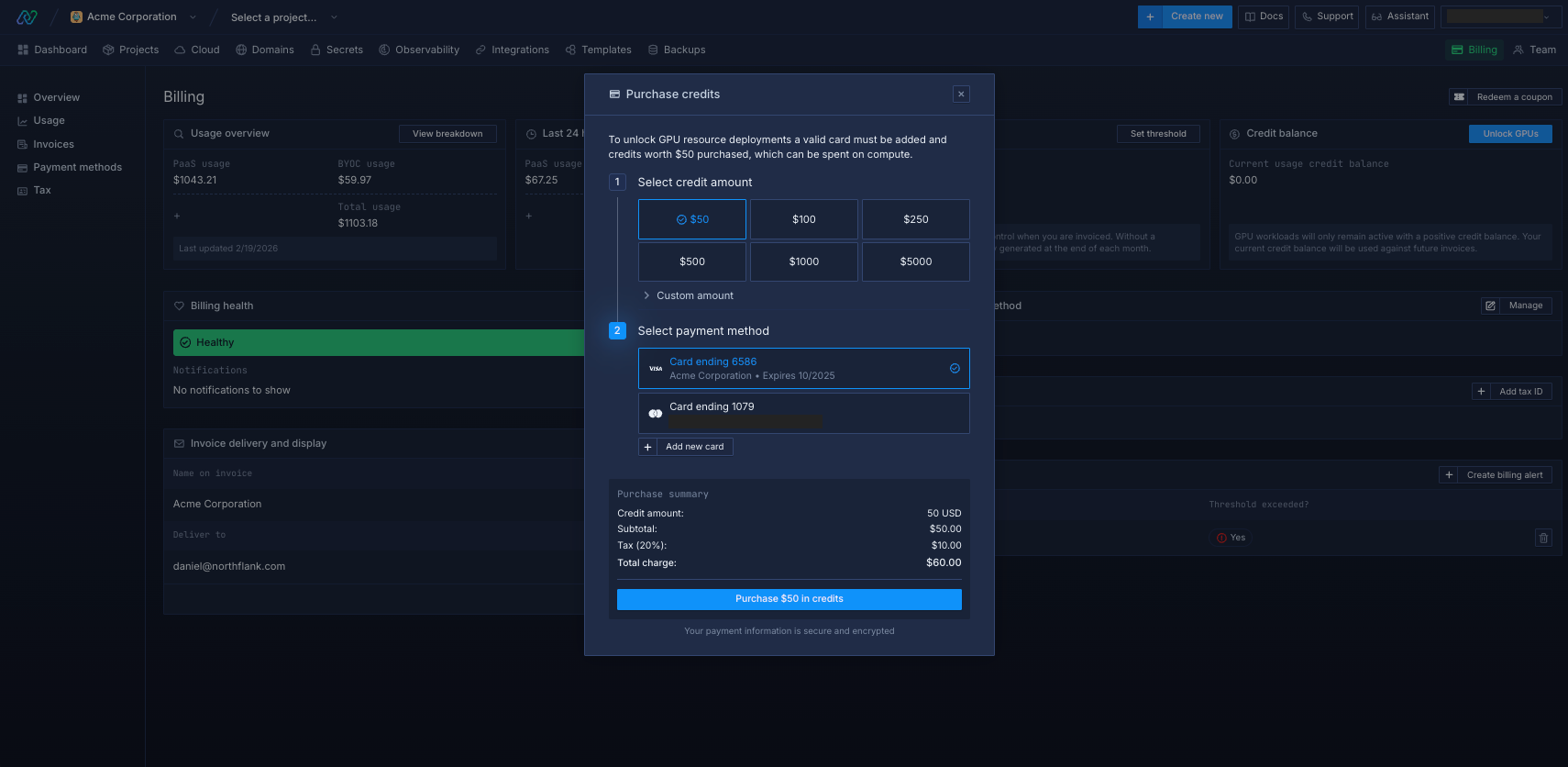
Buy credits from your billing page. There are some limits to keep in mind:
- Minimum purchase: $50
- Maximum purchase: $10,000
- Active credits: You can have up to 10 unused credits at once
GPU access
GPU workloads require a $50+ credit purchase to unlock access.
Once unlocked through credit purchase, GPU access remains permanently enabled on your account.
Important for GPU workloads:
- GPU services stop immediately when credits run out
- Maintain larger credit buffers to avoid service interruptions
Next steps
Billing thresholds
Set automatic billing thresholds to maintain service availability when credits run low.
Monitor spending
Monitor your current resource usage across services.
View invoices
View your monthly Northflank invoices with detailed breakdowns of usage and cost.
Configure billing alerts
Set up alerts to notify you if your spend exceeds a specified amount.